Skip to content
View in the app

A better way to browse. Learn more.

Enpass Discussion Forum

A full-screen app on your home screen with push notifications, badges and more.

To install this app on iOS and iPadOS
  1. Tap the Share icon in Safari
  2. Scroll the menu and tap Add to Home Screen.
  3. Tap Add in the top-right corner.
To install this app on Android
  1. Tap the 3-dot menu (⋮) in the top-right corner of the browser.
  2. Tap Add to Home screen or Install app.
  3. Confirm by tapping Install.

mason

Members
  • Joined

  • Last visited

Everything posted by mason

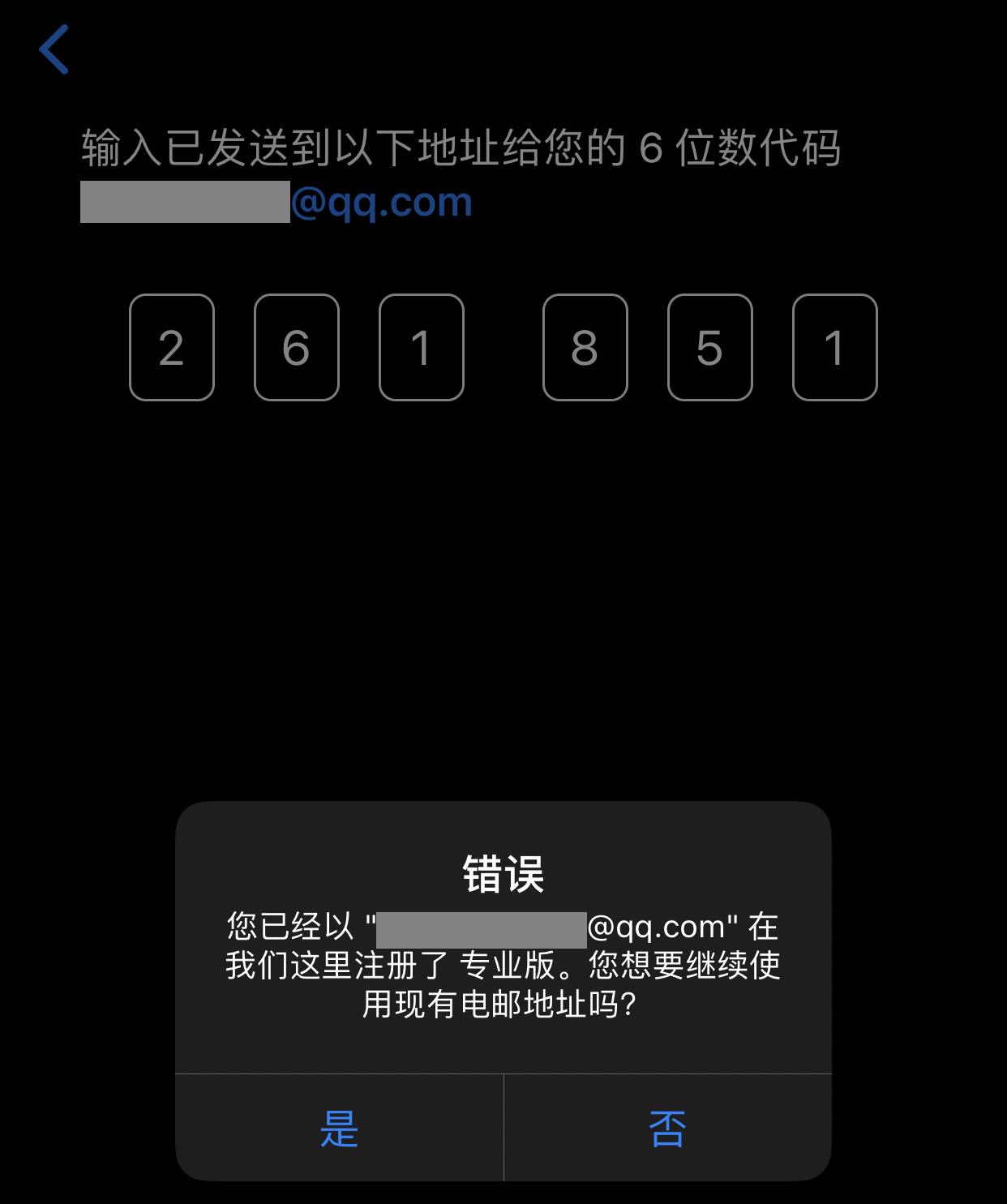
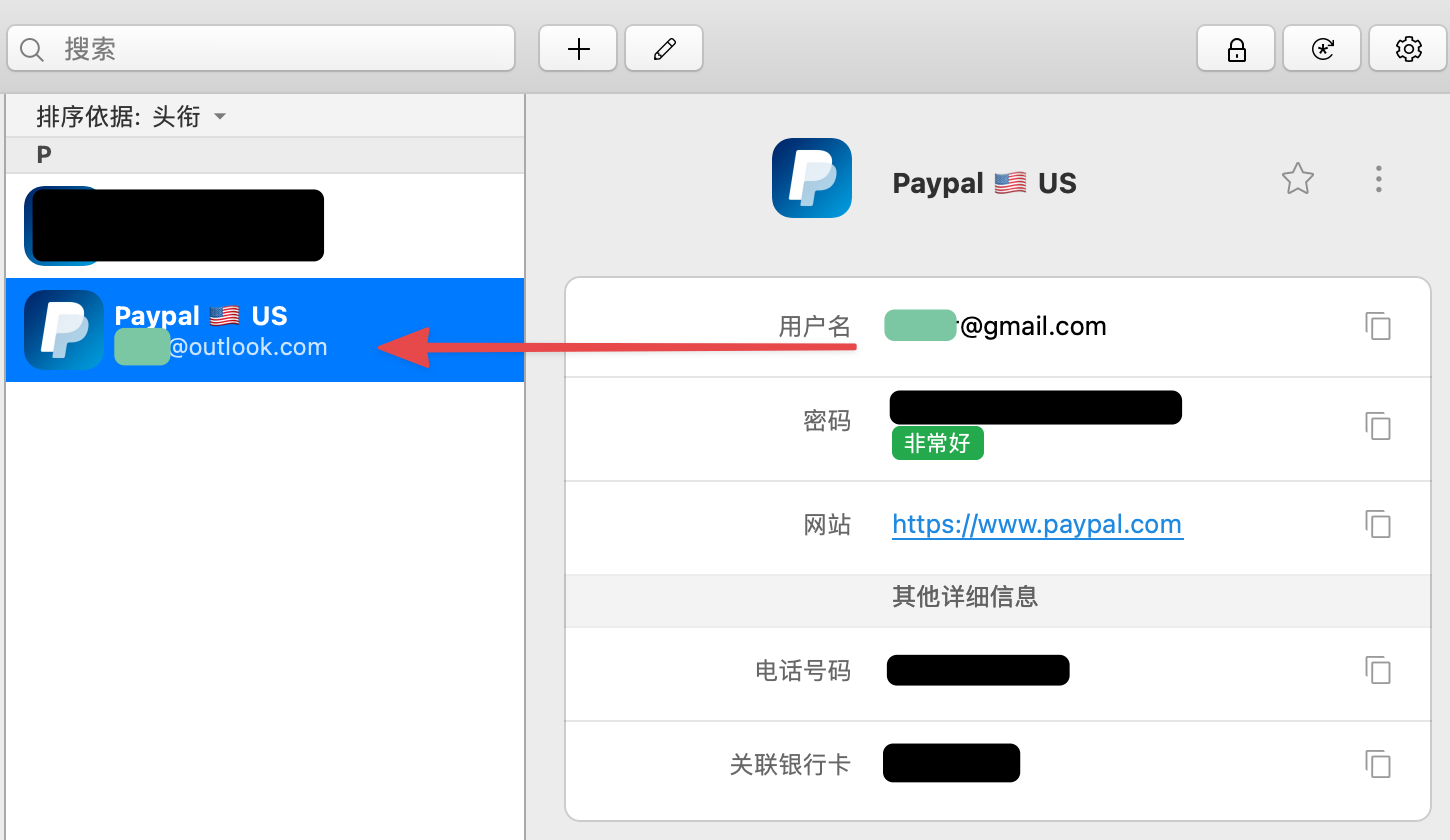
  1. 1、The user name on the right shows the correct mailbox, and the left shows the error. 2、Every time you open Enpass, the sync window will pop up automatically, which is annoying.
  2. Now more and more applications support Markdown, I hope Enpass supports it too, thanks!
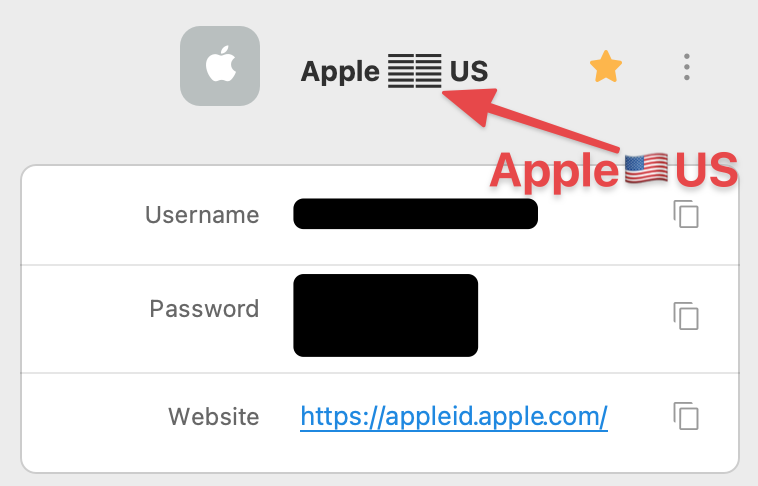
  3. The flag can be displayed on iOS, but not on macOS. This bug has been submitted by email for almost a year, and it is disappointing that it has not been fixed yet.
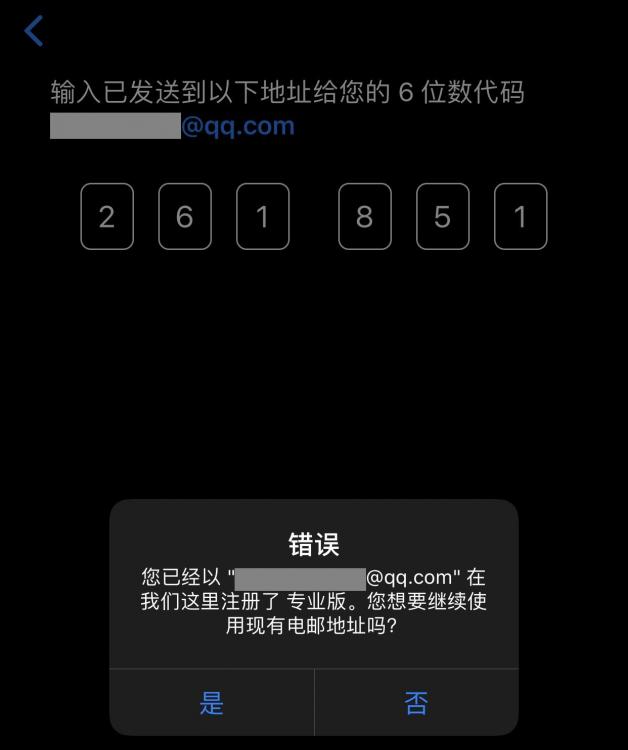
  4. I used to use the pro version, but later I modified the email to my family. Today, I found that I could not register when I was ready to register and buy on the iPhone again. It reminds me that I have used the email of my family to buy.
Account

Navigation

Search

Search

Configure browser push notifications

Chrome (Android)
  1. Tap the lock icon next to the address bar.
  2. Tap Permissions → Notifications.
  3. Adjust your preference.
Chrome (Desktop)
  1. Click the padlock icon in the address bar.
  2. Select Site settings.
  3. Find Notifications and adjust your preference.