

AnakinCaesar
-
Posts
136 -
Joined
-
Last visited
-
Days Won
25
Posts posted by AnakinCaesar
-
-
14 minutes ago, Hex said:
Just in case anyone else has landed here from a search, this is no longer true. I asked support what the discount would be if I upgraded from Pro to Premium and they replied "Currently, we do not have any ongoing promotional campaign. You can check the website for pricing and features." Extremely disappointing.
This is extremly sad to hear.
I do understand, that for "new features" at some point an upgrade fee would be acceptable, but not providing existing users with some sort of discount is some malpractice and not supporting of longtime users.I myself bought a lifetime Pro license I think back in 2016 and would willingly upgrade to Premium for a discounted fee, but ~100€ just for the feature to get 2FA and breach notifications? Thank you, but no.
-
 1
1
-
-
Try turning Browser Signature Verification off.
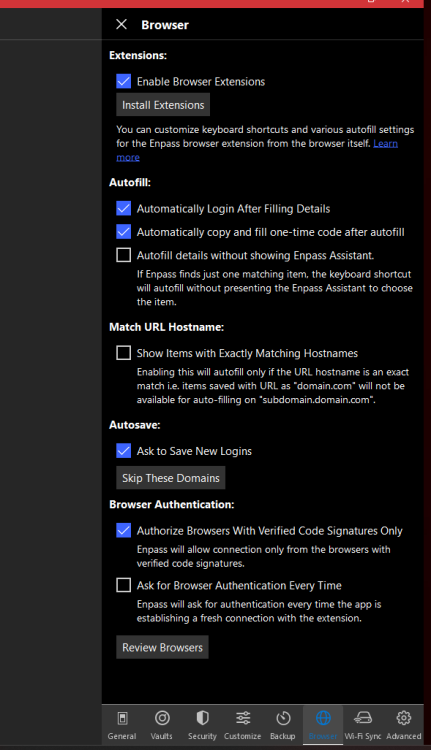
This should be a workaround with the problem.
-
If I am not mistaken the problem lies within Enpass' field type selection. As of right now, there is no option to set a specific field as adress / zip code / city. Therefore the autofill will not work.
But this is a nice to have feature, so I'll add a +1 to request that feature.
-
1
-
-
I just checked the site and it is completly working for me.
How about you enlighten us a little with more information about used browser and its version as well as the Enpass and Extension version?
To me it looks like another add-on is interfering.
-
1
-
-
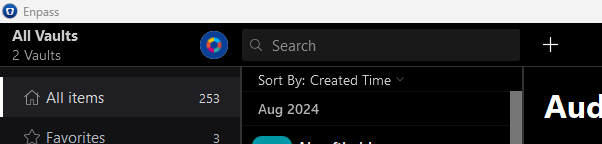
I myself am not using Mac, but in Windows if I open the entire Enpass window, right underneath the Search Box I can choose "Sort by: xxx" and am able to select "Created Time". Maybe this works for you too?
-
1
-
-
Oh well, you're welcome! Glad I could help

Thanks for that intensive testing. I'm not that sure how every single OTP instance is working BUT some more failing seems like a sync error with the timezone for me.So I'd kindly ask you to check all your devices, if the time zones are correctly set to "automatic" or your time zone and daylight saving is also correct. This might help. If not, some more investegation is needed, which as of right now, I am not sure how to perform.-
1
-
-
is this problem only present with your Eneba account or did you experience it with any other aswell? Normally a failing OTP means either wrong timezone or wrong account...
-
 1
1
-
-
1. Create a completly new vault at another sync location.
2. Mark all your current entries and select "Add to Vault". Select your new valt and choose "Copy". Now you'll see all your entries duplicated into the new vault.
3. Now try exporting your entries from the new vault.
-
1
-
-
I tried replicating your bug, created a vault with 716 entries, including attachements. Synced it with OneDrive. Exported without issues.
So my guess is, maybe your vault file is somehow corrupted? When you say, you can reproduce the bug on every device - have you tried setting up a new vault and copying all your entries into the new one, exporting it? I know this is not a good procedure, but it might help you in the long run?
-
1
-
-
This seems to be a recurring "issue" with him haha.
Besides this, have you checked, if Enpass has all the accessrights to the folders its exporting from and to?
Someone else in a completly different post stated for a complete unrelated topic, the folder he had to use needed the name "Enpass". Have you tried this for exporting?
-
I do not know, what you all are rambling about, but I have not yet seen a generated password using non-uni characters as ö,ä,ü and their likes.
Therefore I do not see any issue here.
-
1
-
-
Hey there,
So I added your numeric name into a new entry and did not face the conversion you are talking about. So what PC system are you using? I tried Win 11, no issues here. Did you set the name in Android and synced it to PC and/or vise-versa?
In another note maybe try to set the try of content for this field to a different kind / check if it's set to username.
To do so, open Enpass fully on PC, edit the entry and click on the written "username". A submenu appears, where you can change the field settings. Be sure to click Save before closing the submenu, otherwise changes will not be saved.
-
1
-
-
Popular Icons are already build in
-
2
-
-
Or you just turn off Browser Signature Verification inside Enpass' settings.
-
1
-
-
Have you checked, if on all devices your timezone and current time is set correct? This problem mostly occurs, when time settings differ between devices.
-
1
-
-
I would suppose you use a different service for that feature, as a password manager is not for storing large data.
-
1
-
-
Wdym? Like OTP, that’s already a feature for a long time…
-
2
-
-
On 2/17/2024 at 5:35 AM, Mando said:
Finally, if I'm on someone else's laptop with them, and need to log into one of my accounts, I'm stuck too. I can look up the password on my phone, sure, but now I have to type it all out, looking back and forth the whole time, and losing my place, often meaning I have to do the whole thing all over again. Shorter passwords would be great.
Get yourself Enpass Portable.
1 hour ago, TN_Dude said:It sounds like you are seeking permission to use weak passwords
Sounds like it. Not wanting to put in a longer PW is no excuse. Deal with your family so they accept this or tell them you won't bother anymore.
PasswordMonster and NordPass both do not state how they calculate their strenght. BitWarden does, same technique as Enpass but with words Enpass uses another method aswell. This would all be visible to you, if you read the link in the referred discussion here.
Quotezxcvbn is for service providers when new users are signing up or current users are changing their passwords. It's a way for the service provider to set a minimum expectation on what they define a "secure password" to be.
zxcvbn is not for end users to test their password strength against. Instead, you should be using the password generator that ships with your password manager. Then strength testing tools like zxcvbn don't have any value.
-
1
-
-
While I can't really speak on that behalf, I can share my thoughts:
1. ~/Applications might not be a default location therefore the verification is invalid - most users I suppose install in /Applications. It also could be a browser related issue, have you tested it with another install in the same locations, how the behaviour is then?
2. Disabling the verification is something I know from my past Windows experience is also kinda common practice with certain drivers. So I don't see any bad issue, as you pro-actively have to accept the connection still.
In my eyes the code verification is only to ensure for the common user, that the connection between Enpass and browser is more secure. Users with advanced linux / OS knowledge I assume can differentiate between whats good and whats bad, so disabling seems no issue for me here.
-
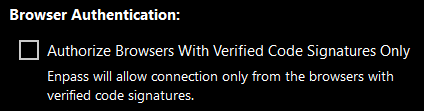
Have you tried disabling verified code signature check in Enpass itself for its extensions?
-
2
-
-
Yesterday was the Holifestival - a national holiday in India. So no surprise, noone is attending currently. Sad but true.
-
17 hours ago, ReneOtto said:
Windows Timezone is set to automatic
That’s good. Have you compared both codes, Windows and iOS if they are the same? (Open both apps and have a look at the same time at both codes)
if they are not, something is out of sync.
-
1
-
-
Have you checked, that the time (zone) is correctly set?
-
1
-
-
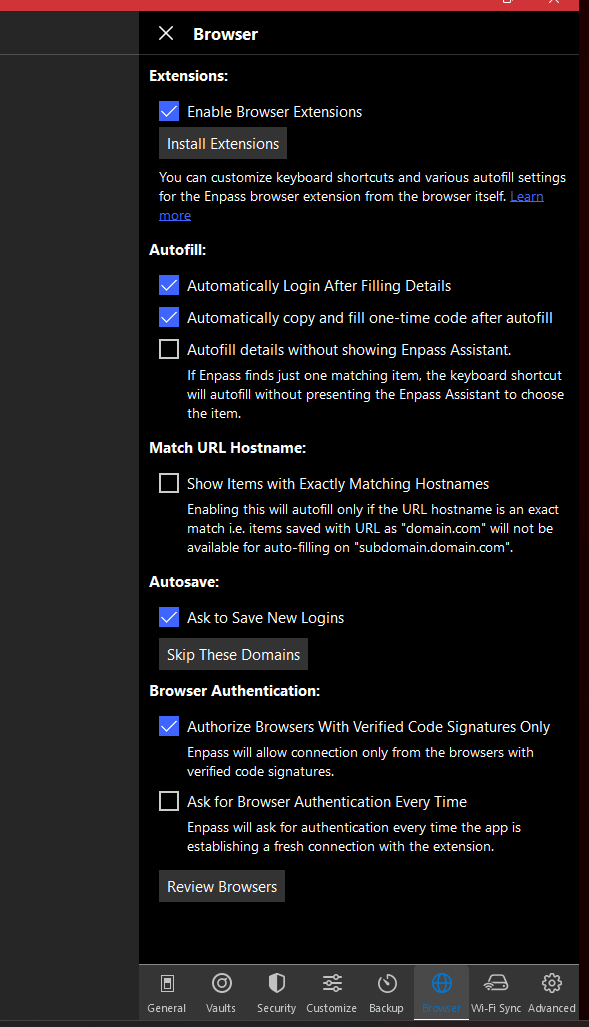
May be a stupid idea, but have you tried to disable the PIN entirely, let Enpass lock itself and the re-enable the PIN?
HOWTO export from Enpass 6 JSON to CSV
in Desktop
Posted
What exactly is your problem with the exported .csv file? It is a totally usable file - maybe another manager has just issues with the phrasing. Without more information it will be hard assisting you.