Monk32
-
Posts
23 -
Joined
-
Last visited
Monk32's Achievements






-
When updating a password, keep old ones on history
Monk32 replied to Isma's topic in Feature requests
I think its alteady possible. Check the linked manual. History of specific item. -
Add show password button to assist typing master pass
Monk32 replied to Blaydator's topic in Feature requests
+1 -
Any update here? On my 1440p monitor Enpass is displayed to small so I set QT_SCALE_FACTOR=1.25. But this produces visual glitches. Especially when/after scrolling or dragging. Like the OP said, setting "1" is to small, setting "2" is to big. But "1.25" produces this: System: Win 10, 2004
-
Hi all, I wanted to report a little bug. If you hit "Enter"-Key in the search field, the first item in search results will be opened in edit-mode. I know you don't have to press enter in the search bar and the search starts by itself after typing, but still it's inconvenient. Edit mode should not trigger on enter key. Best regards
-
Hi, Please make sure you have added your google account which is associated with your purchase to your phone . When in Playstore select the correct account before downloading the Enpass app. In your case you would need to completely uninstall Enpass and redownloading it from Playstore with the right account (the purchase is made from). Best regards.
-
Interesting. Let's wait what the dev team says how 1PW is doing that.
-
Im on an Honor 9 with Oreo and everything works fine here with notification autofill. Sometimes the notification dissapears when you drag it down but apart from that 70% of time its working great.
-
Window size is not beeing saved/restored - Enpass Win 10 Version
Monk32 posted a topic in Windows PC
Dear Devs, its really annoying that the individual window size which I set is not being saved/restored in some instances (sometimes). I dont know on what it depends but sometimes I start my PC/Enpass and the window of enpass is small again. Not the size I expanded it to. Can you please investigate it? Best regards Monk -
Bump. Same problem on Oreo (Android 8). Sometimes when you pull the notification bar down the enpass autofill notification dissapears. When you close it it is back there, when you pull it again its gone again. The enpass autofill notification starts only to work again if you play with the type marker in your login fields a bit (for example changing the focus to the password or username field - depending where your type marker focus was before).
-
Hey man, I am using a Honor 9 which also belongs to Huawei. Had the same problem. Here is what I did on Oreo: Go to Settings -> Battery -> Start (I dont know how its called in your language. On German its called "Starten") Search for Enpass in the list Put the slider off so it is not blue (a new window will come up) In the new window which comes up make sure that ALL options are on (blue). You will see that the last option is for example run in background etc. Go back to first page of settings. Go Settings -> Apps. The list where you find all your installed apps. When you have the list of your apps look at the bottom of the screen. You will find two floating buttons "Settings" and a three dot button. Click on the settings button. Now open the last menu point "Special access" or whatever its called in your language. Now open the first menu item "Ignore Battery optimization" Now click where it says "allow" and click on "all apps" Now search for enpass in the list and click on it In the new menu select "Allow" and then press ok. Go first page of settings again -> Intelligent Support -> Accessibility Service Select Enpass and turn on Basically this will prevent the system to close/optimize Enpass and its services when Enpass is closed. Since I did this I have no problems on Oreo. But as you can see its not very comfortable to do all those things. Think of an average user. He will just rage why the autofill does deactivate itselft. This is total bullshit from Google.
-
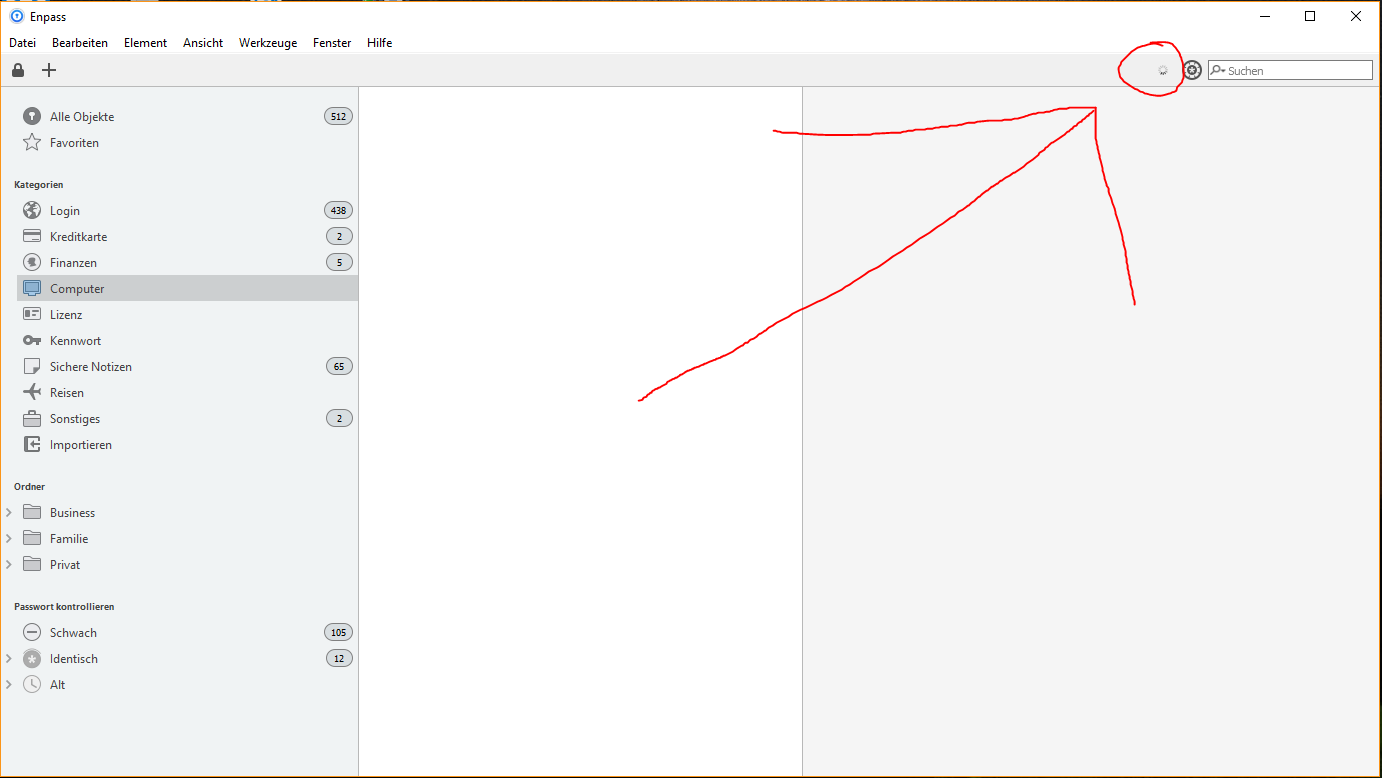
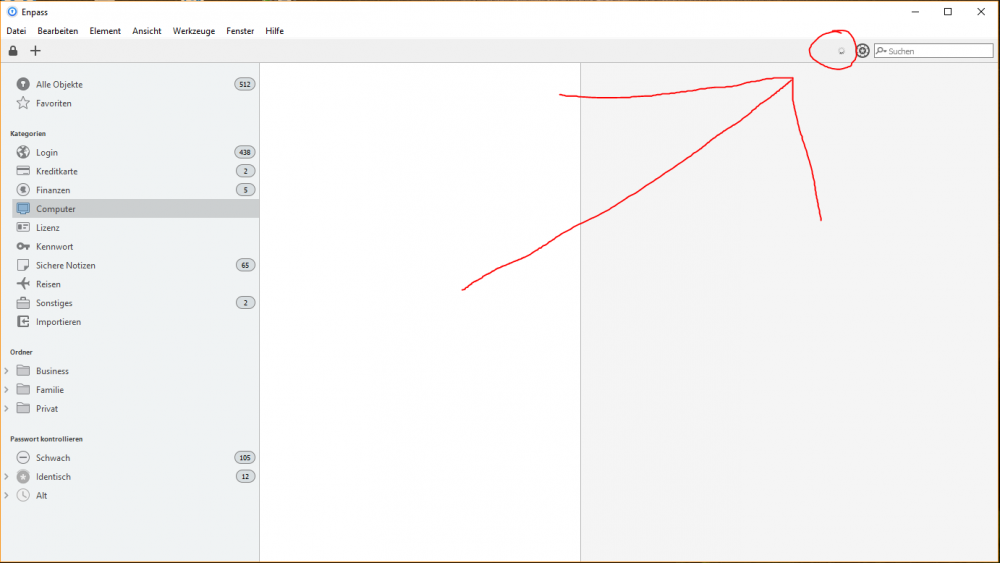
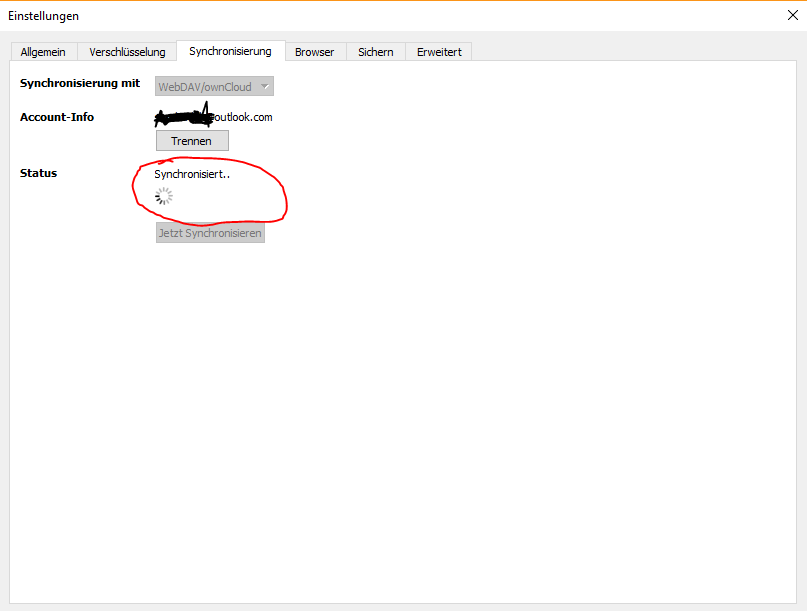
Dear Devs, I want to report a small issue with Enpass 5.6.6 (5125) Windows 10 Store Version. If you get your PC out of Standby the sync icon is constantly spinning. See attachments please. Only restarting Enpass (completely closing and re-starting Enpass) fixes the issue. My Sync-Options: WebDAV (pcloud.com / https://webdav.pcloud.com) Besides the issue above I have no problems at all with the sync. The data is synced perfectly! Thank you and best regards Monk
-
+1
-
Same problem here but also with Opera
-
Yeah kind of RTF Feautures would be nice
-
Does Windows Mobile Support custom keyboards? Some sort of autofill or at least of Autofill Assistent should be provided