fhall
Members
-
Joined
-
Last visited
Everything posted by fhall
-
I guess it was a problem on Apple's end - that coincidentally happened for me after I updated EnPass.
-
Was working fine until I just updated. Now I get "Sync Error Something went wrong while syncing with iCloud. Error Code: 308503" Anyone else seeing this? Ideas to fix it?
-
Silence for over a year??? This issue is over 2 years old now. @Garima Singh @Hemant Kumar
-
Excellent! Looking forward to the update.
-
We're heading on almost a year since your last reply (almost 2 years since I first reported it) and this is STILL an issue......any progress?
-
I discussed an issue here about a year ago that could be a rather serious security issue. The reply from Enpass back then was it could be duplicated and would be worked on. I am still seeing the behavior and was just wondering if it is still being worked? The original issue is here:
-
Hi @Garima Singh Has there been any progress on this? It's been months and the same behavior is still present.
-
Excellent! Thanks for the update.
-
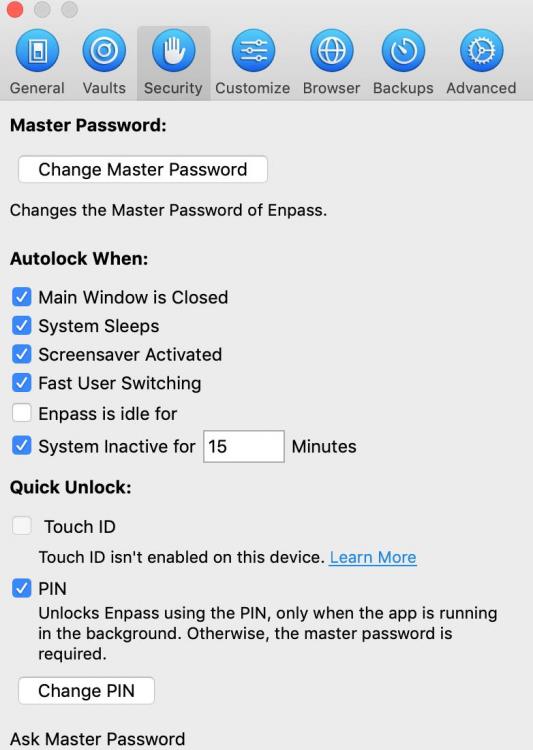
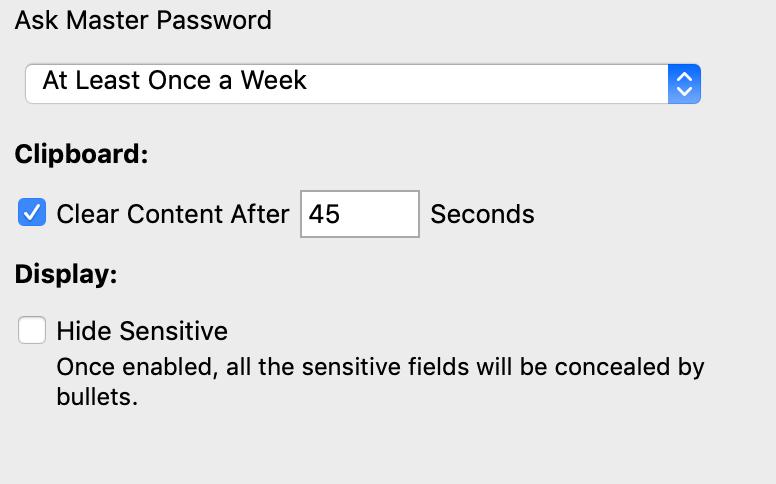
OK - here's the screen captures - needed the 2nd one to show scrolled to the bottom of the preferences.
-
I've noticed this for the past couple of desktop versions. I am now on Enpass version 6.5.2 (726) on macOS 10.14.6 (Mojave) on a 2019 Macbook Pro 13". I usually have Enpass open, but minimized to the dock all the time I am logged in. I have noticed when I walk away from my machine for a while, or the machine sleeps, the first time I click to re-open Enpass from the dock it will pop up with the info displayed from the last item I used in Enpass (username, email, password page)...then after maybe one to two seconds it goes to the Enpass PIN screen. Even though the data screen disappears kinda quickly, I still see it as a security issue since someone could glean a password if they knew about the issue and knew where to quickly look or took a digital picture before the Enpass window locks. Has anyone else seen this?