


Egregius
Members
-
Joined
-
Last visited
-
+1 For this. Found out that I have lots of "old" password history. It would make my database a lot smaller if I could remove these.
-
I'm having quite the same problem but it only happens after multiple sleeps. If I quit and reopen Enpass it works perfectly fine. Then I put my Macbook in sleep. Upon wake Enpass asks for fingerprint authentication, again no problem. But if I put my Macbook to sleep a second time the Enpass extension doesn't work anymore. Then I have to close Enpass and reopen it again.
-
Working again here, thanks! Funny enough I downloaded from the beta page, after installing and opening another update popped up. Installed that one to before testing.
-
Also in DB5 still the same problem and no Enpass Beta yet. When may we expect that?
-
You're not gonna publish on https://www.enpass.io/beta/?
-
Indeed, same here.
-
And that's why I posted here. The developers aren't supposed to follow all forums etc. Now they know it and they can start looking for fixing it before the release of Sequoia. If a beta comes available to test I will be more than happy to test it. Ones you are used to the ease of use with Enpass you miss it a lot when it's gone!
-
I already did all these steps before posting. Did them again but the problem remains.
-
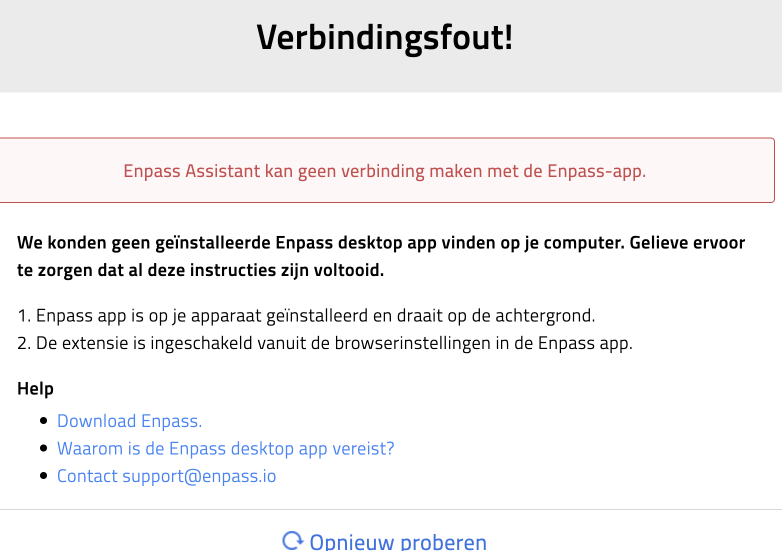
Since I've updated my Macbook to Mac OS 15 Sequoia developer beta 1 the Enpass extension doesn't work anymore in both Safari and Chrome.
-
Sorry, don't understand that part. Where can I ad them? Or do you mean I have to manually re-add them completely? Is it possible to do it with a export/import?
-
I got it working now in Enpass 6.7.4 on Mac I duplicated my entry to have a backup of it. Than copy/pasted all required fields to the login page of Bitvavo and the webform got saved. After that I had to change the webform mappings and can now confirm that the login works as expected. Is there any way to add fields to the webform without needing to re-add the entry to Enpass? I have lot's of entries where I would like to add a "remember me" checkbox to the webform.
-
It does, I like it! Thanks for that great update!
-
Alltough my primary computer is an iMac I tested the 6.7.4 on Windows and the issue remains. I do like the new "default password manager" in Chrome on Windows! Is that also coming to Mac?
-
Thanks for the update! Glad that the team could reproduce it, that't the first step in fixing something Please let me know when I can beta test it.
-
Any new on this?
