Roobert
Members
-
Joined
-
Last visited
-
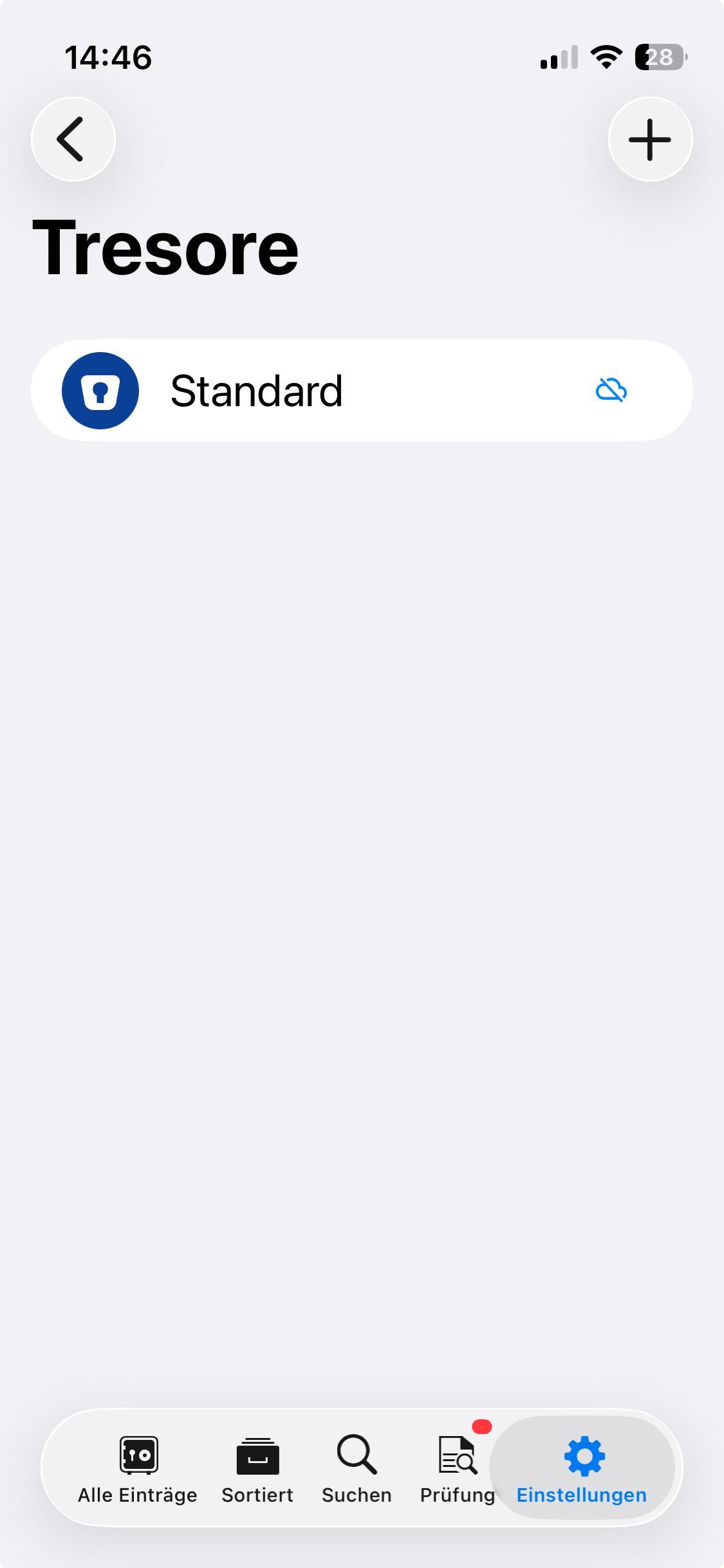
Hi, my wife has a problem with wifi syncing between Mac mini (Tahoe) and iPhone mini13 (latest ios), Enpass 6.11.17. The problem is new, she could sync a few weeks ago and often before: The iPhone cannot find the sync server on the mac. It is running, same network, neither qr code nor manual setup works. With qr code it "thinks" for appr. 2 minutes before giving the error "cannot find ..." and manually it hangs for even longer. VPN is off, firewall is on but Enpass and Wifisyncserver accept all connections. Restart of all devices incl. router did not work. Stopping and restarting the server on the Mac neither. There is an crossed out cloud symbol on iphone, see pic, is that a hint? Another thing: When I stop the server and click on wifi-sync on her Mac mini, i am asked whether I want to use MY iMac (same network) as server, which I deny. It's for keeping her vault on my mac, too for backup reasons. All used to work fine, her syncing and my backing up via wifi sync. Now it doesn't on her side. On my iMac and iPhone alone all works perfectly. Thank you for suggestions. Best regards, Robert
-
-
Hello Manish, I just let the check-PW routine run and again it works fine on both vaults. For your investigation of the previous failures, here's the data: - 335 items and 11 attachments in primary fault - No cloud-syncing involved, only WiFi - Enpass Appstore version 6.7.3 (888)
-
Hello, I encounter this problem: When I want to check the compromised PWs on my secondary vault, it works fine. But on my primary vault I get the message „no internet connection, try again”. At the same I use the internet, so the IS a connection. Where is the error? iMac 2019 on Mojave, latest Enpass version. Thx for hints. Update: After the 3rd attempt, it did work. Still strange why it needed 3 attempts ...
-
Thank you! Now it worked. My error was that I didn't stop the running server on the MBP first. So I could not select the iMac's server. I understand, thanks again!
-
Hello all, my main vault is on my iMac (sync server) and my handheld devices sync well with this vault. But how can I tell Enpass on my MacBook Pro not to „open” it's own syncserver, but to connect to the iMac's sync server and sync with it? Both on Mojave. Thank you for advice, resp. for clarification. Robert
-
I use Enpass on various devices at two locations who of course have different WiFi networks. So I have to change the server on my mobile device when I am within the other network. It works, but it would be great if the mobile would switch to whatever WiFi-server (approved by me) it is connected with by itself. Otherwise I am very happy with WiFi-sync. :-)
-
Hello Discordant, I am now at our other location („B”) and I can gladly report, that syncing my iPhone with the newly set up WiFi-Server here worked fine. I will now write a feature request to the Enpass team: It would be great ... - if I could save more than one WiFi-servers on my mobile. So I would not need to change the server on my mobile when I am at another WiFi, - if the mobile would then sync to whatever approved WiFi-server it is connected with. It paid to wait for the long ago promised WiFi-sync. ;-)
-
Thank you very much!
-
Thank you. I think I do not need to access a remote network, because when going from residence A to B, I have my most recent vault on my iPhone anyway. Once there, I would (for the first time) set up the sync-server within the local network in B. Then sync the iPhone to my devices in residence B. When I get back to A, I change the sync-server on the iPhone back to the network in A. Did I understand you correctly? One more question: At the moment the vault on my iMac in residence B is old. Imported weeks ago from a backup from my (main) iMac in residence A. I only used the vault on the iMac in B as an „island”, never synced via WebDAV. Now my concern is this: When I sync my iPhone vault it via WiFI with the old one on iMac in B for the first time, can I be sure that the recent vault of my iPhone will be on the iMac? I would not want the old vault to be on the iPhone afterwards ...
-
First, here's my HOORAY for Wifi-Sync (at last)! Works like a charm. My question: I have two residences in different cities, of course with different WiFi-networks. Can I set up WiFi-syncing in a way that it syncs in the other network, too? I ask because I do not want to just try, to not mix anything up. Thank you for an answer. Btw, I promote Enpass a lot, esp. because of the new feature. it would help, if you would update your website, resp. provide documentation for Wifi-Sync. Best regards Robert
-
? Please take a look at the screenshot in my 1st posting. It shows an URL with a LOCAL IP https://192.168 ... I have benn syncing my several devices with my iMac without Internet for about 2 years.
-
Dear Pratyush, currently, my only problem is that I cannot make myself understood. ;-) I do not use any cloud service for WebDAV-syncing, it's all on my Mac. That given, please do read my opening post with the 2 questions again. Thanks.
-
At the moment I don't have an open support ticket, that's why I have asked the 2 questions in general (please see my 1st post in this thread). Thanks in return. ;-)
-
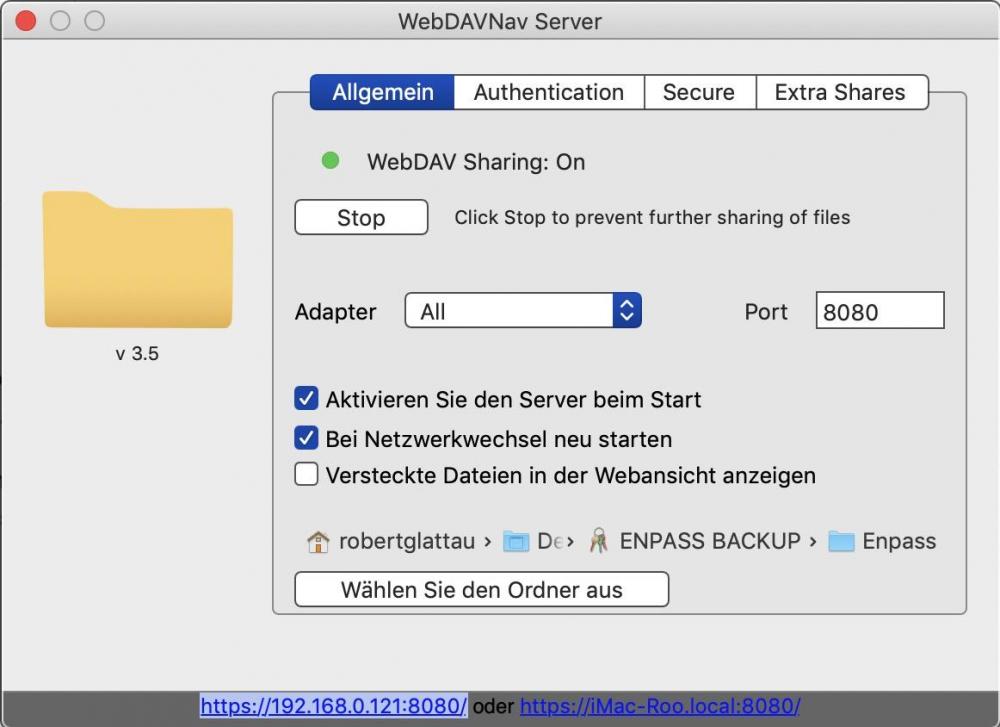
Hello, please help in 2 regards: 1) When I ask support for help with syncing problems, they always ask to „provide the WebDAV-demo account”. But the utility I use (WebDAVNav Server from 'Schimera Pty Ltd', see Pic) does not need an account anywhere, it's all on my Mac. Please clarify, what I should provide. 2) Which WebDAV software can you recommend for reliable syncing? Is the one I use (WebDAVNav Server from 'Schimera Pty Ltd') the best choice? I do not want to use any cloud, it should all be locally on my iMac (of 2019, Mojave). Thank you for recommendations. Robert