c74a
Members
-
Joined
-
Last visited
-
@Abhishek Dewan Thanks for the earlier answer. Since that post is now a few years old, could you share whether there is any current status update on adding a memory-hard KDF (e.g., Argon2id) as an alternative to PBKDF2 for vault key derivation? The current version of the Enpass Security Whitepaper states that Enpass is currently using 320,000 rounds of PBKDF2-HMAC-SHA512. I understand you may not be able to provide an ETA, but it would be very helpful to know whether this is: still actively being worked on, still planned but not currently prioritized, or no longer planned (and if so, what the rationale is). Even a high-level update would be appreciated. Thank you.
-
-
This has been fixed in version 6.9.3. Thank you!
-
I can confirm this. Since the update to 6.9.3 (776) it happens way less frequently compared to the previous version. However, every now and then it comes up. Using iOS 17.1.1 on iPhone 13 mini.
-
Hi @Abhishek Dewan, Thank you for your reply. I'm using Enpass in version 6.9.1 (1512) on a MacBook Air M1 with macOS 13.5.
-
After the update Enpass asked me one more time for the activation code. Since then it hasn't done so again for several days now. Looks like it's fixed. Thank you!
-
Some time ago there was a "feature" introduced to the Enpass desktop app: If you press the alt/option key, Enpass will display the password in plain text. Since this caused quite some trouble on Windows (see this thread) this functionality was removed from the Windows version of Enpass. However, it is still present today in the Mac version. My personal perspective is that I do not like this behaviour at all. I do not want my passwords to be displayed in plain text on the screen because I accidentally press the option key. If I really want to look at my passwords, pressing this little eye symbol next to the "copy to clipboard" symbol with the mouse does the job and it's very unlikely to do so accidentally. I would be very much interested in what others think about this functionality. Does someone has a use case for this? If this feature was removed from the Mac version like it was from the Windows version, I certainly wouldn't miss it. If there is indeed a valid use case for this, I wonder if the Enpass team could make this behaviour configurable via the options dialog of the app. In fact, you can configure quite a lot of Enpass behaviour there already. Why not adding an option so that the people who want to look at their passwords by pressing the alt/option key can do so, while all the others who don't want that can switch it off?
-
I just updated my Enpass app from version 6.9.0 to 6.9.1 on my MacBook Air M1, macOS 13.5. If you have the items in your vault ordered alphabetically by title, you could easily navigate to a location in the list of items by just typing a letter on the keyboard. Enpass would then select and jump/scroll to the first item in the list that has its title start with that letter. E.g., if the item list has the keyboard focus and you press 'e', the first item in the list that has its title start with 'e' is selected and the list is automatically scrolled to the position of that item. This worked fine before the update and I used this feature quite extensively because it's a nice, convenient way to navigate a long list of password items in Enpass. Unfortunately, this doesn't work anymore after the update to version 6.9.1. Interestingly, the item seems still to be selected but the automatic scrolling/jumping to the right position in the list doesn’t work anymore. I also tried this out on my Windows Laptop with Windows 10 and Enpass 6.9.1. Same effect here: It used to work fine before the update but now it's not possible to use this quick jump feature anymore. Would be great to get this fixed since this feature makes navigating a long password list so much more convenient.
-
Same problem here with Enpass 6.9.2 (771) and iOS 16.7. Looking forward to having this fixed.
-
PS Just tried this on a Mac (MacBook Air M1, macOS 12.4): The sensitive fields show their content when the ALT/option key is pressed. Since command-key+TAB is used to switch windows on macOS, I couldn't reproduce the effect that the sensitive content remains visible even after the option key was released. However, seems to me that both Windows and macOS versions are in need of a fix.
-
Hello @Gulshan Dogra, I'm experiencing the same effect as @Matt Miller. The sensitive fields show their content as soon as you press the ALT-Key. If you release the ALT-key, the sensitive content is hidden again. If the Enpass application window has the focus and you use ALT+TAB to switch to another application, the content of the sensitive fields remains visible even after you release the ALT-key. From my perspective this is a big flaw and even a security issue. I cannot see any valid reason why you should show the content of sensitive fields by pressing the ALT-key. And the behaviour when using ALT+TAB is even more weird. Please fix this ASAP or at least make the behaviour configurable. Kind regards, c74a
-
Dear @Anshu kumar, dear Enpass team, I'm very pleased to see that all the above mentioned issues were fixed in the recent release of Enpass (version 6.1). Great - thank you very much! Kind regards, c74a
-
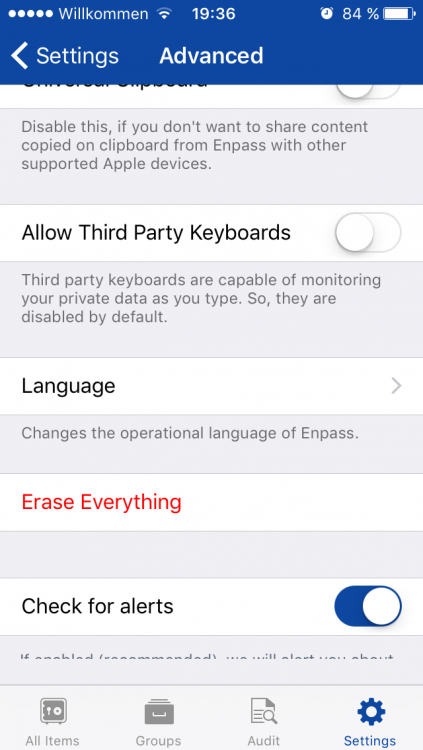
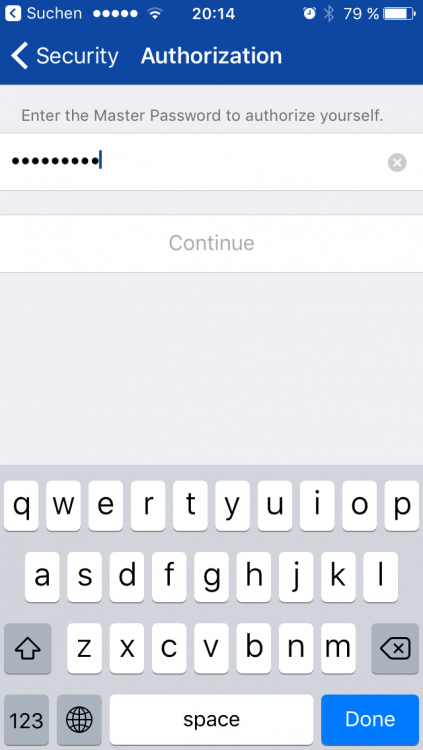
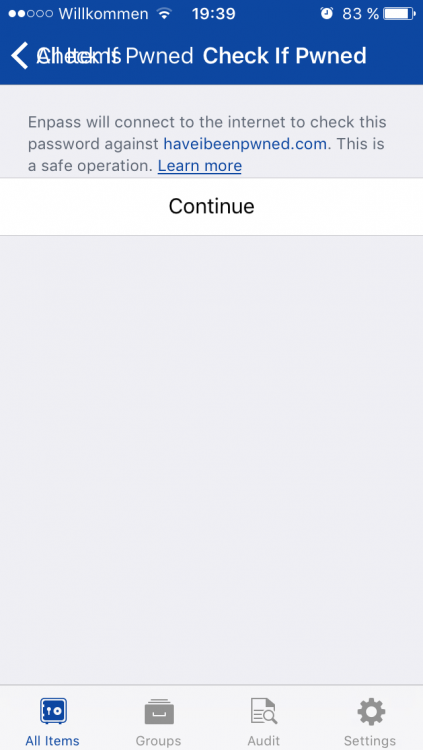
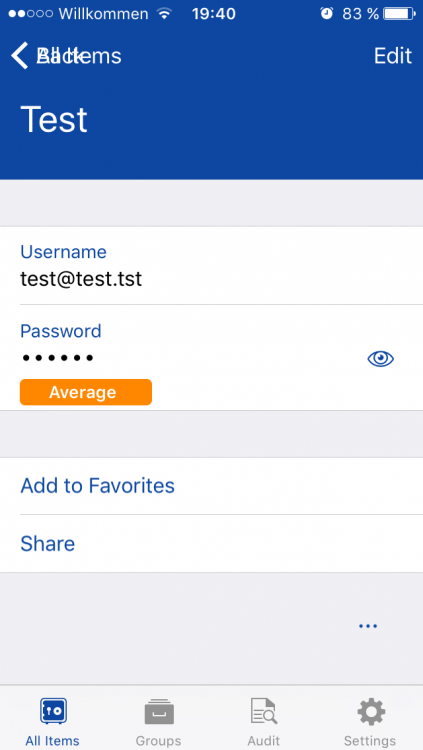
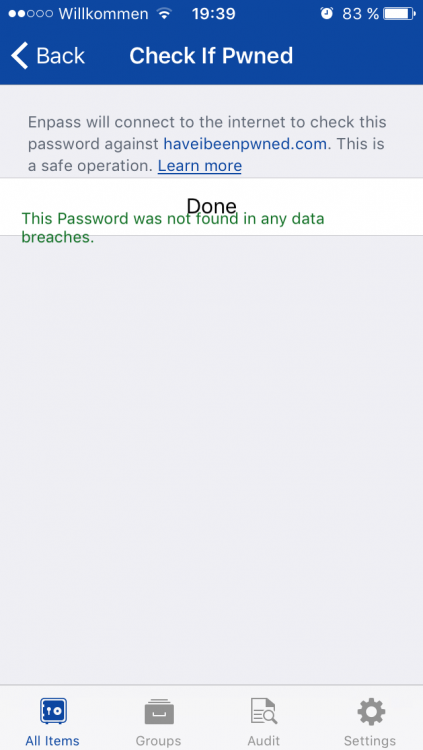
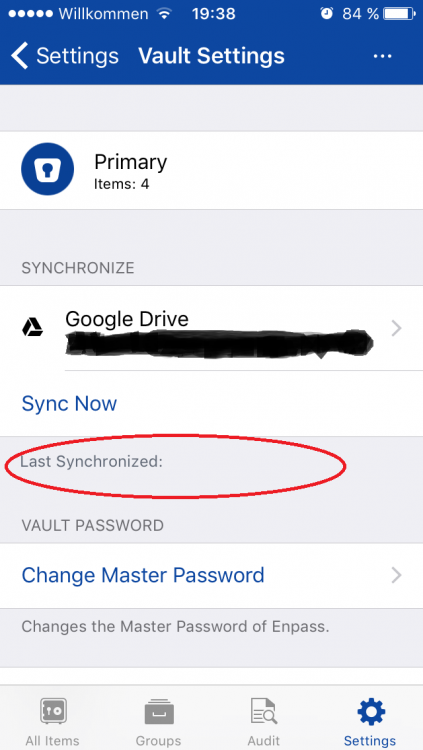
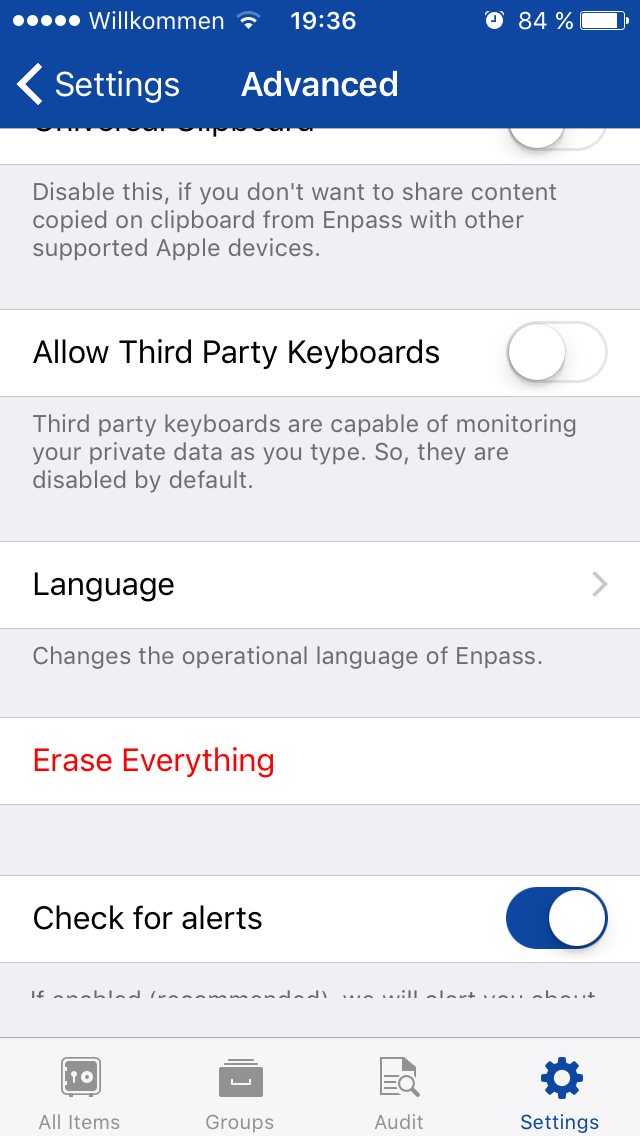
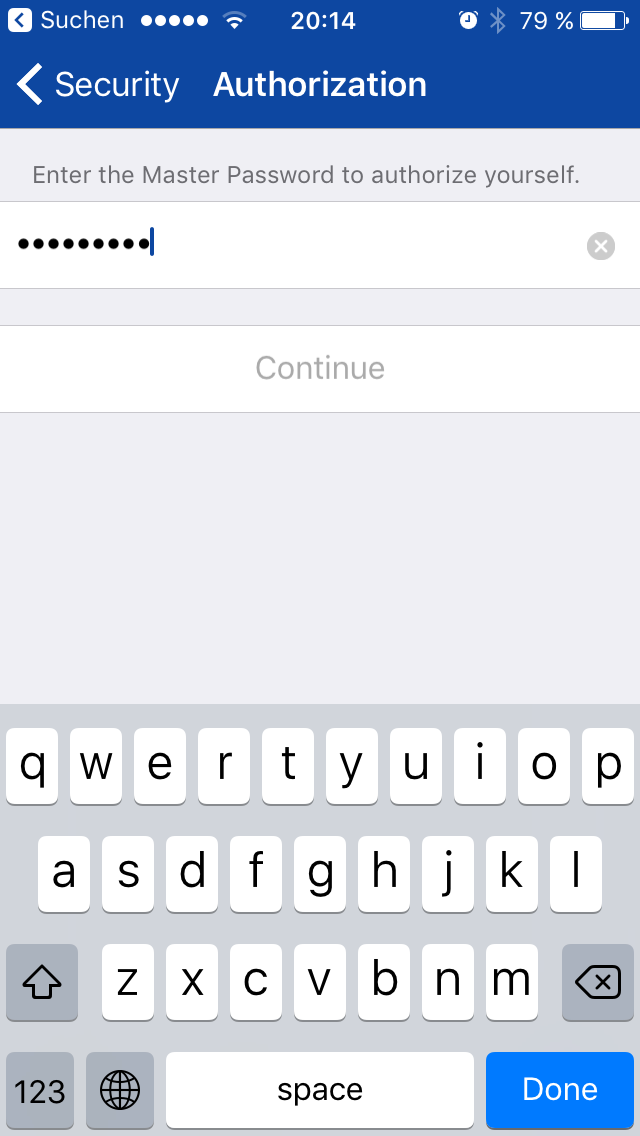
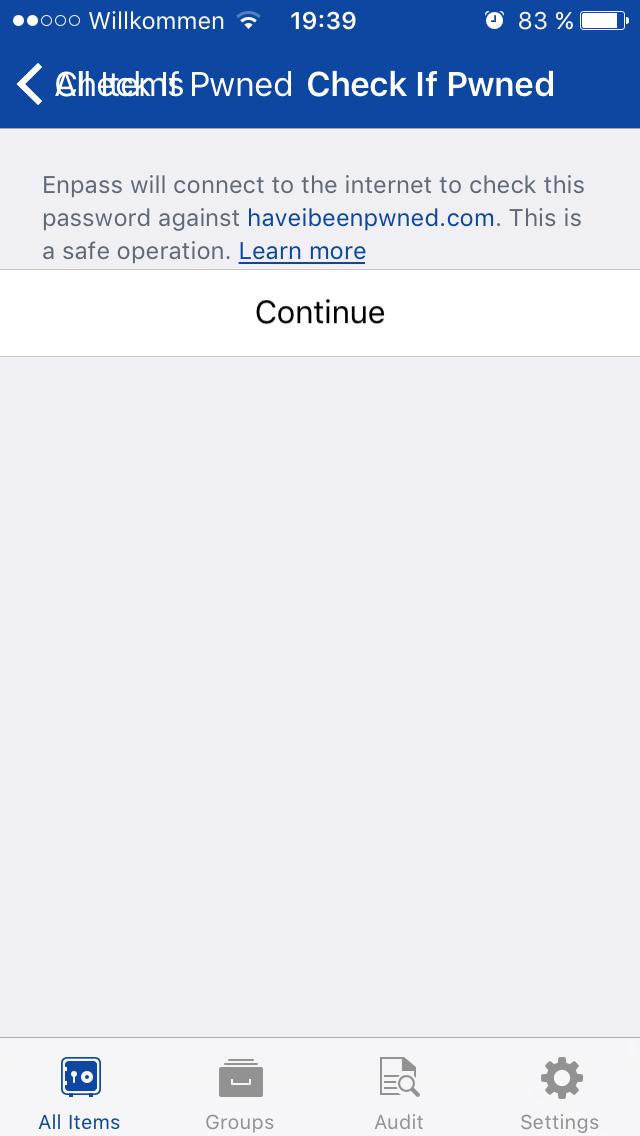
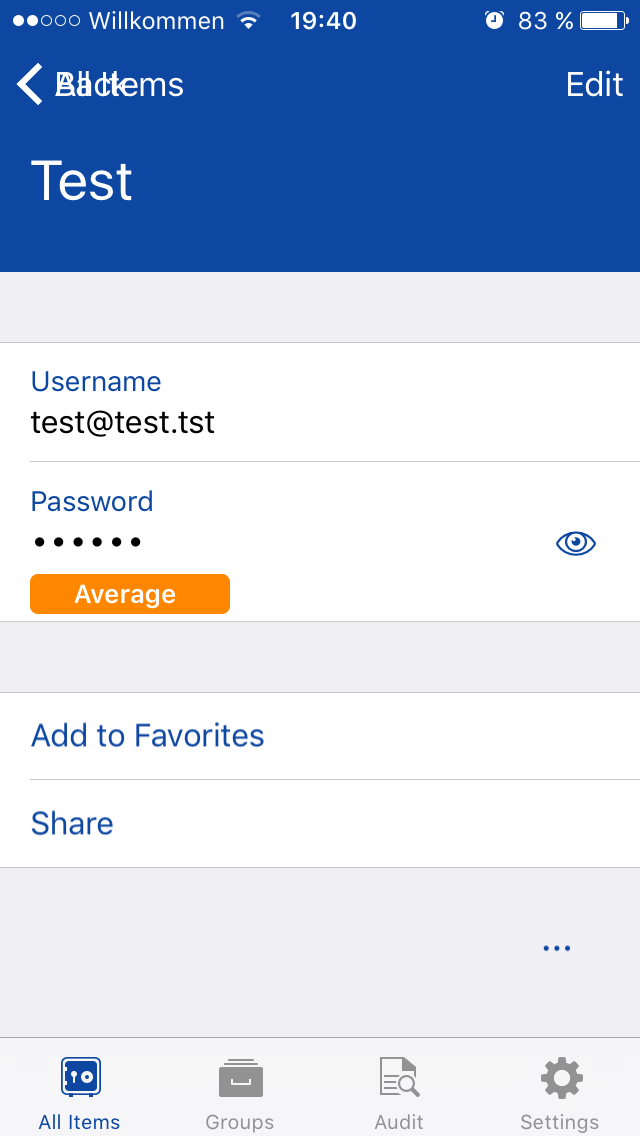
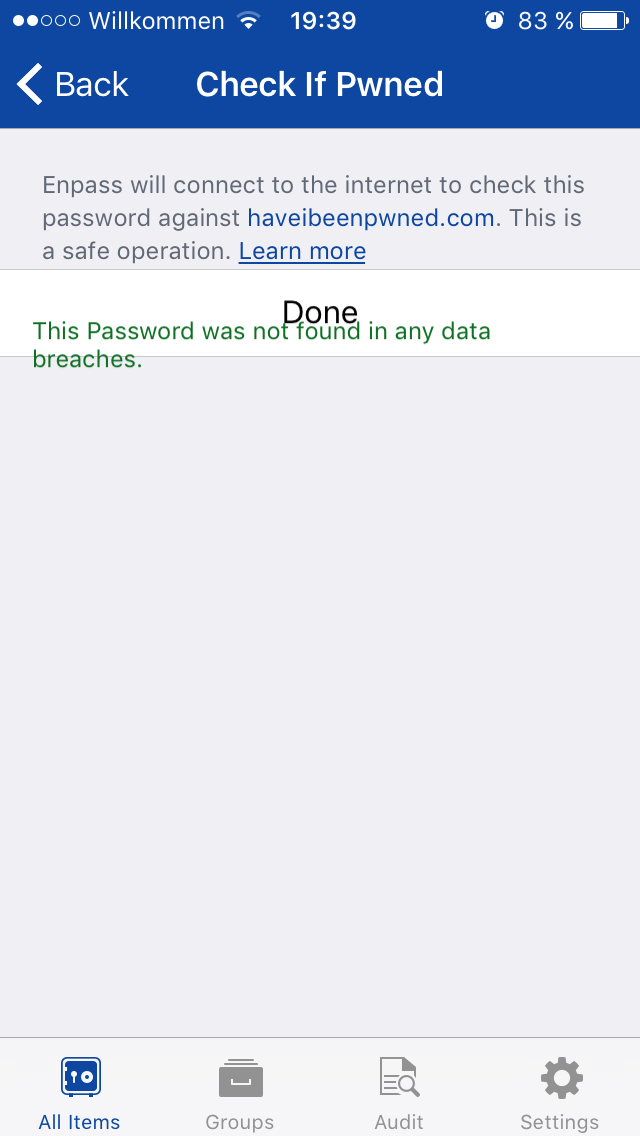
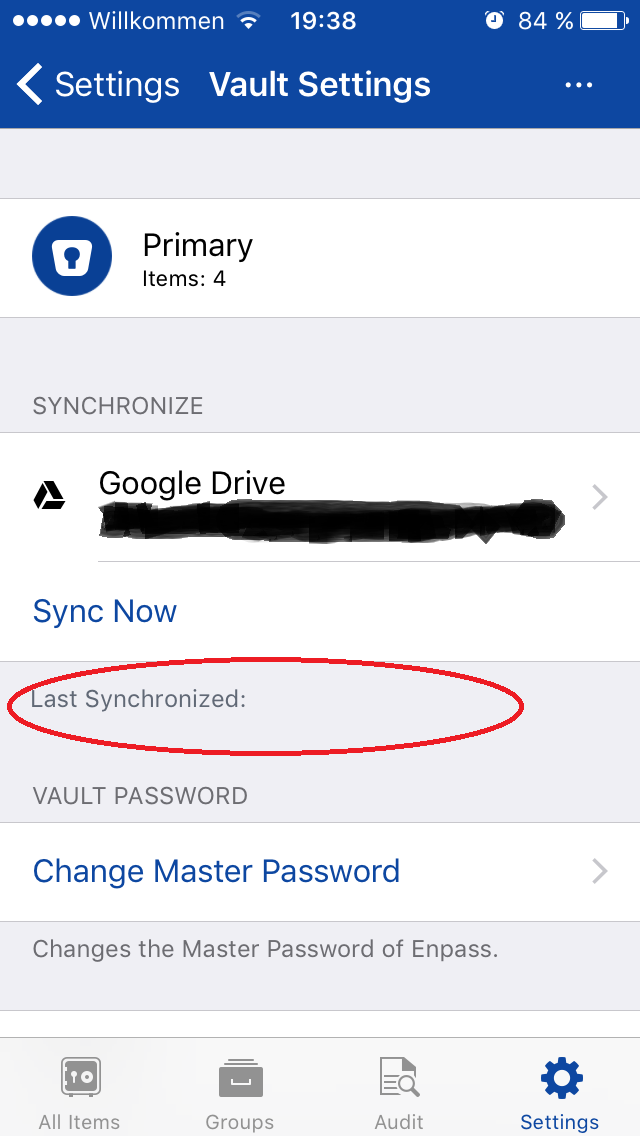
Dear Enpass team, Currently I'm evaluating Enpass quite intensely because I'm considering switching from another password manager to Enpass. I like Enpass a lot, especially because it’s easy to use, multi-platform and it offers great synchronisation features. However, while playing with the iOS version (6.0.4) on my iPhone 5 (iOS 10.3.3) for some days now, I came across a few quirks in the GUI I wanted to inform you about. Please see my issue descriptions below. It would certainly be great if you could fix these during one of the next updates of the app. Thank you, kind regards, c74a On the Advanced page of the settings the label beneath the “Check for alerts” option is not displayed properly and its text is not readable. On the Sync page of the settings the time stamp of the last synchronisation is not shown. On the Check If Pwned page after pressing Continue the result is displayed half way above the Done button. Sometimes the navigation elements of the Check If Pwned page and the login/password item at the top of the screen get messed up if you do some pwned checks in a row. If you go to the Security settings page and then choose “Change Master Password” the Continue button stays greyed out and inactive if you paste the password into the input field. You can continue by pressing the Done button on the keyboard though.