
INTRASERVER
-
Posts
8 -
Joined
-
Last visited
INTRASERVER's Achievements





-

Taskbar system tray icon. Need new design.
INTRASERVER replied to INTRASERVER's topic in Feature requests
I'm using Traffic Monitor. You can get it from here: Link is here -
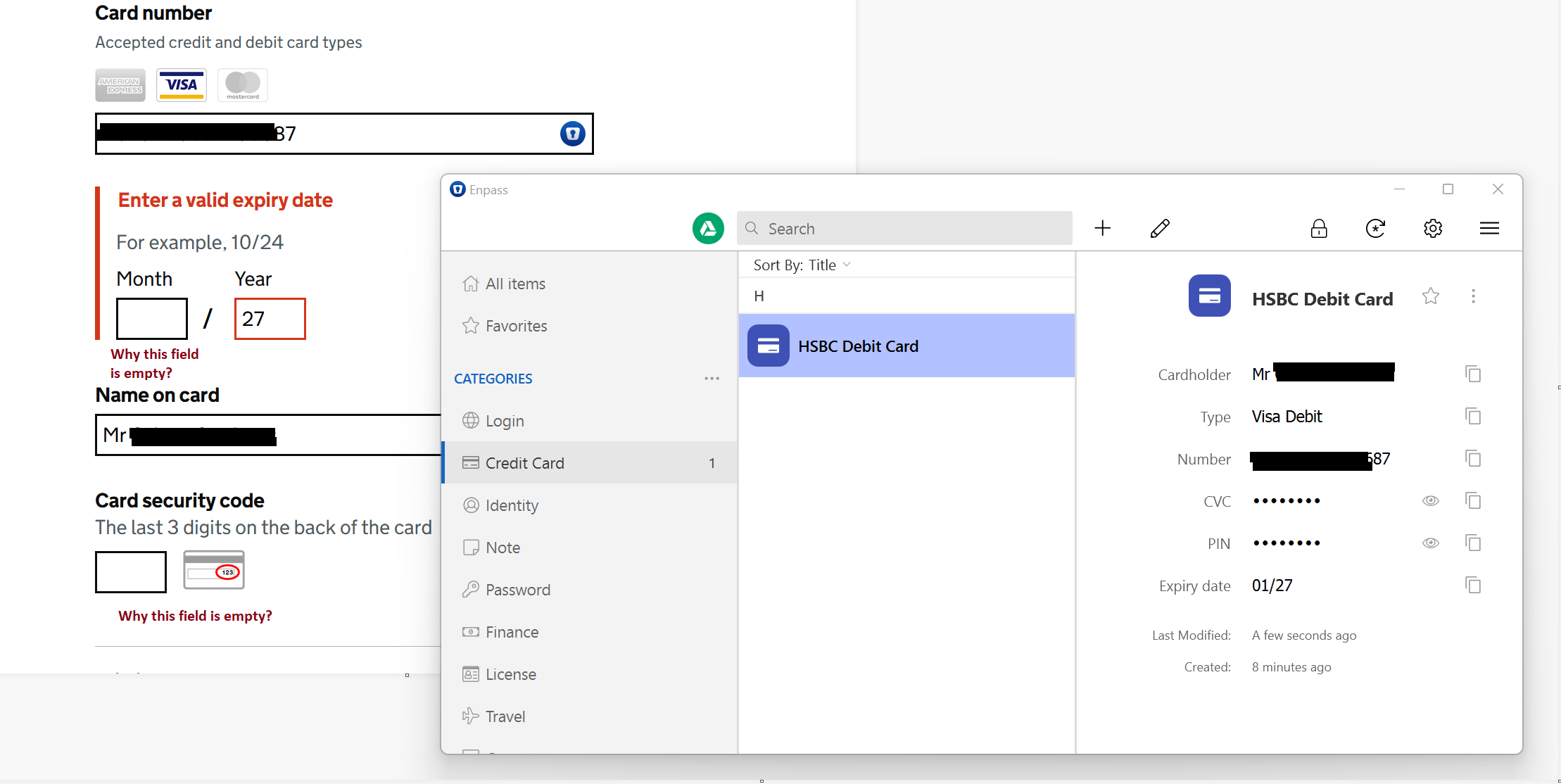
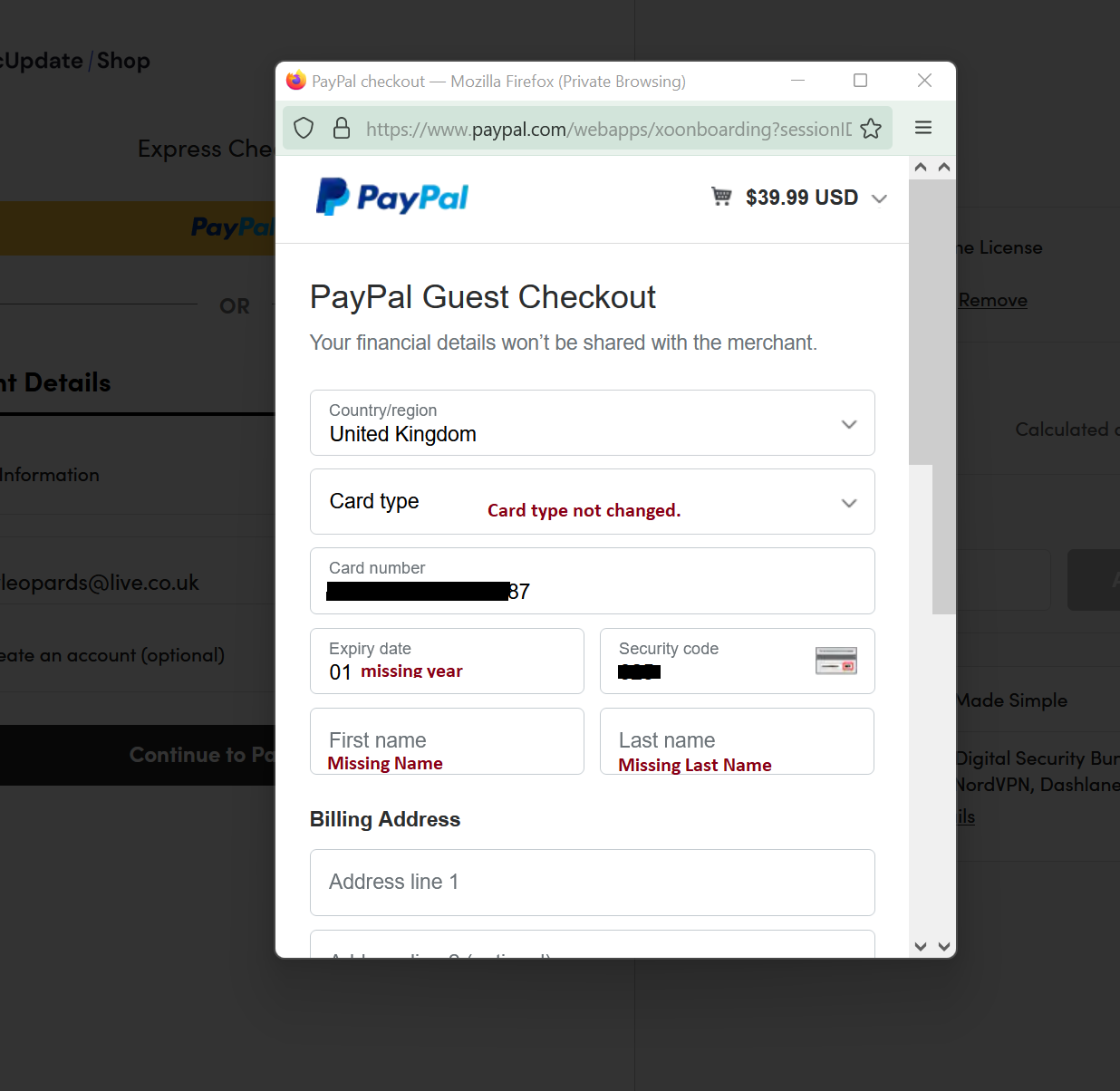
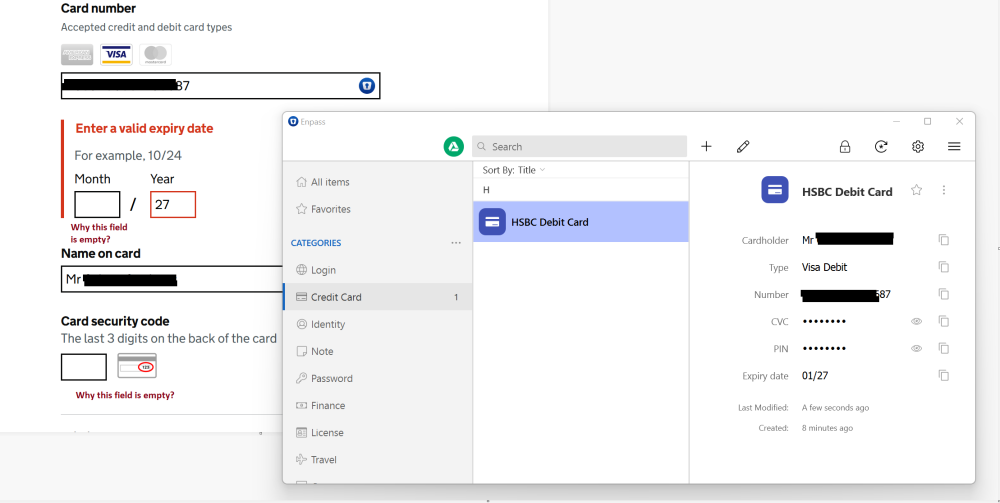
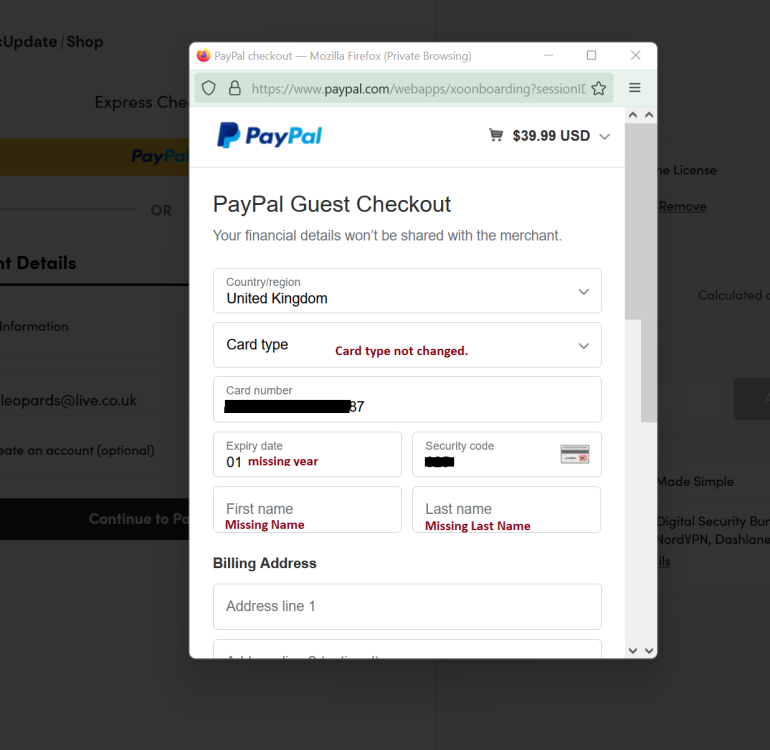
Hello, today I tried to pay for something online and as usual I love to use password manager to speed up process. But unfortunately Enpass can't do properly. Missing some fields. As you see in the screenshot. This makes me so sad and I'm start to thinking to switch something else. Many issues with enpass. Please fix this. I'm can guarantee I'm not alone with this issue.
-
INTRASERVER changed their profile photo
-
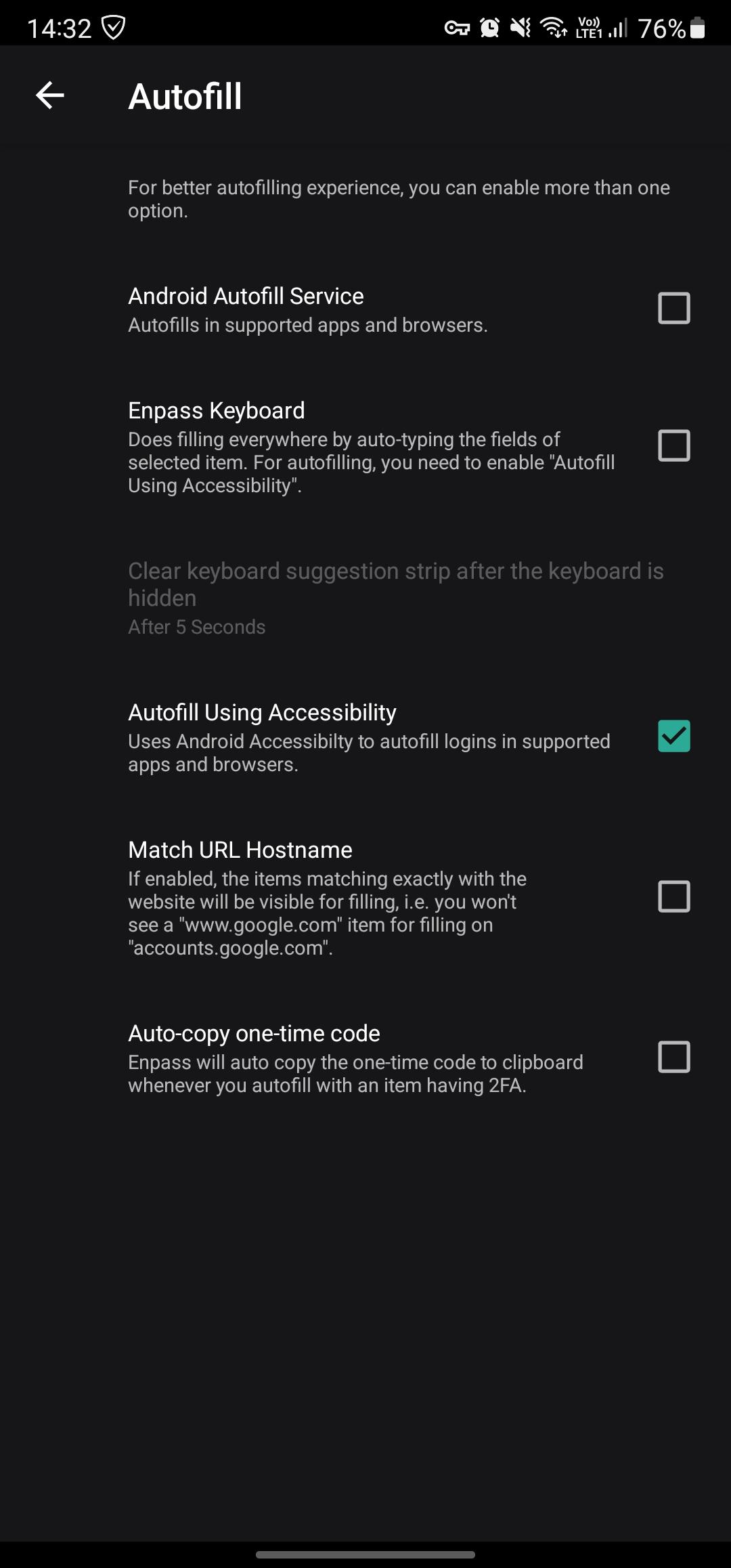
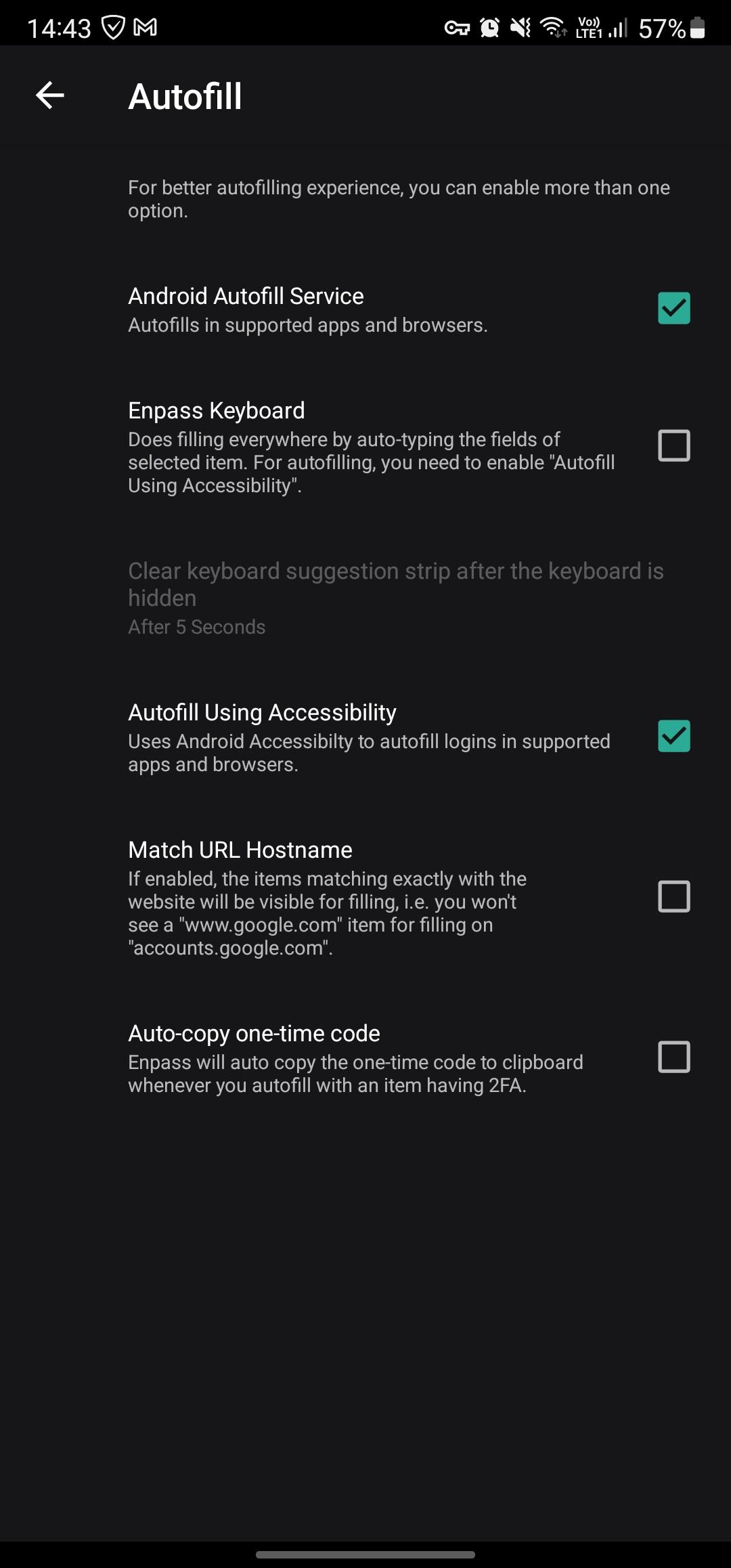
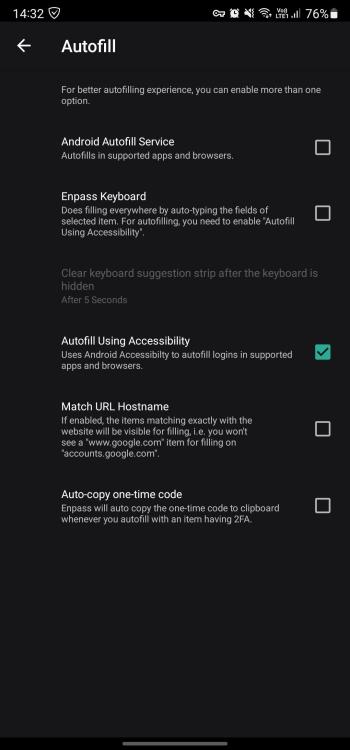
I had same issue with Enpass (I'm using Firefox - Signature says with what browsers and systems I have setup Enpass.). Unfortunately Enpass can't fix issue. I know this can be managed together to work Android Autofill Service + Autofill Using Accessibility (1Pasword works without any issue). So for this moment I have selected only Autofill Using Accessibility and it works. Not fast but it works. Take a look photo.
-
Taskbar system tray icon. Need new design.
INTRASERVER replied to INTRASERVER's topic in Feature requests
Thanks for repley. I'll be glad to see new update. -
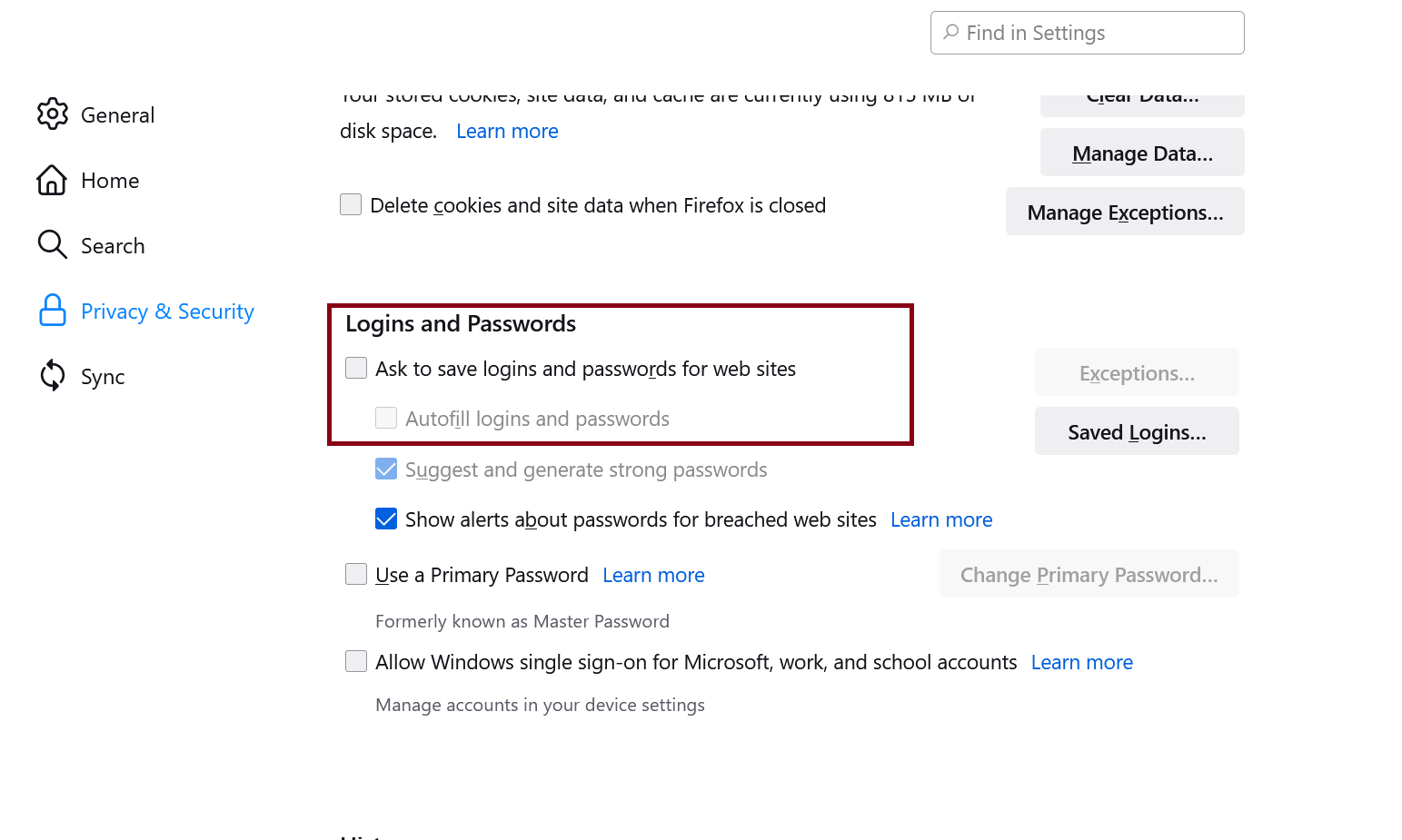
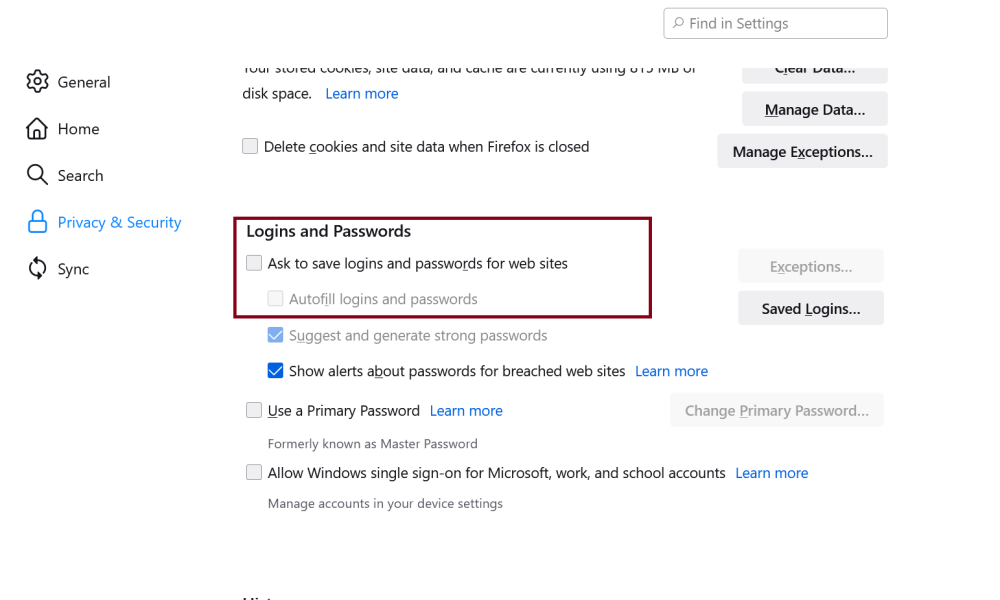
Heelo all. I'm glad to switch to Enpass and even I had some issues, but almost I resolved and still best alternative to 1Password. (I switched from 1Password.) So one more issue came up with Enpass, it doesn't work with Firefox very well. I spot, if you have enabled Firefox Settings > Privacy And Security > Ask to save logins and passwords for web sites & Autofill logins and passwords then Enpass conflict with those and not fill up fields. If you turn off then it works. Please fix it. I know can be managed to work together (1Password does without issues.)
- 1 reply
-
- 2
-

-
Android Autofill Service still doesn't work in 6.8.0.648
INTRASERVER replied to Nyagaka254's topic in Android
Looks like now working. I deselected Android Autofill Services. But still testing. -
Android Autofill Service still doesn't work in 6.8.0.648
INTRASERVER replied to Nyagaka254's topic in Android
Hello unfortunately Enpass doesn't work on Android. I done last step to switch Enpass on my all devices but unfortunately sad news. Enpass doesn't work with Firefox. I have Samsung Galaxy Note 20 Ultra OneUI4 Android 12, installed latest Firefox 95.2.0 and Enpass 6.7.1.572. Where need to fill up it comes up so fast like popup window and so fast dissapear. Need to fix. My settings.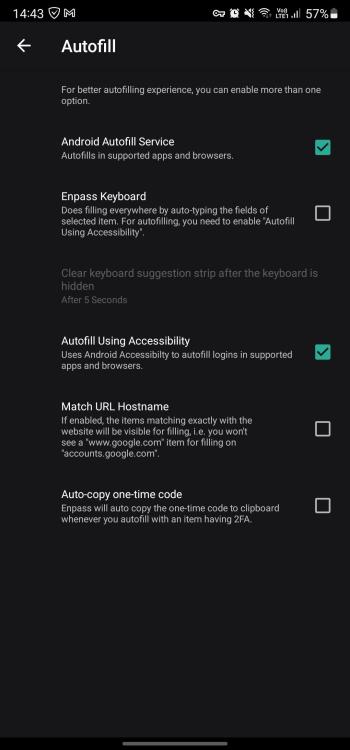
-
Hello, I'm glad to switch to Enpass. Everything works perfect. But as for while Windows 10/11 comes with UI improvements. So unfortunatelly system tray icon doesn't fit Windows UI. If you look like Onedrive, dropbox, wifi, speaker etc iccons they looks right for Windows 10/11.