Search the Community
Showing results for tags 'restore data'.
Found 4 results
-
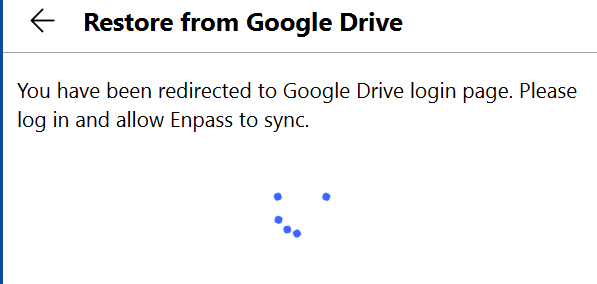
Hi all, after having uninstalled and re-installed in windows 10, I want to restore the data from google drive, but i get stuck here, indefinitely, without any of my browsers opening the login page. my internet connection is fine. Enpass version 6.74.934.0 Edition Windows 10 Home Version 21H1 Installed on 12/10/20 OS build 19043.1415 Experience Windows Feature Experience Pack 120.2212.3920.0\
-
 Hi all, I'm using an M1 Mac with macOS Big Sur 11.1 (20C69) and Enpass 6.5.2 (726). When I try to import a vault from Google Drive, Enpass restore dialog asks for a keyfile. But, there is no key file for this vault. I can't import the vault without a keyfile. It works on various other devices without a key file being "required". Does anyone know the problem? Here is a screenshot: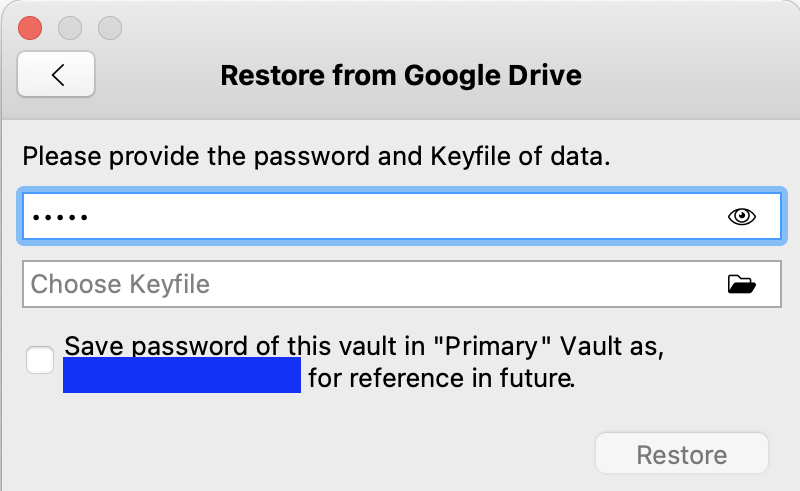
-
How i can restore all my account ?
-

WebDAV/ownCloud Restore Data & Setup Sync at the Same Time
Phylum posted a topic in Feature requests
When setting up Enpass on a new machine, you have the option to restore data from a particular source. I happen to use WebDAV/ownCloud over all the other services. However, when reviewing the Enpass settings after the fact, WebDAV/ownCloud Sync isn't setup requiring one to go through the sync process again. It would be nice if, during the restore process for WebDAV/ownCloud, you offered an option to restore data and setup sync at the same time; possibly via a checkbox defaulted to 'yes'.

