


chickenlover
Members
-
Joined
-
Last visited
Everything posted by chickenlover
-
Hi Team, Have had this issue for a while. Passkeys in Safari dont work with DUO auth on MacOS. Have tried on different Macs, and it doesn't work anywhere. Works with most other competitors. I get prompted to create a local platform authenticator key...Passkey usually works in chromium browsers though. Have had to switch to another password manager since I can't use for professional items that use DUO auth. Help! *Autofill works fine, just Passkey handshake doesnt work with DUO in Safari Browser. Latest MacOS, Latest patch level, M1,M4,Intel.
-
tried to use passkey on protonmail and it launches apple native passkey still even when extension is checked for passkey. is this resolved yet?
-
can confirm same on macos safari with latest OS, not being prompted for passkey any longer...only apple passkey works
-
-
Hello, Love your product. There are several online stores that sell software licenses in volume. They allow you to download a csv of all the software you've purchased from them along with name, email serial codes etc. Would it be possible to add a software import template like 1password does (for csv)? When I import and choose license it imports very poorly and varies per license. Thanks!
-
Thank you!
-
Hello I have an iPhone 12 and when entering password/user name in email applications the app doesn’t allow Face ID and just shows a blank screen. I then have to open the Enpass app separately and manually copy and paste each field. I have attached image of how it looks when it shows blank app screen.

-
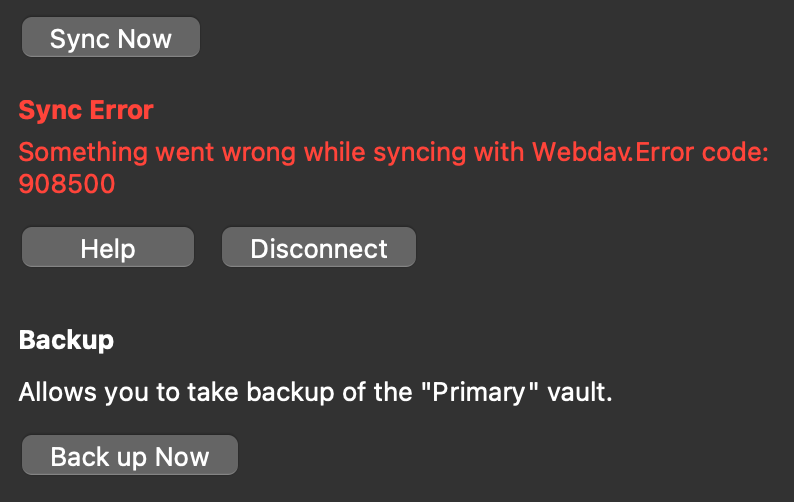
Hello, I have only started using Enpass as my primary password manager for the last two weeks so it is the latest version. I am using version 6.6.0 (772) on Macbook Pro Big Sur (latest update) I made no changes to my webdav service (Koofr), in fact I switched over from my previous webdav service (Koofr) to pcloud webdav and the issue occurred again when deleting one login from my vault. I can share a demo account if need be. But this is across two webdav services (Koofr, Pcloud), I will test on a third.
-
I also just discovered this crashing problem, i am using webdav sync and it has been crashing when I started deleting old credentials and syncing was happening. The sync indicator turned red after i restarted the app, The crash caused my vault (in cloud storage service) to have an error where my vault password/credentials no longer worked. I moved the cloud vault to another folder and resynced my local vault to the same cloud folder and that resolved the issue (. This has happened twice this morning. I confirmed that my other devices are able to sync to the newly uploaded vault and they pulled down the changes without issue. MACOS Big Sur Latest patch level.
-
Yeah i read some and found others talking about this in different thread, enpass is aware and working on a fix. This is driving me nuts!
-
i made a separate post for this issue, I also have this issue. thanks for looking into it.
-
Hello all, I have a MacBook Pro 15 (Big Sur) and an odd issue has begun where Enpass will work fine... until I close my laptop then reopen to use at some point. When I click on the Enpass icon in the menu bar, there are no items displayed, no passwords, but the application seems functional and I can navigate and even sync my vault. My passwords/items are visible again after I completely quit Enpass and sign back in, but this is very annoying since it defeats the point of having fingerprint. Does anyone have this issue or a fix?

