


lexvo
Members
-
Joined
-
Last visited
-
This was always working fine, but started recently (maybe because of and update to MacOS Tahoe?). I am trying to autofill a username and password. When I click on a field I get a message 'click to unlock Enpass'. But Enpass is already open. If I click on the message it opens a website trying to open the Enpass app. I already tried restarting Enpass, restarting Safari and rebooting my MacBook. Nothing helps. The strange thing is, on my Mac Mini with Tahoe it works fine. I tried compare settings but couldn't find any differences. Anyone know what's going on?
-
I found the place where I have to flip a switch to turn autofill on. Problem solved.
-
I have installed Enpass on a new Macbook Air with MacOS 15.4. I also have installed the Safari extension. Everything seems to be OK. I also synced all my passwords. However, the autofill popup menu won't appear when I want to enter username/password on a website. I looked in the support files (https://support.enpass.io/app/extension/take_a_look_at_browser_extension_settings.htm#autofill-popup-menu) but I can't find the settings screen which is described there. Am I overlooking something? Note: I have Enpass running on my Mac Mini (with MacOS 15.4) and before that on my iMac without problems. On these machines the autofill popup menu appears always.
-
Hello, 1) I am using Enpass 6.8.3 (1150) on MacOS 12.6. 2) I installed Enpass from the Mac App Store. 3) Safari version: 16.0 4) No, no errors when using the extension. I thought I might have found the problem: I have a QNAP NAS and the administrator login page was giving trouble. I could not select the Enpass icon and Enpass started using a lot of CPU. After that, autofill did not work on other websites. I had to restart Safari and Enpass like I described. However, since a few days Enpass is working OK on the QNAP admin login page. Enpass is also working OK on other websites now. I realize this makes it difficult to find out what the problem was. However, I noticed that Enpass generates a lot of fields with the URL of my QNAP:
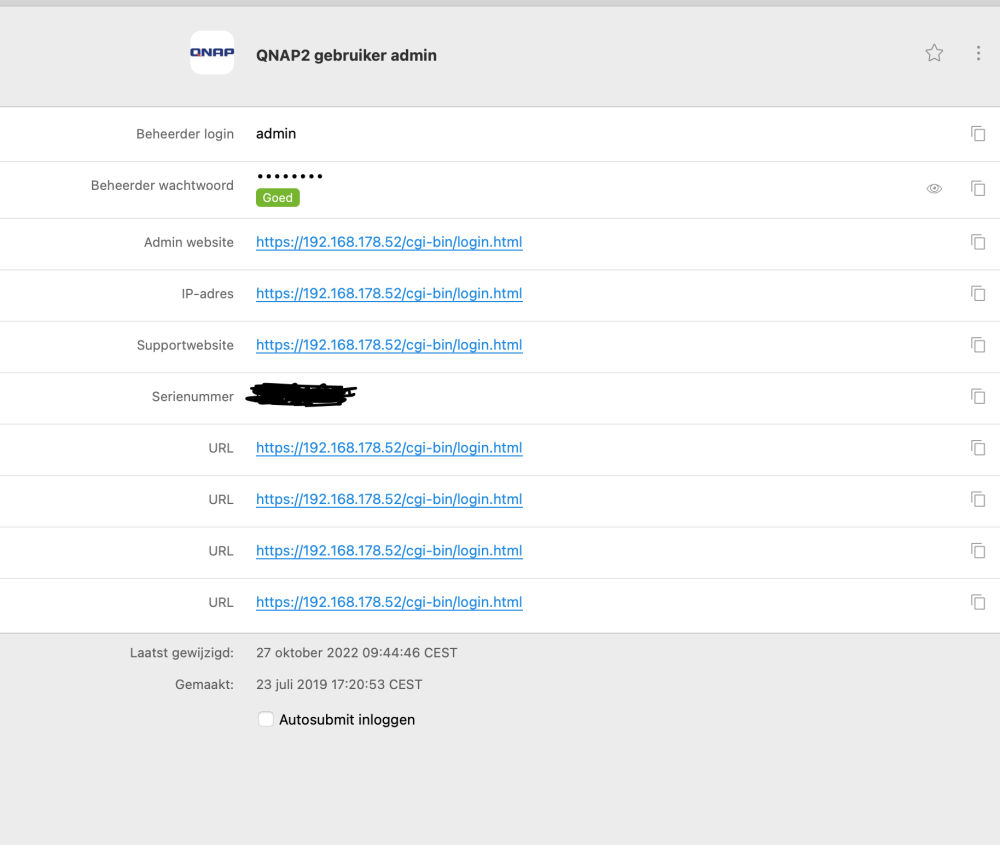
-
I tried to delete and re-install the app (and extension) but it still does not work. The button in the Safari-bar seems to work, but I don't get the Enpass-icon in the username/password fields like it used to. I really don't know why this suddenly stopped working a few days ago.
-
In addition, the Enpass app is hanging often, using a lot op CPU (never did that before). I have to force quit and then restart it. I already tried restarting Enpass and Safari, and also rebooting my Mac, but that didn't help. I also tried clearing the cache of Safari, but that did not help either. I have no idea what is going on.
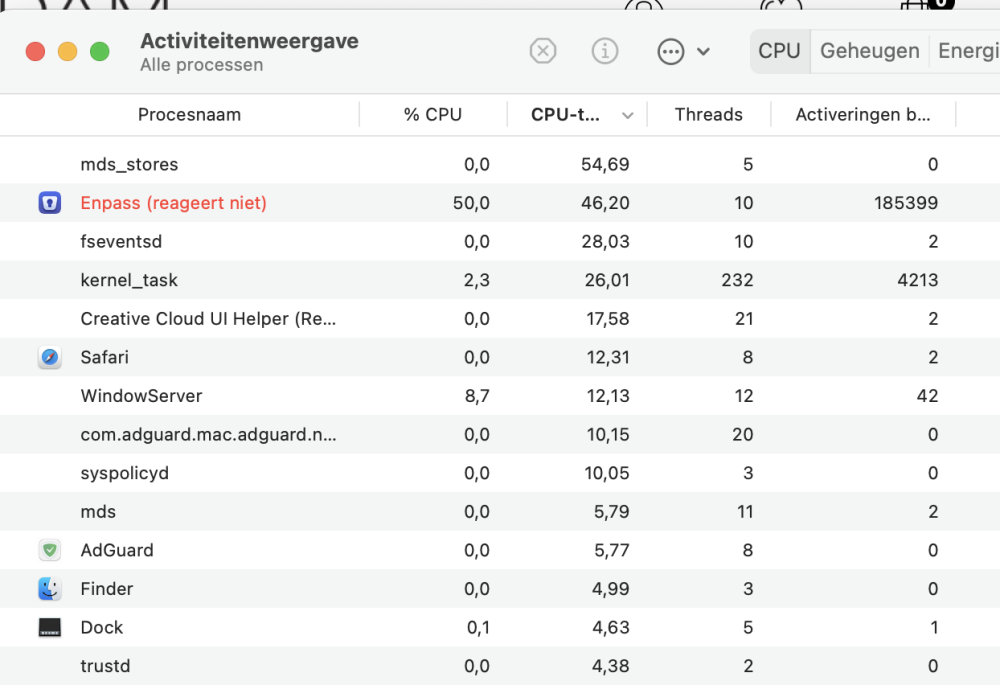
-
Hello, Recently, I noticed that autofill username and password does not work anymore on many websites. I see the Enpass-icon on the right site of a field, but when I click on it, nothing happens. The Enpass app is active and unlocked. Even on this site (Enpass forum) it does not work anymore. Is there some setting I should look at?
-
With the desktop version, I can select to automatically continue or not after autofill. Can I set this on iOS also?
-
Hello Gulshan, I hadn't noticed that there is a menu behind the search icon. I got it working now. Thank you very much!
-
I'd like to search on titles only on MacOS, just as search works on iOS. Now, search goes through all fields and I get too many items. I tried changing the setting for search but that didn't help.
-
-
Hello, I installed the latest version of Enpass (6.7.4) but the new autofill does not work. Autofill only works the old way by clicking on the extension icon in Safari. Both the app and the extension have version 6.7.4. Am I overlooking something? I am using a 2017 iMac 27" with MacOS Big Sur 11.6.1 and Safari 14.1.2
-
Thank you! I now understand that filling in the OTP works via the clipboard. It is all working now.
-
Thank you! I changed the settings and it is working now the way I wanted
-
When the Enpass app is open (I unlocked it by typing in the master password) I don't have to enter the master password in the Enpass Assistant.



