
chrisonline
Members
-
Joined
-
Last visited
Everything posted by chrisonline
-
Yes it is working now again.
-
Same to me and on all clients I have installed. :-(
-
Hi @Manish Chokwal! OK sorry.
-
I don't get it why you asking this? This is a known bug in the latest 6.8 BETA. I have got this info from the support team via ticket:

-
@TheRock64Sadly not. My last info was a week ago from the support and they said that this problem is in the current beta and will be fixed. But without any ETA. I have now installed the stable version and the webdav sync works now again.
-
-
-
I do have the same problem. @Abhishek Dewan Any news about the fix?
-
After clicking the Amazon entry in the Firefox/Chrome Browser Plugin it opens a new page and I see the login fields but it does not fill the fields. I have to tap CTRL and # or reselect the entry. For other sites after clicking on the entry it opens the page and I will automatically be logged in.
-
OK so let me explain. 1. Updates -> Windows App does not notify the user of an update it does automatically updates without any info (changelog) -> Desktop App notify me if I open the app and I see the changelog 2. Windows App can't be placed on the Windows desktop --> I see it only in the Windows start menu 3. Icon --> The Windows App Icon is not the new shiny blue icon ;-) 4. I use a "program starter" app and Windows Apps are not recognized. So I need to start it via the Windows start menu. 5. And so on...
-
This was in the BETA too.
-
Where did you read that it is only on the Windows 10 Store version? I don't find any info about it.
-
I don't get it. So how can I buy the premium features if I use the Desktop version and not the Windows 10 App Store version?
-
Why can't I buy the premium feature not on the Desktop App of Enpass? I don't want to use the Windows 10 App.
-
Anyone can help? I want to buy the extra feature but in the Desktop BETA I can't :-( So how can I get the Windows Store version do buy the extra features?
-
-
I have signed up to the Windows 10 BETA and downloaded Enpass from the Store. But I don't get the 6.x BETA only the latest 5. How can I get the latest beta from Store? On the traditional Windows Desktop version I have the 6.x BETA.
-
-
-
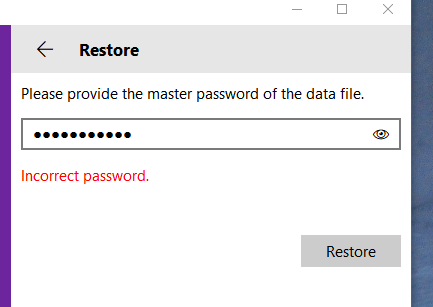
I have selected in "Enpass 5" - Backup and saved it to my drive. In "Enpass 6" I select "Restore" and select the backup file. Now I am asked for my password. After a long time, about 30 seconds, I get the message "Incorrect password."
-
Hey Enpass any statement would be great!
-
Thanks. It is working now.
-
On my Android phone I see a notification for autofill if I am on a website with logins. But if I tap on this notification the Enpass app opens up but I only see "Kein Treffer" (Nothing found). I am using Chrome on Android 7.0 (Galaxy S8) with Enpass latest official version and also on latest BETA version.
-
Hi @Anshu kumar Thanks, great this solves my "problem"!
-
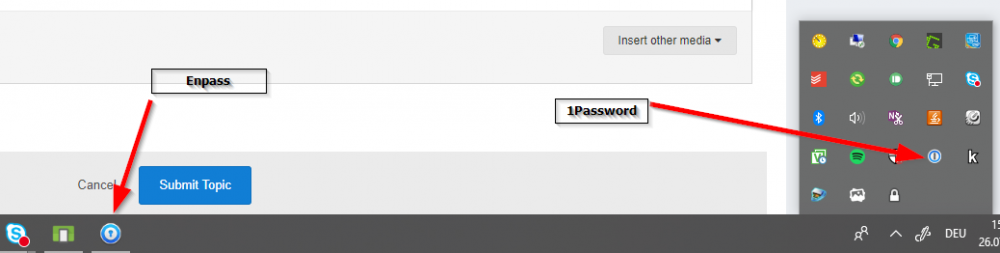
I am a new user and have just now installed Enpass. If I close the Windows app Enpass I can't use the Autofill in Chrome. So it seems the app needs to be open all the time? If yes, is there a way to minimize it to the small icons instead of the task bar? I am coming from 1Password and there is no need to start the 1Password app on Windows. After start of Chrome an mini icon hidden in the task bar is shown. Is something similar also possible with Enpass?