FuN_KeY
Members
-
Joined
-
Last visited
Everything posted by FuN_KeY
-
Hello, Recently, I reinstalled my PC and faced a usability issue when restoring Enpass. I did create a few vaults, and I stored the password of those in my primary one. When setting up the secondary one, I am prompted for the password of the secondary ones, but I can't use Enpass to retrieve those - as I am already in enpass in a different menu. I would need to either: Copy/paste the vault password to an intermediate location Retrieve the password from the browser extension It would be really, really nice if Enpass would have let me chose the vault password; directly from the restore menu. Keep on with the good work; enpass is awesome !
-
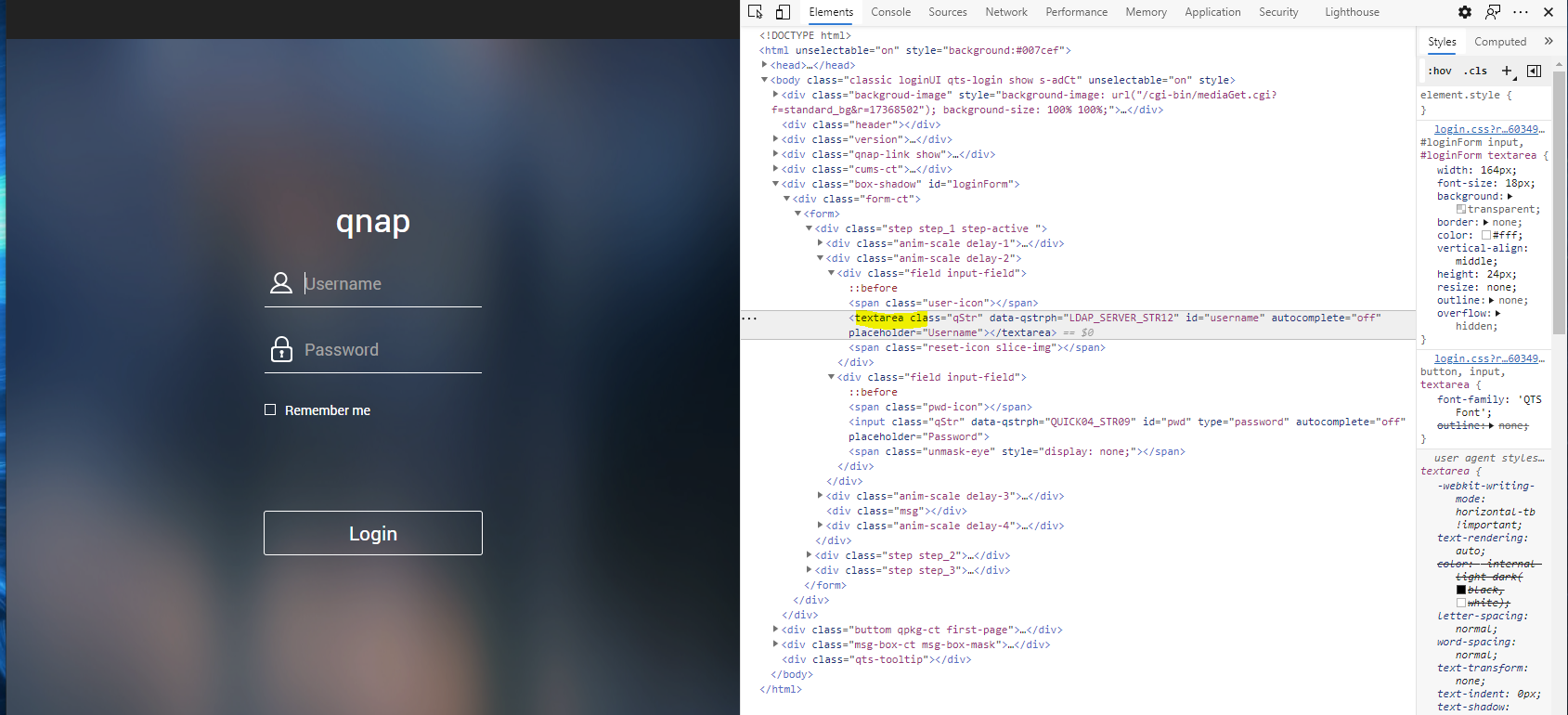
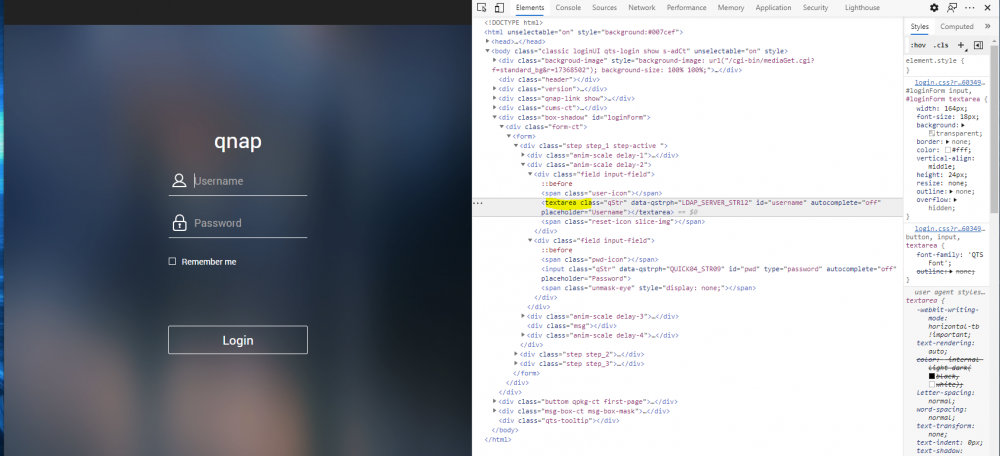
When using enpass to connect to qnap NASes, the username is not getting filled. In the webform, only the password field is mapped. I tried several thing (delete, recreate, save webform, ...) nothing worked. Here are the details about my setup: QNAP QTS 4.5.1 Enpass 6.5.2 Edge 86 Edge plugin 6.4.0 This is very certainly caused by the fact that the username is a textarea: https://github.com/bitwarden/browser/issues/1214
-
@Pratyush Sharma I do have the exact same problem, but with an XPS 13 9370. It has a TPM 2.0 and it is enabled. Find bellow the outputs to the command you asked: PS C:\Windows\system32> Get-Tpm TpmPresent : True TpmReady : True TpmEnabled : True TpmActivated : True TpmOwned : True RestartPending : True ManufacturerId : 1314145024 ManufacturerIdTxt : NTC ManufacturerVersion : 7.2.0.1 ManufacturerVersionFull20 : 7.2.0.1 ManagedAuthLevel : Full OwnerAuth : OwnerClearDisabled : False AutoProvisioning : Enabled LockedOut : False LockoutHealTime : 2 hours LockoutCount : 0 LockoutMax : 32 SelfTest : {} PS C:\Windows\system32> Get-TpmSupportedFeature -FeatureList "Key Attestation" key attestation PS C:\Windows\system32> Get-TpmEndorsementKeyInfo -HashAlgorithm "sha256" IsPresent : True PublicKey : System.Security.Cryptography.AsnEncodedData PublicKeyHash : dd2ce7d9ae2451fbf5f391081d20a66e59d2d50f7033da542d6dc0186ac8f4d3 ManufacturerCertificates : {[Subject] TPMManufacturer=id:4E544300 + TPMModel=NPCT75x + TPMVersion=id:72 [Issuer] CN=Nuvoton TPM Root CA 2111 + O=Nuvoton Technology Corporation + C=TW [Serial Number] 525621C8FC0FDF5A5684 [Not Before] 26.10.2017 05:43:46 [Not After] 22.10.2037 05:43:46 [Thumbprint] CCD4B6E247B78D0E1002C580FE8075DE1E418784 } AdditionalCertificates : {} PS C:\Windows\system32> Get-TpmEndorsementKeyInfo IsPresent : True PublicKey : System.Security.Cryptography.AsnEncodedData PublicKeyHash : ManufacturerCertificates : {[Subject] TPMManufacturer=id:4E544300 + TPMModel=NPCT75x + TPMVersion=id:72 [Issuer] CN=Nuvoton TPM Root CA 2111 + O=Nuvoton Technology Corporation + C=TW [Serial Number] 525621C8FC0FDF5A5684 [Not Before] 26.10.2017 05:43:46 [Not After] 22.10.2037 05:43:46 [Thumbprint] CCD4B6E247B78D0E1002C580FE8075DE1E418784 } AdditionalCertificates : {} PS C:\Windows\system32>
-
I would like that as well! Having the ability to define the matching at the item level. Having the ability to leverage regex (either in the matching, or in the url field directly) would be awesome
-
Today, Edge chromium was released, and enpass work great with it ! I did receive a message that the binary was not whitelisted; please whitelist it
-
Yep, I can confirm that it is now working! Thanks !
-
Bump Any acknowledgement of the bug?
-
Hello, The TOTP feature is not working on iOS. When I use autofill in Safari to log in to some site, the 2FA does not get copied in the clipboard. iOS: 12.1.4 enpass: 6.0.4 (222)
-
Hello Anshu, You are right, that was the problem ! Thank you very very much !
-
Hello, I faced a very disturbing issue. The TOTP code generated by the Windows 10 app and the one on the mobile app (iOS) are different. The one on the Windows 10 app is wrong. I checked with a few different credentials that I have with TOTP, and it was the case every single time. Windows 10 version: 6.0.4 iOS version: 6.0.4 (222) I would suggest a quick fix, this can be very frustrating/infuriating to get around. Still, the new version of enpass is awesome ! Cheers !
-
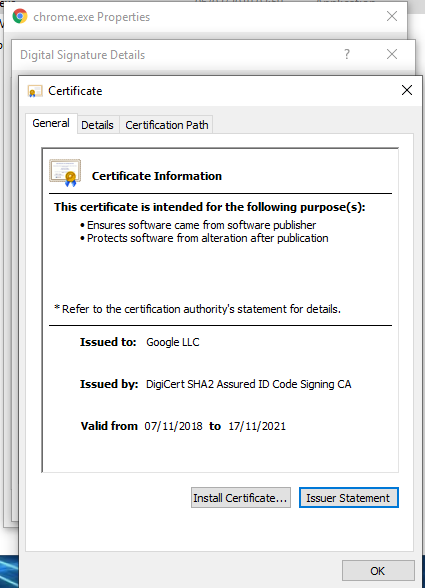
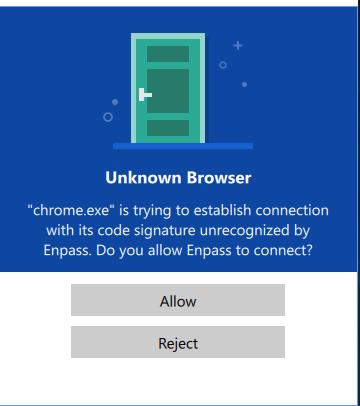
Hello, For ~the past week enpass does not want to cooperate with my Chrome anymore. It says: "chrome.exe is trying to establish connection with its code signature unrecognized by Enpass. Do you allow Enpass to connect?" I am using the following versions: Chrome: 72.0.3626.96 (Official Build) (64-bit) Chrome plugin: 6.0.0.1 Enpass: 6.0.4 My chrome.exe seems pretty legit & signed, with code signature in place (SHA256: F6FA354889EF81AD521F1F0E4C9AFF4D54B95994573791C897A248F52B0479FD)
-
Enpass 6 went live yesterday, but I found no reference to the WiFi sync. Edit: since it shall be announced after the go live of 6, it is on schedule I’ll wait
-
First of all, I let’s cheer the team for the auto fill support, it is really a great feature! How to reproduce the bug: - Using autofill, log in to a website (like the Enpass forum). TouchId will work - logout - Login again. Since autofill remembers which password you entered for this site, it proposes a shortcut. When using this shortcut, TouchId will not work and you will have to enter the master password (bug)
-
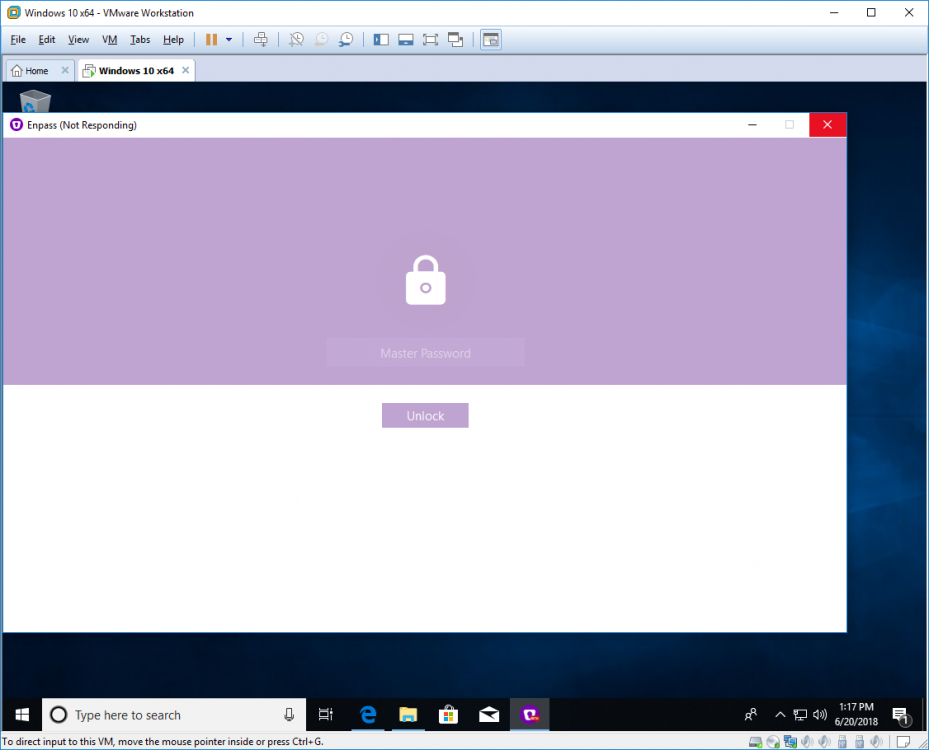
Hello, First of all I would like to congratulate the team for the new version of Enpass, it has basically everything I was missing in the previous version. You really did a great work here During my testing I noticed that after some inactivity the client could freeze
-
I would also be very interested in this feature. The Safari plugin is working great but it would be even better to have a OS level integration as it would benefit builtin apps.