Roger
Members
-
Joined
-
Last visited
Everything posted by Roger
-
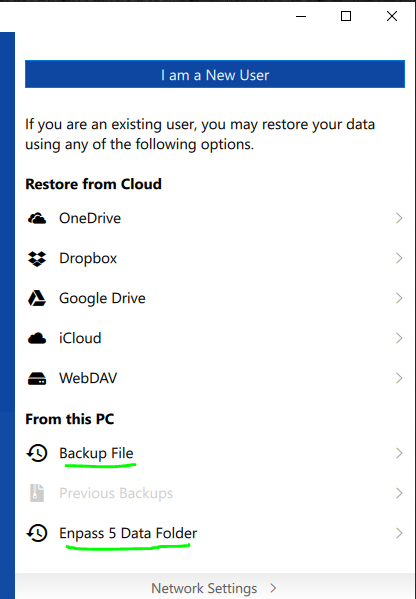
It seems that once you have set up Enpass 6 there is no option to import the database file from Enpass5, iow the walltex.db. However, if you uninstall Enpass 6 and re-install it you have two options to restore Enpass 5 data in the bottom of the interface. For some reason this is not showed by default, you must manually scroll down to find it. So yes, Enpass 6 does support the database from Enpass 5.
-
Some further differences: 9. The Store version is build 218 while the Desktop version is build 230. Not the same iow. And, the latest beta build of the Store version was 220. So the Store version is actually older than the latest beta of the Store version. *huh* This is a difference i happen to like. All system icons on Windows are white and i think the white icon in the Store version blends in better than the blue icon in the Desktop version. But i don´t know if it is that important to me that i prefer to use an older Store version rather than the newer Desktop version. The Premium features gives me very little, i can create a Template but i cannot select and use that very template when Enpass auto-add a password into Enpass. (So what´s the point of a template...) For me this is the most annoying difference. I want to have everything in the same folder for easier backup management. I can work around it by installing the Desktop version and do the changes and then uninstall the Desktop version and install the Store version. Now, the store version uses the same settings as the Desktop version. But, workarounds and register hacks were exciting in the 90´s, not so exciting 2018 soon-to-be 2019.
-
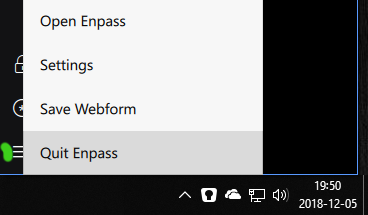
On Windows, try this: Close the browser and right click on the Enpass icon down right in the Task Bar and choose to exit Enpass. Now, launch Enpass and then launch the browser. This worked for me earlier. It seems that if the browser is started before Enpass the browser and Enpass fail to communicate to each other. If Enpass is started first and then the browser, they can communicate. Just closing the Enpass app is not enough since it is still running in the background. Closing it in the Task Bar does indeed close Enpass.
-
When i beta tested Enpass 6 the last version from Microsoft Store vas build 220. Today when it is announced that Enpass 6 is released to customers i uninstalled Enpass 6 (220) and re-installed it but got Enpass 6 (218) instead of a slightly newer version, or the same version. When i downloaded the Desktop version i got Enpass 6 (230). Why do this happen, why is the beta version of Enpass 6 newer than the release version of Enpass 6 when i get it through Microsoft Store? It would be interesting of the answer since i have been on several betas for other applications and this is the first time the release version is older than the beta version. And, what´s the difference between the versions? What functionality do i miss when buying Enpass 6 and thus get an older version compared to using the free newer version of Enpass 6?

-
Yes, i have seen screen dumps and it looks indeed lovely! So does Adobe Creative Cloud applications on Windows as well and that´s my main reference. (post CS6 applications iow.)
-
Don´t get me wrong here, but isn´t it better to write Microsoft Store instead of Package Flight? I had to Google what Package Flight actually is when i was new here since it is mentionend by the staff here over and over again. Package Flight=Used by software developers to create a package flight for UWP applications. Microsoft Store=Used by end users/customers to get the application. I had no idea of how to get Enpass through Package Flight since there is no way for me, the end user, to get it through package flight. I can however get Enpass from Microsoft Store. Same same, but indeed very different and confusing. Use Microsoft Store when communicating with us. How the app is packed is kind of irrelevant imho.
-
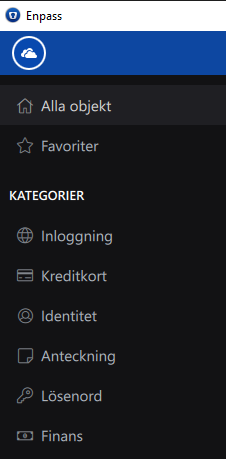
If i activate the Dark Theme most of the UI is just black. I like dark themes but i dont like black themes. What i see in screen dumps here from Android or Mac the UI is dark instead of black and is much more pleasing. It would be appreciated with a dark interface instead of a black theme. Personally i prefer the regular UI rather than the black theme and have thus disabled it. The dark color to the left in the UI is more pleasing than pitch black. The color to the left is R=18, G=18, B=20.
-
-
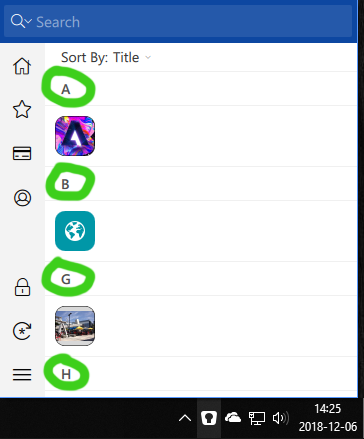
I have 71 items in my vault. I don´t know how the pop-up window i get when i click the icon on the Task Bar is supposed to work, but i can only find 10 items if i scroll and they seems to be randomly placed there if i filter them by Title. The random displaying is the issue here. Note the jump from B to G as well. I have items under C and D as well if i open Enpass but none of them are displayed. Yes, if i search in that dialog i can find any of the 71 items, but why pick out items randomly if i sort by Title in this dialog?
-
-
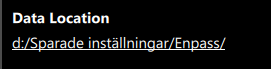
Is that a requirement from Microsoft or a recommendation from Microsoft? I do always change those settings in all apps i use to force them to store everything on my D:\ instead of spreading them on all around C:\. I take daily backups and it is easier to just target D:\ for backup instead of trying to find out all the different folders that are used for private data on C:\. This makes re-install of Windows easier as well as i have no personal data on C:\. It seems to me that the Microsoft Store app of Enpass is the same app as the desktop app of Enpass. The only difference seem to be the way they are distributed so i don´t see the reason to limit the Microsoft Store of Enpass. I realized that one can trick Enpass so one can change the Data Location in the Microsoft Store version. I had #198 installed on my workstation and uninstalled it and installed #197 from Microsoft Store. I restored Enpass with my backupfile, filename.enpassbackup. All settings came in and i can even change them in #197. This feature should not be limited to the desktop version.
-
I see the same thing and hope that it´s just a difference between versions. (Store=build #197, desktop version=build #198)
-
If i attach images in Enpass 6 (198) and then preview them they are very hard to read, very close to impossible. This was not the case in Enpass 5.6.9 since the image opened in a separeate viewer. On the attached image 01.Enpass.PNG you can see how the image 02-Original-image.PNG looks when being previewed in Enpass 6 (198). As you can see, and test yourself by downloading 02-Original-image.PNG and attach it the image is impossible to read when you preview it in Enpass 6 (198). The problem is that the preview area in Enpass 6 (198) is set to a fixed size. So if i maximize Enpass 6 (198) on my 27-inch 2560x1440 the preview are in Enpass is small no matter if the UI size in Enpass is maximized or manually adjusted to a smaller size. Since it is an existing option to attach images we need to be able to view them inside Enpass without having to work around the issue by saving the image locally out from Enpass and then use another media player to preview the image. I am certainly not expecting to have a prefect preview of 4K images, but do expect to have crisp and clean previewes of smaller screen dumps of different settings in let´s say Microsoft Outlook mail settings.


-
Go to Settings > Customize and check Use Favicon.
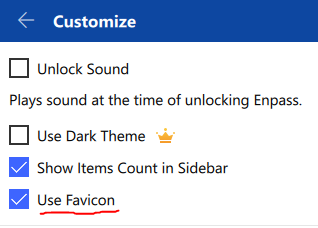
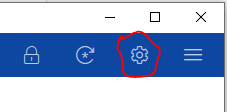
-
This is related to this thread: The issue described abowe happens everytime i start my computer or re-start the computer. Another issue is that when i shut down the computer the lock screen of Enpass 6 (198) flashes by. I don´t see this everytime, but see it so often to notice it, especially when no other apps i have installed do the same iow flashing at both startup of Windows and shut down of Windows. You can see it in this short video: https://youtu.be/yy-El4QjmEg Please, fix those issues! Win 10 Pro 1809 17763.134
-
I found a post by the user lammoth and he nailed it. I had one attached .jpg file and when i removed it from the login the backup feature did start working. Here is his steps to reproduce the issue:
-
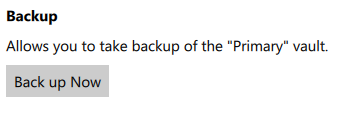
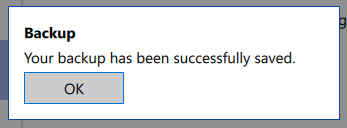
-- Read the post abowe as well -- I did a reinstall and noticed if i go to Vaults > Primary and click on Back up Now i get the dialog that allows me to save a backup file as filename.enpassbackup and when i click Save i get a dialog that says "Your backup has been successfully saved.". But, no actual file is saved... I have tested to save to folders, root of the HDD, different HDD, but no file is created and if i search This PC in Explorer for *.enpassbackup no files can be found on my computer. Kind of scary. This issue must be resolved before release since the only way to restore if one only saves locally seems to be by using the filename.enpassbackup. I cannot restore from vault.enpassdb at all. In Enpass 5 it was possible to restore from the walletx.db file. Lucky me that i had synced to OneDrive when i wanted to simulate a HDD failure...
-
As you can see on the attached image i have changed location of my data. In Enpass 5.6.9 auto backup worked and D:\Sparade inställningar\Enpass\Backups were full of folders with each backup. With 6 (198) the Backups folder is empty and if i click on Previous Backups i get the option to click on Back up Now but when i do no folder with backup files are placed in D:\Sparade inställningar\Enpass\Backups. The only thing that do happen is that the Backups folder itself get´s a new time stamp, iow a new updated Date modified. If i use the Synchronize feature and sync to my OneDrive account each change i do in Enpass 6 (198) are synced correctly. If i Disconnect that sync Auto Backup and manual backup still fails.
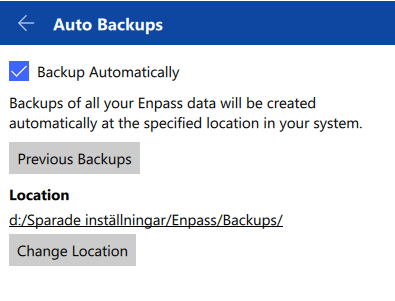
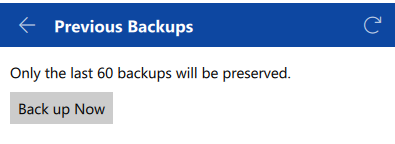
-
O.k, don´t get me wrong here but i have seen this PackageFlight this and PackageFlight that being repeated everywhere so i assume that is an important way to distribute Enpass. If the PackageFlight distrubution is so important you need to shape up and i will give you a couple of examples: If i log into the Microsoft Store now i see Enpass with the old light blue icon and when i look at the date it is dated back to 2017-08-10. So for me as an end user i interpret that as this is definitely not the beta version of 6.0. I tired to download it on my laptop yesterday night and though it has the old icon and is dated back to 2017-08-10 it is the beta of version 6.0 that gets installed. How does this even make any sense? The version i got was 6.0.0 (197) while the desktop version i can download here is 6.0.0 (198) so of course there was things that were missing from the PackageFlight version. Ok, this is beta but when i bought version 5 in Microsoft Store a couple of weeks ago i noticed the same thing, the PackageFlight version vas older than the desktop version i can download from https://www.enpass.io/downloads. The goal shall of course be that no matter how i acquire the software i get should be the very same version. For now i cannot even get Enpass 5 from Microsoft Store, i get the Beta version of Enpass 6... How is that even possible that a customer that buy Enpass today by default get a beta version of Enpass? So, i get that the PackageFlight is how you want to distribute Enpass for Windows users to sell them premium features. I have absolute no problems with that per se, but i do have problems with that if i buy premium features and download and buy through PackageFlight i will not get the latest version of Enpass. How premium is that? Premium for me is the same version no matter how i acquire it, be it from https://www.enpass.io/downloads or from Microsoft Store. If premium means older versions on Microsoft Store i will definitely pass on the premium features. I think it´s odd to push for PackageFlight so much when all we get is actually older versions. Care to explain?
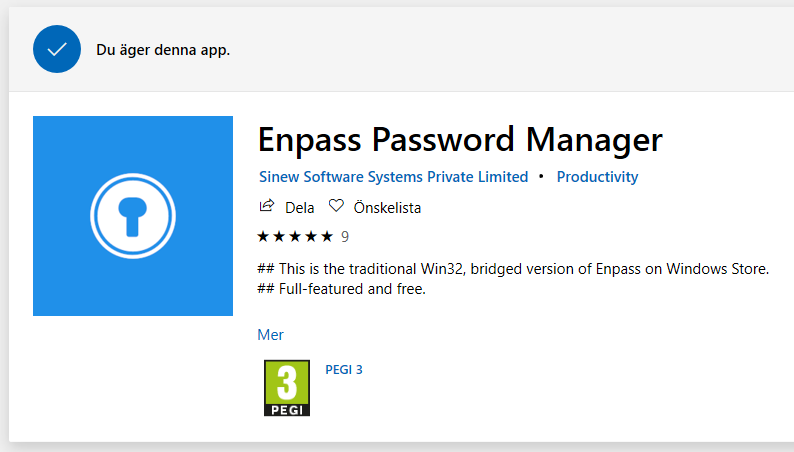
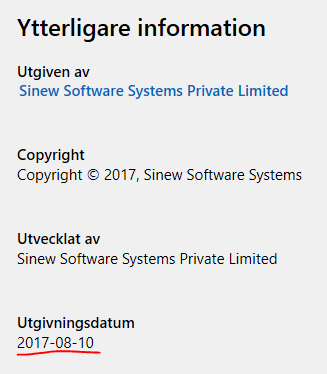
-
With Enpass 5.6.9 i see a small black window flash by each time i boot the computer. That happens when Enpass start in the background and at the same time the Enpass icon become visiable on the Task Bar. This is ok for me. But, with Enpass 6 (198) a large white box pops up everytime i boot the computer. Take a look at the video and you can see how it look when i boot the computer. Keep your eye down right in the Task Bar. At the same time as the Enpass icon become visiable a large white box pops up at 0:25: https://youtu.be/1j3ropr7inU Please, make this go away and make the startup at boot silent.
-
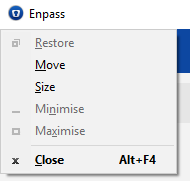
I use a lot of shortcuts and if i want to minimize any application i press Alt+Space+N but i noticed that this does not work with Enpass 6 (198). As you can see in the attached image the Minimize option, along with Maximize and Restore are greyed out. I can use Win+Down Arrow but Alt+Space+N is more convinient since i don´t have to move my right hand over to the arrow key.
-
Same thing here, joined yesterday and recieved a mail from betaprogram@enpass.io that confirmed it.
-
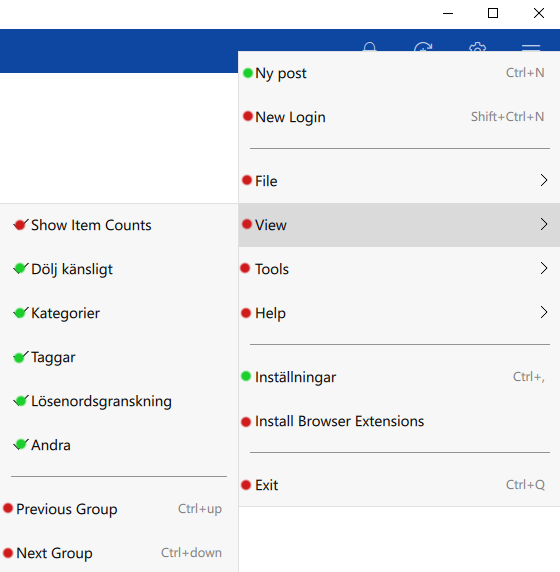
I don´t know what to actually expect but here it goes: When i installed Enpass 6 it installed it as a Swedish version, iow it matched my device. But on many places there is a mix between english and swedish making the feature not so useful. On the attached image i have marked the mix with colcored dots, red for english and green for swedish. This is one example but there are examples like this here and there and i don´t know if this is an issue with Enpass or if it is a Microsoft issue since i have seen this with other apps as well. Enpass or Microsoft?
-
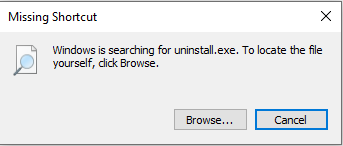
In the folder C:\Users\UserName\AppData\Roaming\Microsoft\Windows\Start Menu\Programs\Enpass there is a icon named Uninstall. That icon points to "C:\Program Files (x86)\Enpass\uninstall.exe" The file uninstall.exe does not exist in "C:\Program Files (x86)\Enpass". If i click it i got a Missing Shortcut dialog.
-
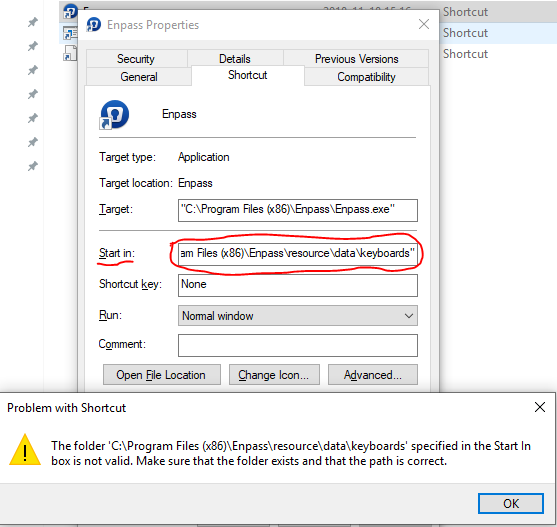
Since i see the old Enpass icon in the Start Menu i decided to try to change it manually. I right clicked on the icon in the Start Menu and choose Open File Location. If i do anythin or noting in the Enpass Properties dialog that pops up and click OK to close it i get an error message. (See the attached image) This happens since the path specified by Enpass in the Start In field are incorrect and does not even exist. On my computer there are no subfolders in C:\Program Files (x86)\Enpass.