Skip to content
View in the app

A better way to browse. Learn more.

Enpass Discussion Forum

A full-screen app on your home screen with push notifications, badges and more.

To install this app on iOS and iPadOS
  1. Tap the Share icon in Safari
  2. Scroll the menu and tap Add to Home Screen.
  3. Tap Add in the top-right corner.
To install this app on Android
  1. Tap the 3-dot menu (⋮) in the top-right corner of the browser.
  2. Tap Add to Home screen or Install app.
  3. Confirm by tapping Install.

bernhard

Members
  • Joined

  • Last visited

Everything posted by bernhard

  1. Hello, a restart of my PC solved the issue, thank you for your response - Bernhard
  2. Hello, I did install the latest version of Enpass Windows (6.8.3 1155) and can't activate the Browser Extention. I can't enter the numbers into to the Popup of my Brave AND Edge Browser - Bernhard
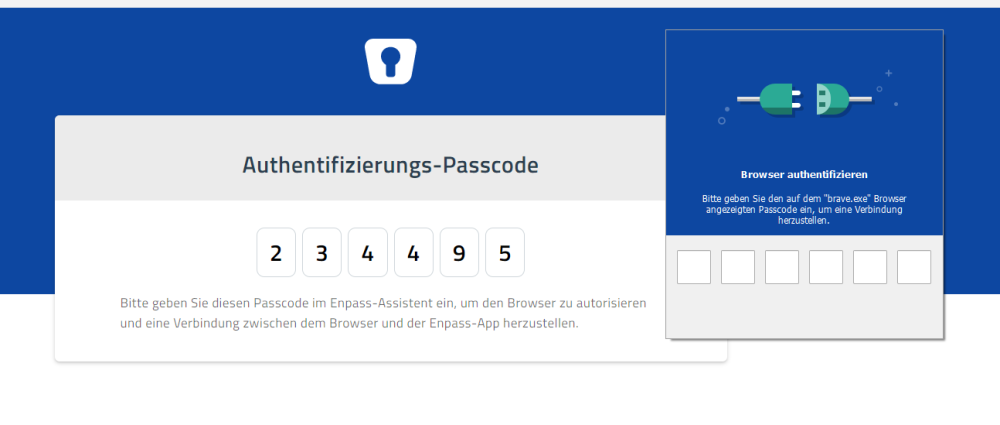
  3. Since upgrading my Brave Browser on my Windows PC to Version 1.21.73 Chromium: 89.0.4389.72 (Offizieller Build) (64-Bit), the Browserextension doesn't work. Enpass is up to date Version 6.6.0.(775) - Bernhard
  4. Thank you for the fast response, now it's working again
  5. I do have the same issue, on my MacBook with BigSur 11.2 and Enpass 6.5.2 :-( - Bernhard
  6. Hello, I'm running out of patience, here! I can't work like this, how long will it take to fix this terrible Bug? - Bernhard
  7. Same Environment and Problem here as Jamhunt :-(
  8. Hello, thank you for the fast reply. I will try this next time I have to login again.
  9. Hello, I have to Authentificate my iCloud Sync every Day on all Devices? Not Practicable!!! - Bernhard
  10. Hi, I'm syncing with 3 devices without problems on the 4th device I get all passwords but at the next sync it hangs with the error 908413 "someting went wrong with the sync..." - Bernhard

Account

Navigation

Search

Search

Configure browser push notifications

Chrome (Android)
  1. Tap the lock icon next to the address bar.
  2. Tap Permissions → Notifications.
  3. Adjust your preference.
Chrome (Desktop)
  1. Click the padlock icon in the address bar.
  2. Select Site settings.
  3. Find Notifications and adjust your preference.