Ivarson
Members
-
Joined
-
Last visited
Everything posted by Ivarson
-
I filed a bug report regarding this too. Hope it wasn't intentional
-
This is a major thing I miss too. It's been in the roadmap for Enpass since 2017 when v6 started being crafted but no news about it last couple of months.. This is the last missing cornerstone missing for me.
-
How do you get Enpass to open a beer for you? Not sure if you're referring to WebApp-version of Excel or fat client, but im guessing an locally installed app. What you're after is AutoType, something i miss very much in Enpass and hence do not use enpass as my daily driver. AutoType like applied in Keepass,keepassxc or Keeweb doesn't rely on any extra plugins to autofill but simplified acts like a keyboard and types the value in the textbox in focus atm. Enpass can't do that now so you'll have to rely on the Clipboard-feature. Watch out for clipboardhistory though.
-
For anyone who does have local admin privs and can install systemwide applications, I got it working using https://www.microsoft.com/en-us/download/confirmation.aspx?id=52685 (x86, not x64). Obivously not desireable procedure for portable mode, but remember this is beta.
-
I´d like to opt for a better looking Android Wear app. At least for the situations where only TOTP is synced to the Wear-device, I'd want bigger digits and also a more graphical counter for the validity. As a (crappy) mockup attached for round watches..

-
I´m upping this. Except for TOTP, i don't need to autofill web-forms nowadays since I like most others since the sessions are cached. I do on the other hand have password protections on many applications, like a dozen Cryptomator-vaults. Autotype and being able to set a custom sequence for those records is mandatory for me, hence I use KeeWeb atm. But I'll switch right back to enpass once autotype is implemented cause it awesome otherwise
-
If you didn't enter your masterpassword, the passwords isn't readable, even if the wallet was downloaded and passed to a third party. You should probably check https://www.dropbox.com/account/security to review past events
-
-
Is it possible to have Enpass launch a file using the OS default application for ut? Instead of an URL, I'd like to enter "file://C/temp/secret.zip" and just click it, instead of copying it.
-
Just remember that storing your first factor along with your second isn't conscidered good practise. The shared key for generating TOTPs is reversible to cleartext to (be able to sync ofc.). One could argue that its overkill to protect it further since its already within the vault which already is protected. But still, having your one-factor vault compromised would result in breach for your two-factor logins, if stored together :-)
-
-
I did step 1 the first time (wiping data +cache) which didn't help. When I tried reinstalling again it seems to work without any further actions. What differs is that might had multiple db-files in /data last time since I switched from Google to dav-sync (and the sync-db seems to be left when switching provider) OR its related to that I changed master password in Android app prior to reinstall. None of this applied to the reinstall today which went smoothly. Thanks for you great work and effort!
-
I removed the current beta version (via androids uninstall feature /dragndrop icon to trashcan on nova launcher) and reinstalled the beta from Play store. Upon launching enpass for the first time I wasn't facing the first time slides, but an Master Password screen, where my password wasn't valid. I uninstalled from Play store and installed once again with the same result. After leaving beta program, the stable version of enpass behaved correctly and gave me the first time slides and I was then able to restore my backup and get up and running. Just FYI.
-
https://arstechnica.com/security/2017/06/onelogin-data-breach-compromised-decrypted/ Another one bites the dust ☺️
-
Bug / workaround. When I launch Enpassportable.exe I get "LIBEAY32.DLL missing" and main window won't launch. Second time I launch the same exe however the message won't appear and main window launches. LIBEAY32.dll was there and valid. When I renamed from using lowercase to uppercase the error went away completely. Windows 10 1703. Portable beta 5.5.4
-
Nice update, i especially like that you got rid of the "browse"-dialogue if one choose to remember last path. Too bad we can't opt out from update- tracking- and analytics-mechanisms like on Desktop Beta 5.5.4 though. I'll probably stick with the "installed" version and just let my wallet reside on a removable drive.
-
Today when I launched Enpass latest beta) on my pc running Windows 10 Creators update, Enpass showed me the welcome dialog all of a sudden. New user or restore existing database. My wallet resides on a removable drive, having only a mount point, not a drive letter. I immediately checked that the drive was mounted at the expected path and that it was accessible. I relaunched Enpass but still the dialog appeared. As soon as I hit restore database, the wallet and its sync copy vanished from the USB drive. No harm done since I've got cloud backup but I don't get why it didn't recognized the existing database. The registry key for changedlocation was present and correct in hkcu.
-
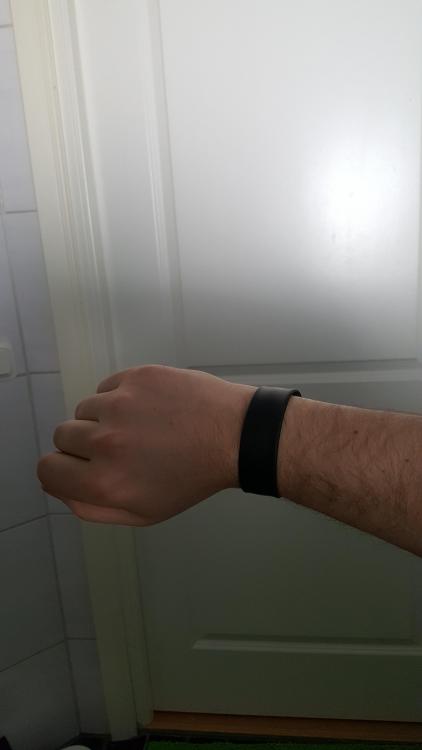
Just wanted to get a hint on how everybody else is using Enpass and at the same time show my setup. I use an USB-wristband for portability. I've got one layer of bitlocker using aes128 autounlock with tpm) and within that the walletx with its own aes256. Instead of the Enpass Portable I've got Enpass desktop installed on my three PCs pointing to an USB drive. That way I split up meta settings for Enpass in the registry and vault on a removable drive. Also when frequently synchronizing, the performance is better when executables that aren't secret reside on a local drive. I use cloud sync, so local backup isn't necessary. I only mount the USB stick and vault when required, and never run Enpass in the background. Critical secrets like Google or Microsoft are not stored in the vault, only their TOTP.
-
Of course, maybe i was a bit misleading. The point is that Enpass doesn't do security validation on the URLs you're doing autofill on. That's part of the reason the devs require the user to hit autofill via the hotkey or plugin-button. The security has to lie in you, your OS and the browswer. Like when you visit your home router at "192.168.x.1" which of course isnt even an dnsname. At best, you've got a self-signed certificate which the browser hopefully warns you about, That does encrypt the traffic but doesnt ensure the identity of the router. Enpass doesn't care though, neither should it imho.
-
Spoofing a site to Enpass should be easy, because it's not built to_verify_ the identity of a host, only to filter out a match that's as accurate as possible . Always check the certificate and hostname before using autofill.
-
Some suggestions for the mobile apps: Scan barcodes/QRs. generate those codes back as an fullscren-image, to show in the store etc. Scan NFC-tags. Export secret to another NFC-host? wouldn't that be a cool offline-way to share a secret with someone? In Android, Let Enpass be a target in "Share to"-menu for textstrings and numbers. Themes, c'mon.. light/dark atleast, you did it in the UWP-app ;-) in Android Wear-app, if only one field is shown on watch, increase that one textstring and center it, like you do on TOTP when shown on wear-app.
-
This is the reason why there's a much read thread regarding security audit in this very section. :-)
-
@Hemant Kumar great news indeed! Thanks!
-
-
Agree. The fact that sync is available for free too makes it very usable. I'd really like to see some report of an security-audit though but I don't doubt the devs when they say it's pricy... The common Enpass-user probably buys the mobile app for their corresponding plattform, which is about the same price as a 1-year subscription for other products.. I did actually buy the Windows Store-app mostly to support Enpass, the product doesn't replace the desktop version and it doesn't really offer that much functionality other than Windows Hello-support, but i feel like i support the team in both economic ways and by supplying feedback for additional plattforms..