Ivarson
Members
-
Joined
-
Last visited
Everything posted by Ivarson
-
Great work with the UI-revamp of the new 6.8! While long-pressing Enpass in the launcher and tapping "Search","New" or "favorites", Enpass opens but doesn't focus on the search bar nor bring up the keyboard like it did before. It just goes to the main view
-
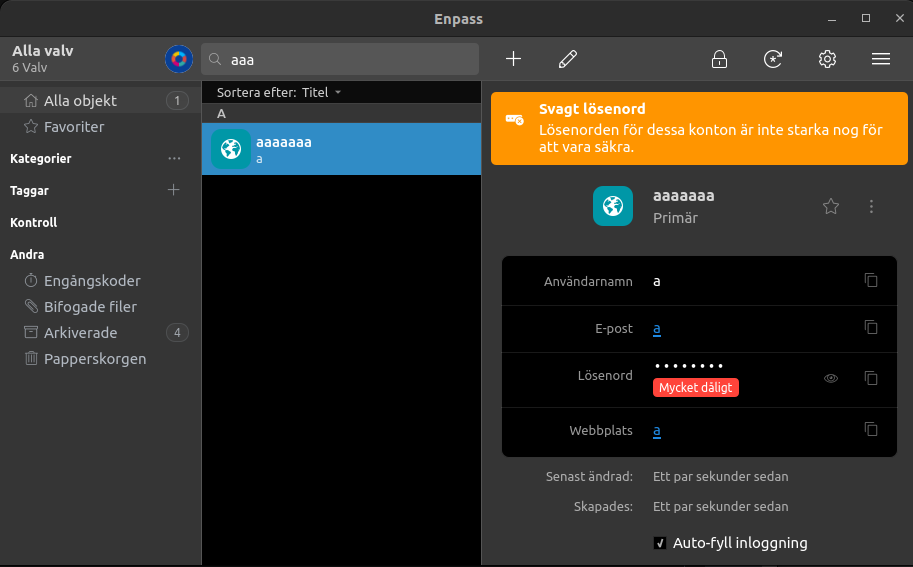
On Ubuntu 22.04, the new Enpass Beta 6.8.0 1059 brings alot darker background. In 6.7.x the dark parts for the areas of Items and details where gray, while now being pitch dark (OLED dark). I think it's a bit too black.
-
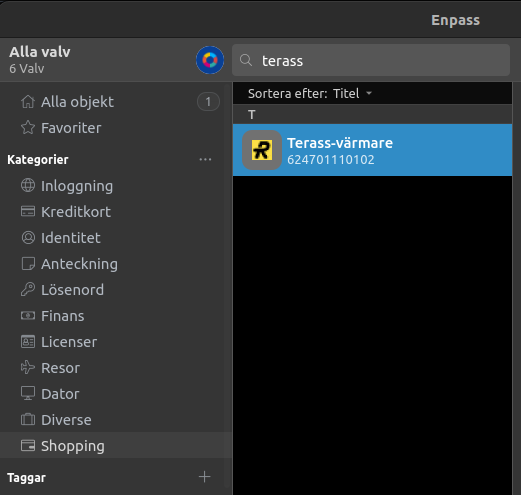
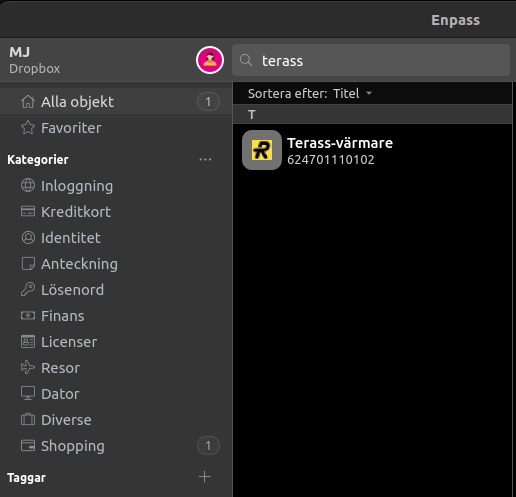
Enpass: 6.8.0 1059 OS: Ubuntu 22.04 (Wayland disabled) Vaults: 6 I'm pretty sure I've seen this before, on both Desktop's and mobile, but reporting it here since my item-counters were fine on my desktop prior to the Beta-upgrade. I have a custom category called 'Shopping'. In the 'All Vaults'-view, the Item counter/indicator is missing even though I have at least one item there. If I switch view to the specific vault with that Item, the indicator works and shows '1'. As you see the Search still works and filters out the result, but the indicator still doesn't work. Again, I think this affects more versions and more platforms but this is the platform I can reproduce it on at the moment.
-
I'm aware, it was more a question to people (coming from Samsung Pass) if they've been able to export data at all from Samsung Pass, but it seems they don't provide any such method, which sucks. So Enpass isn't to blame.
-
Currently four static groups, (or categories) are shown in the little Assistant; Home (all items), Favourites, Credit cards and Identities. I suggest this to be customized by the user, maybe in Settings -> Customize. There could be a section there called 'Assistant' with some checkboxes. The checkboxes would include all the Categories including customized ones, as well as the special ones like One-time codes, attachments and so forth.
-
Asking on behalf of someone else wanting to migrate to Enpass; Samsung Pass seem to hold it's users in a firm grasp without the possibility to export to CSV. I could only see an option to export to a "datafile" resulting in a .SPASS-file (passprotected and encrypted). Anyone knows if export/import is possible, somehow?
-
https://www.enpass.io/docs/manual-desktop/vault.html#cloud-setup You still can't use the same account for multiple vaults, only the same Provider (with different accounts). (with the exception of WEBDAV which let's you pick the path). Don't think they're intending to change this as they're describing "multiple vaults" as a segregation-possibility when sharing vault with someone, not segregating personal data.. Having that said, if you want to separate your personal data in separate vaults, doesn't make more sense anyway to use different cloud accounts?
-
https://www.enpass.io/downloads/#extensions
-
the way i see it you have these options 1. Use the "Save Webform" in the browser-extenion's menu (should the specific site provide a Form). This is intended when there are additional or non-standard attributes to fill in. 2. if it's only few or specific sites that are messed up, and you want the E-mail to be used during login, but still keep the UserName stored in Enpass, then change the Field-type of that specific item's UserName-field from the type 'UserName' to 'Text' or something (described here). That way it will still look the same, but Enpass shouldn't try to use ut during Autofill.. i suppose ... of course the same would work with the E-mail field as well.
-
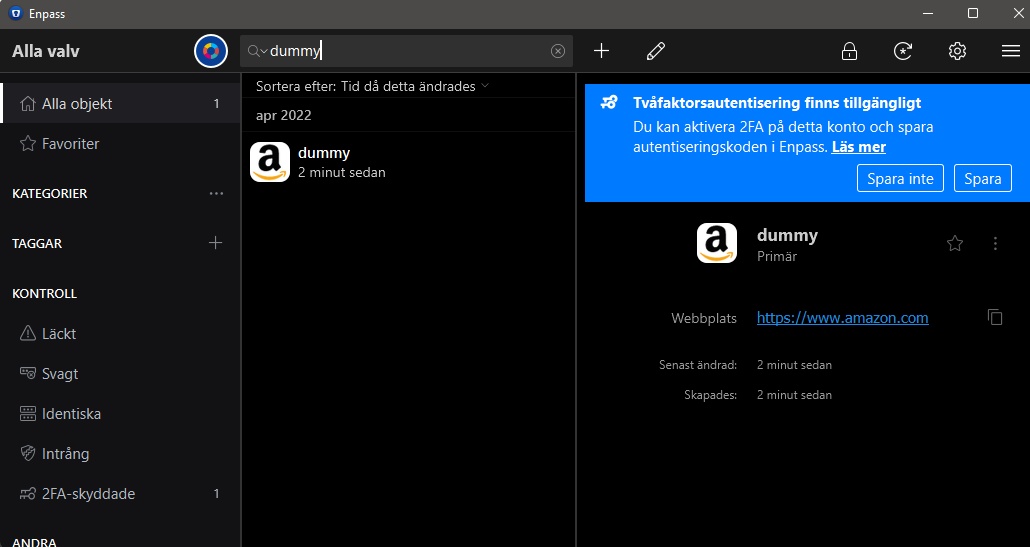
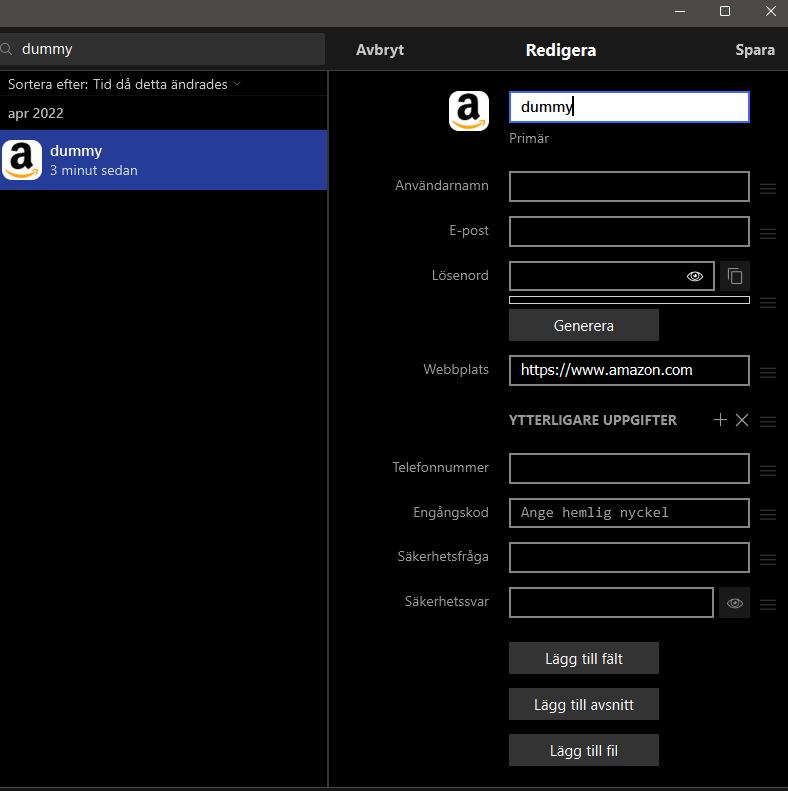
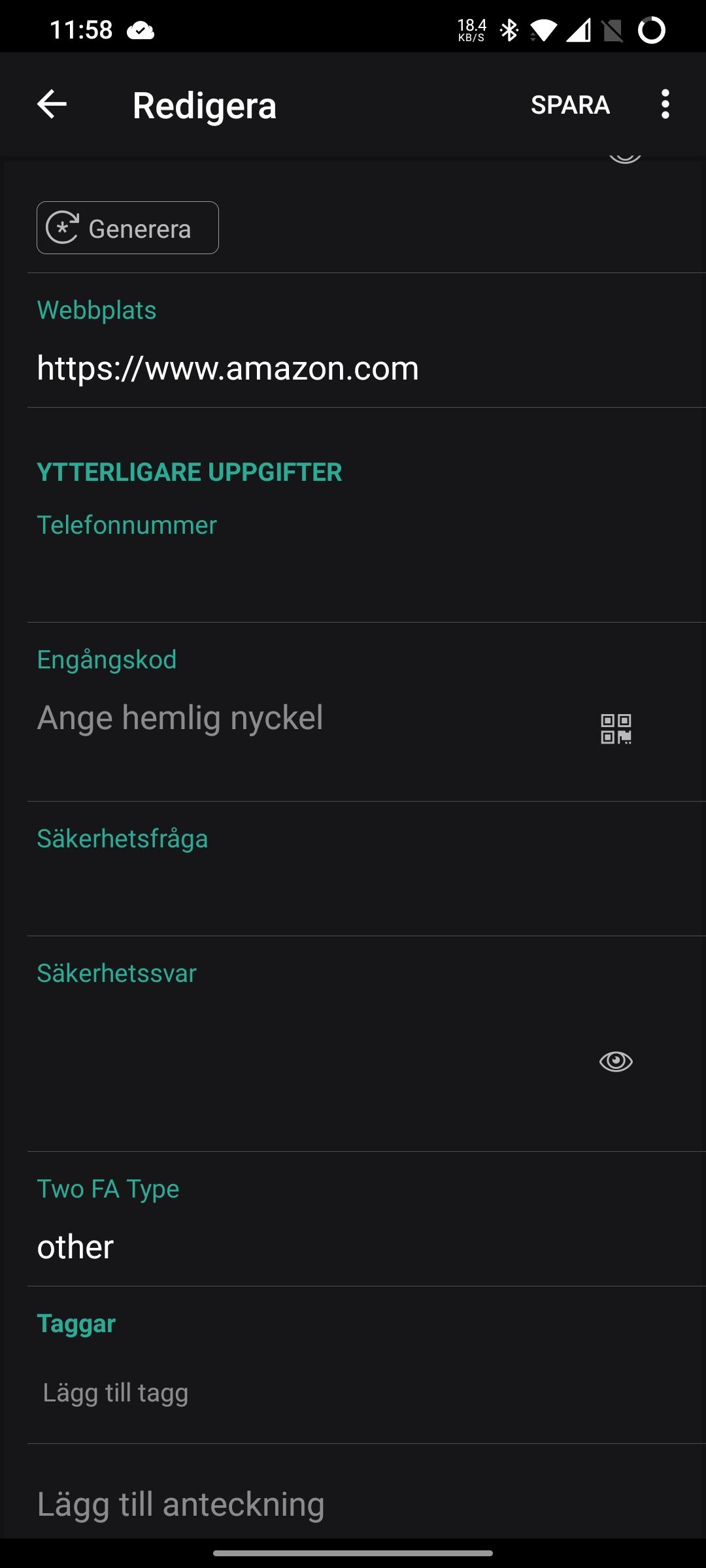
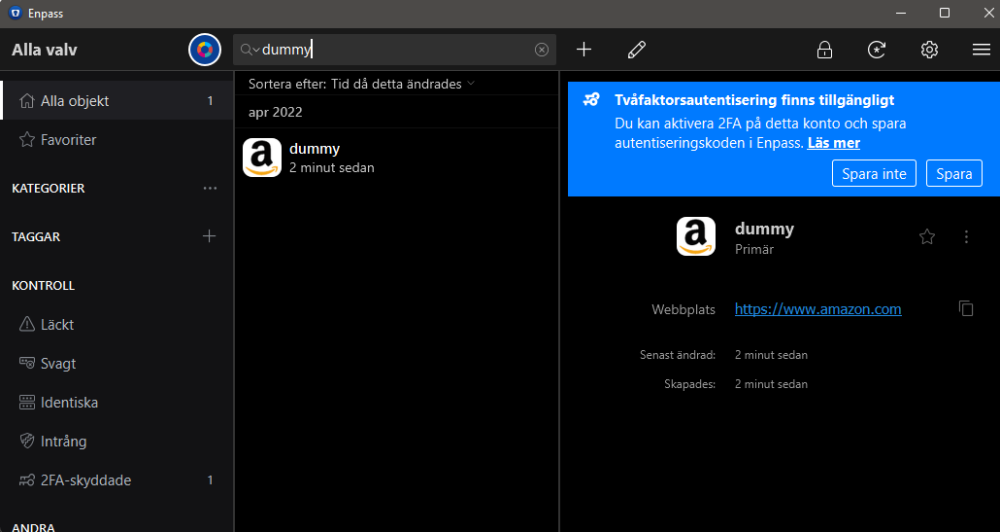
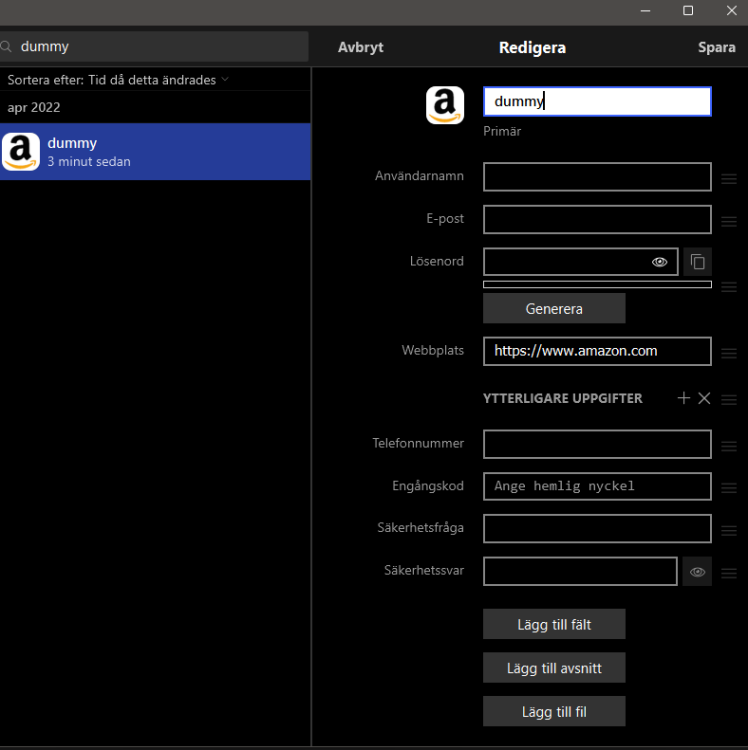
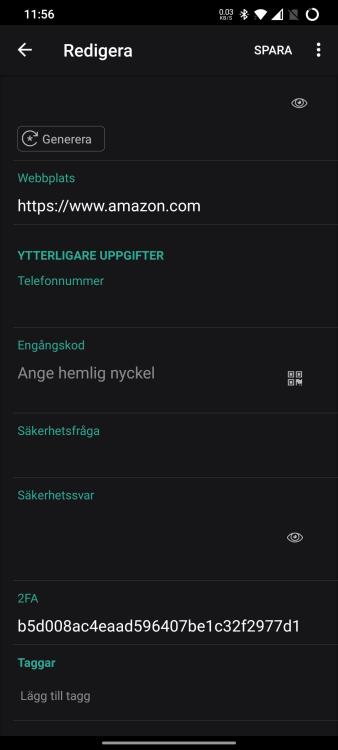
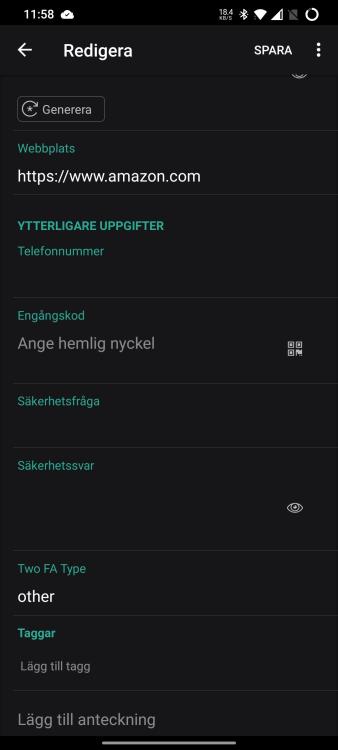
I'll try again. You're making an exception for the 2FA-warning on an item within the Desktop app: After clicking 'Save' above, and checking the fields (again on the desktop), there are no field or markers visible to indicate it has been exempted: If checking the same item on a synced Android device, a field is present as '2FA': If I would've made the 2FA audit exception in the Android app instead of in the Desktop app, the field (still only visible in the Android app), would've been called 'Two FA Type' as shown below: So, it's probably bug reports rather than feature request, A. The field names for 2FA-audit exceptions are not consistently named when created in different apps. B. The neither of the exception-fields are visible in the Desktop app, making it impossible to search or revoke the 2FA-exceptions in the desktop app.
-
When Enpass identifies a site that supports 2FA, you have a blue banner that allows you to exempt the particular item from the audit (Don't save). Hitting that button the fields and values will be different depending on if exemption is being made on Enpass for Android or Enpass for Desktops: When exempted in Desktop (Microsoft Store edition, v.6.7.4): Fieldname: "2FA", value: "<random>". When exempted in Android app v. 6.7.1), fieldname: "Two FA Type", value "other". Also, neither of these fieldnames are visible in the Desktop app, only in the mobile app?
-
Why are you posting in an existing, non-related thread? You should create a new one, or contact support directly if you have a subscription. You're safest bet would be if you had Cloud Sync setup in the old installation, then you'd simply create a new vault now and choose restore from cloud when setting it up. If not, then it depends on whether you formatted your drive. If you didn't, Enpass creates backups automatically under your personal folder which could be accessible and restored from.
-
-
@ng4ever if you've set up the same cloud account for that vault on all your devices, then yes. When syncing, Enpass compares contents within the local and "remote" database. A missing item will be added and the latest modifications will within items will be applied. As always when you're utilizing Synchronization in any context, the time-settings on all involved devices are crucial. Luckily, that's rarely something one has issues with today since most devices syncs it time from the internet by default.
-
When experienced users share items between one another with a PSK, The added instructions how to add the vault becomes tedious and stops the receiver from selecting "everything" > copy. Suggestion: add a toggle in all apps in the sharing section where users can turn off "Add instructions". Also the Warning-text could about sharing in general could be opted out from once this toggle has been used.
-
That's a very nice suggestion imho. I actually had a similar idea only yesterday, where I was thinking of suggesting an additional Field-type of type "Link", where I'd point out vault>item>field. That way I could share passwords or other attributes of an item for multiple entries, or have a Website login in one item, and refer the TOTP to another item, in another vault (to store them separately in the cloud) There would also be a big difference between links and copies /sync, and also in the ways secondary vaults are used: in a case where one has multiple vaults for himself, both links and syncs of items/fields would work, where in the case of a vault shared between users, the primary vault with the source-item might not be present, hence a sync process would work, but not links. Maybe only a two-way sync is needed. If you share a vault and item with someone, you trust them with the content if you're create a linked item. Otherwise you'd share it normally to the shared vault or via a PSK which the receiver adds to his primary vault If you're having all the vaults for your own use, it wouldn't add much with a one-way AND two-way Anyway, good idea, your idea is probably more realistic to implement.
-
Also, again, * allow dark theme for the Wearos-devices * copy cached favicons from mobile Enpass over to WearOS-device * allow Notes to be visible in WearOS app, currently a custom field has to be added for that
-
Not sure how steam otp works, but customizable totp is actually in the 6.8 beta of Enpass which is public for mac/windows
-
https://www.enpass.io/docs/manual-desktop/security.html#clear-clipboard
-
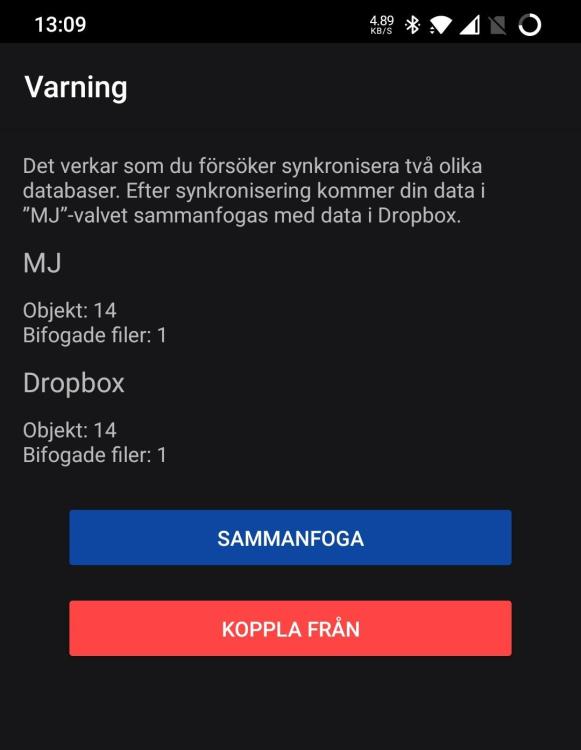
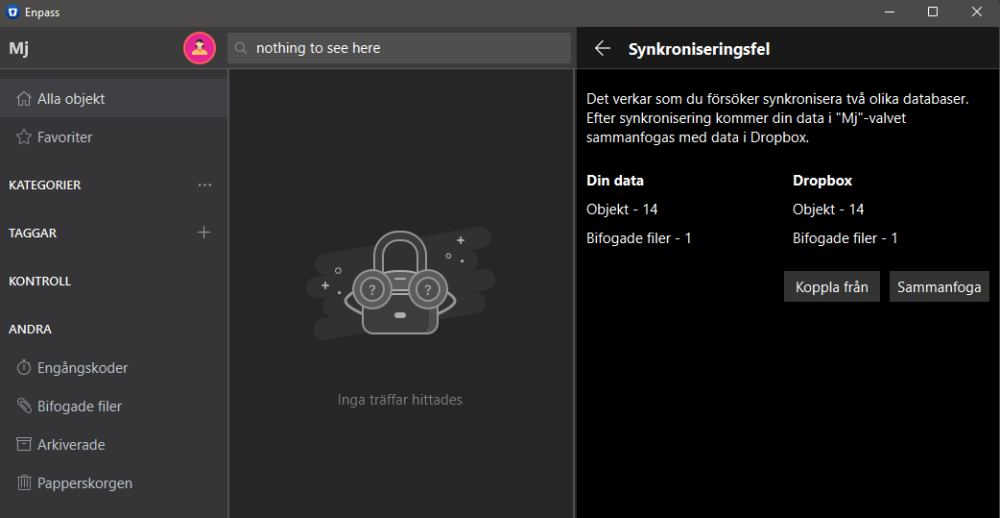
Like in this instance, what's the cause and what's the purpose of suspending sync demanding "approval" hidden in the vaults settings. The same amount of items, only that the cloud-vault was changed from another source, which is the whole point of sync. And the same now has to be done on other Enpass-installations sharing that vault. See the "red" ring around the icon next to the vault-name? me neither.
-
That limit is to support very small dataset for free, it's probably not a priority for Enpass to allow user to provide configuration for that, it would require database-scheme upgrade for all users just to support free users. Having more than 20-25 items is meant to lead to subscription
-
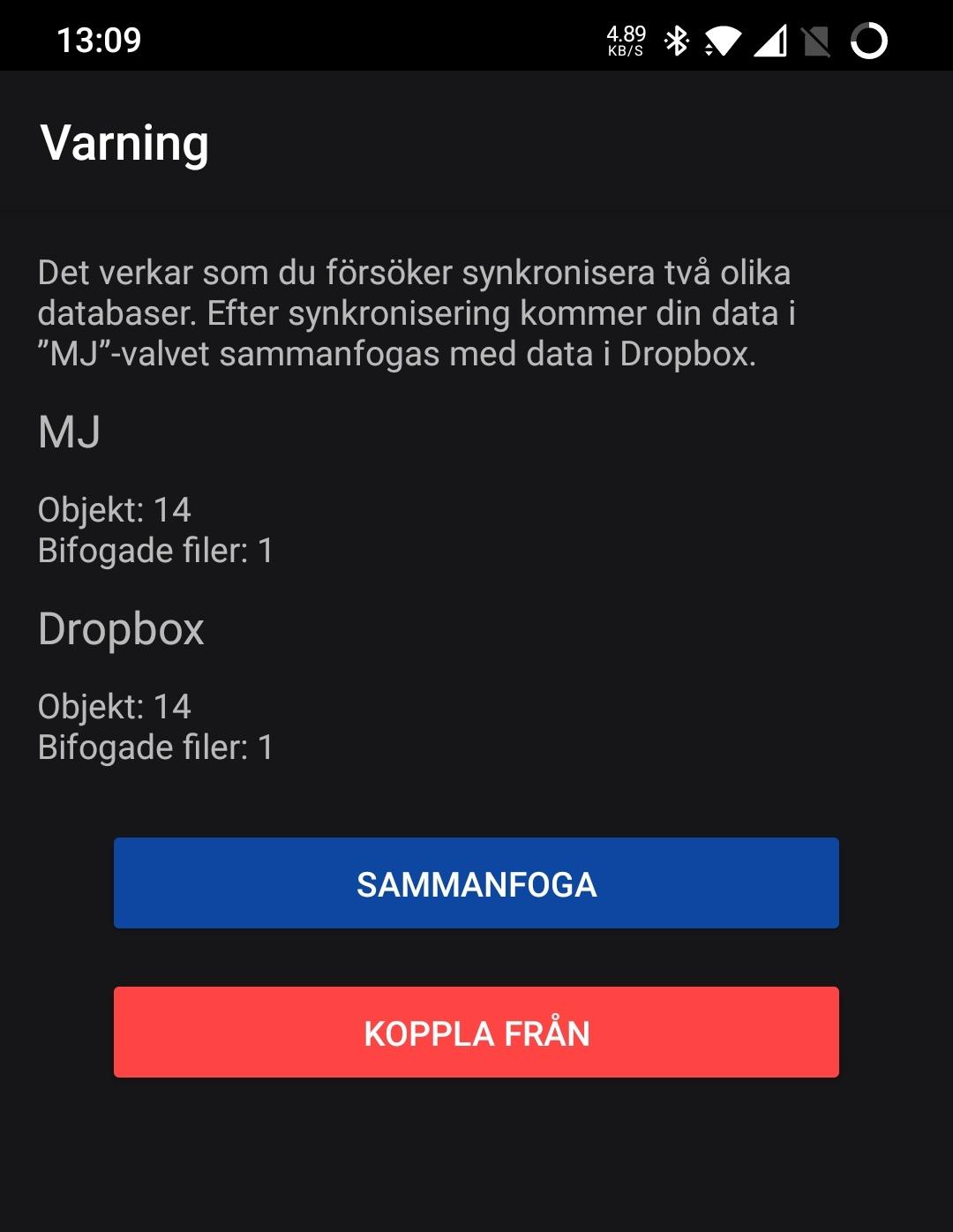
There's a clear warning when there's no internet access and sync fails, a red banner at the top. But when there's a sync conflict in a vault, there's only a red spinner top left that flashes vaguely in red. In Android app it's even hidden until you use the flyout menu. If I where to get my parents to use Enpass, they would never even notice that and their vaults wouldn't be synced. I don't even understand why the user has to intervene here, and press "Merge" since there are no options. But if it's needed at least make it pop out
-
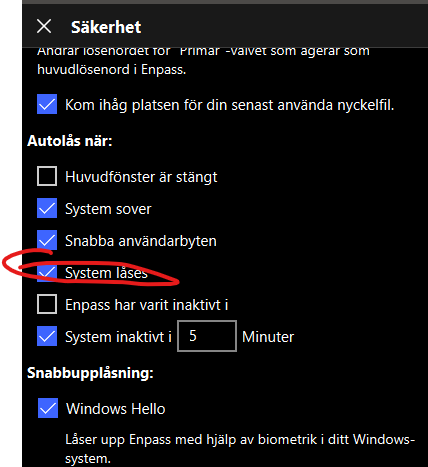
There seems to be a glitch in Enpass, where it doesn't lock during System Lock (Win-key + L) even it the setting is applied as shown below. The bug occurs (for me) only if I initially unlock Enpass through the Helper Window in System tray. If I initially unlock via the main Windows, the "System lock" works as expected. Enpass 6.7.4 (934) Windows 11 21H2 Fulltime Windows Hello-activated
-
Depends on your personal circumstances and preferences, but you won't have to input your password nor have the keyfile persistently available which reduces the risk for keyloggers or exfiltration of the keyfile. But your computer still needs to be secured of course, and while the tpm guarded password would be tied to your one computer, keeping it physically secured and prevent people from looking over the shoulder becomes more important as a simple 6 digit code could log you on to the computer and also access Enpass. Enpass themselves wouldn't "recommend" it, I assume this is because they can't guarantee the functionality for Hello since it's a windows function, Enpass merely uses it. But if your password and keyfile are safely stored you should be fine. But I would recommend that you occasionally try to unlock with password +keyfile to ensure function.
-
The keyfile is part of the encryption and decryption of the primary vault, hence it needs to be present all the time. Worth to mention that any additional vault using a keyfile will save that password AND key file in the primary vault. Also, a virus that's gotten foothold in your box means your pretty much toast anyway, but to make it a bit harder you should read my post here Just make sure you still store the key file safely as it will still be needed, it just doesn't need to lay around..