Ivarson
Members
-
Joined
-
Last visited
Everything posted by Ivarson
-
You'll soon have to strike out _offline_ in the description, while you can opt out manually from some if it, Enpass dials out alot to check news, license subscription, favicons. But essentially one aren't tied to use Google Chrome when using a standalone password manager like Enpass.
-
On a Google Chromebook, when tapping the link next to a URL-field in a Item , the browser isn't launched as in Android ChromeOS up 2 date and latest beta
-
On ios 15.6.1 using Enpass 6.8.1. 2 vaults. If you create an item in a custom category in a secondary vault, the category counter is incremented, but the item doesn't show up if one shows all vaults. If the view is changed to show only the secondary vault the item shows up.
-
Please tell me if you need more data from me regarding the slowness of the Windows apps. I currently use Portable version 6.6.1 since that's still quick, but it lacks plugin Pop-up support in the browser plugins as well as Windows Hello-support. I'm surprised there aren't more voices about it. The Linux-app is still quick and responsive so it's nothing in the Core-part of Enpass..
-
1. Always open to: All vaults 2. Facing problem during fresh launch off app (the icon is incorrect before the sync starts or completes, and continues to be wrong after, until one re-selects All vaults). However it's not happening every time and I don't know how to reproduce it
-
Implement a new fieldtype checkbox ✅. It can be checked or unchecked (directly from the item view, not in the edit items view. This simple field would greatly enhance the use of Enpass, like shopping lists or todos. Not at least for shared vaults.
-
I thnk the way those stealers operate is that they steal the tokens that various apps and extensions have stored locally. Even if Enpass extension even stores a token somewhere once being authorized, the vault is local (loopback). in that sense it's not vulnerable. if the stealer were to steal files in general in the OS (extensions are heaviliy sandboxed), reaching for the walletx/db-files of Enpass, they would never be in a decrypted / plaintext state like @Redeemer said.
-
On all platforms, Enpass has a setting that's on by default, that copies and maintains the TOTP if the corresponding item has been chosen for autofill. So you should never have to copy, only paste, which isn't that time consuming. if you're into fiddeling (and depending on the platform) you can also setup different shortcuts to the Paste command, like the middle button of the mouse.. having that said, I don't if the developers actively try to improve autofill for TOTP as the do with username+password. They'll have to answer for that. frankly i just wish they implemented Autotype-functionality as an option which would make Enpass be able to autofill native applications and break the dependency of a browser plugin all in all. but thats another fairytale.. (your question is a bit misplaced though, it belong in this category)
-
Any response from them devs for Windows?
-
Enpass should be farely safe in a quantum computing era as it uses SQLCipher with AES. As long as you use atleast 256 of keysize which is the informal industry standard which Enpass also does. Cryptos that are at risk are RSA and with that public key implementations https://en.wikipedia.org/wiki/Post-quantum_cryptography https://www.enpass.io/security/
-
Used 6.8.2 build 1084 from Microsoft Store for a while and it's still slow. Since you claim that Enpass shares the same core across OS:es, and the Linux nor Mac-versions aren't slugish, It has to be something in the GUI.. although there's no difference for me in modern versus classic theme. I've got 4 vaults atm. with 408 items in total. Windows 11 21h2. Further more, I have credential guard, bitlocker and a EDR running. Never the less, prior to 6.8 the performance was way better and Enpass Portable still runs smothly. Now when I launch the Enpass Helper from systray or a browser plugin, it takes between 1-3 seconds to load the list, and also general navigation within Enpass mainwindow takes noticable time. Unless you've intentionally put lots of extra checks in for Windows, it feels like your codelogic does something too many times in the app's Eventhandlers..
-
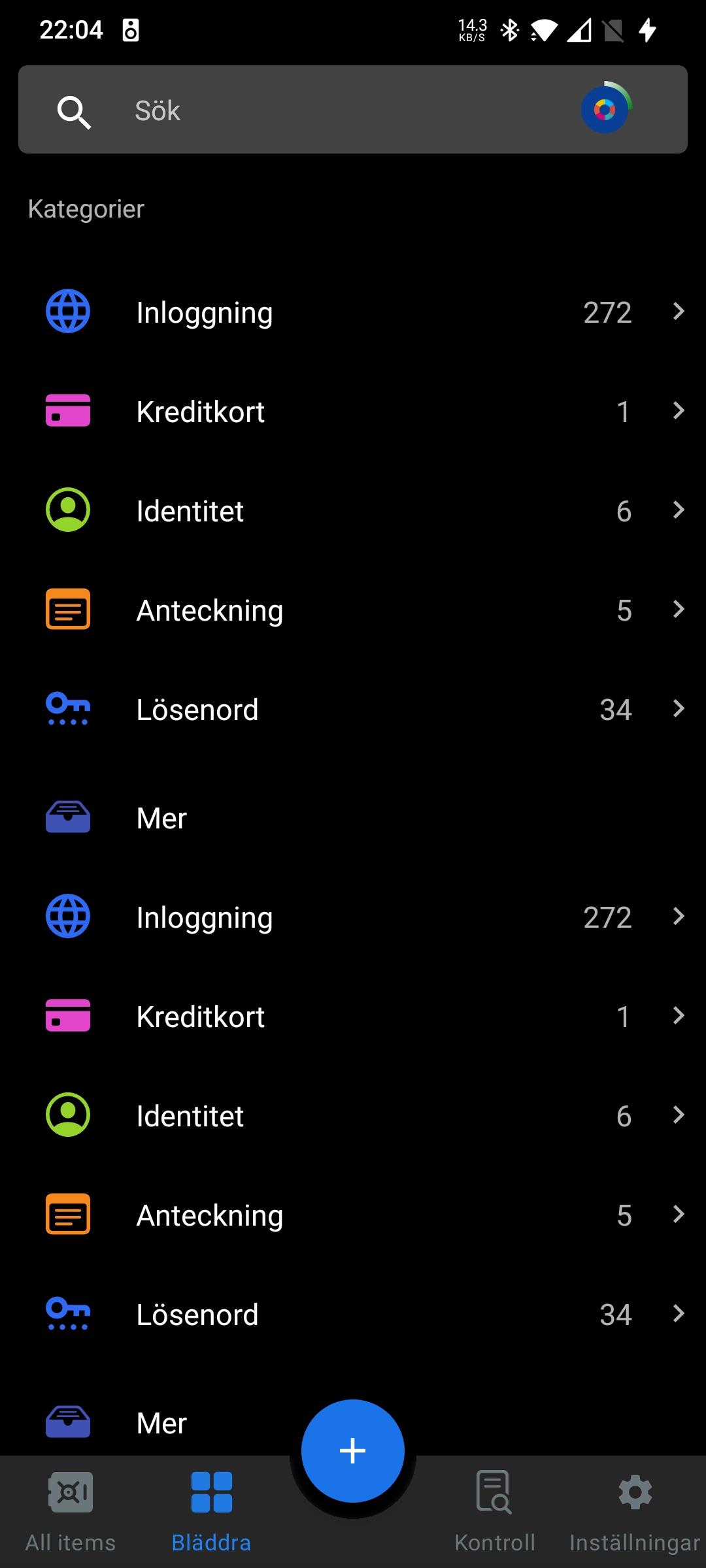
When a vault is being changed from another device and hence reloaded on the phone in question; categories, tags and 'others'-sections in the "Browse"-view are being duplicated. That is, Creditcard, Misc appears twice etc. The duplicates disappear when one switches views between All items, browse and audit It doesnt affect items so just a gui glitch during reload after a database merge has occured. Enpass: 6.8.2.666 Device: OnePlus 7T Android: 11
-
Excellent. Well done! Glad to see that few remarks. The HTTP-service mentioned I presume is the WiFi-Sync-part, which isn't utilized if one doesnt use wifi sync nor start the Service?
-
Did it spill any details if run from a terminal? Ran enpass on mint 20.3 only two days ago, albeit the Edge iso which uses kernel 5.13 but shouldn't matter
-
The request @Lonelobo0070made might not suite you nor some other users, nonetheless it is a request he's entitled to make. When Enpass launched it's WiFi sync-feature it got a "backend" feature. The point of Enpass is about not being forced to store vaults at the pm-vendor in the cloud. That would still apply here. (local network)
-
is there anything I can contribute with, or..? There is no change after update to build 1084 from Microsoft Store yesterday. It feels like, from 6.8, the complete vault isn't loaded in RAM after decryption but every view is loaded ondemand since there is a 1-2 second delay when navigating around. Or some added memory cleaning has been added? I have a pretty new and speedy HP DragonFly with a Intel i5-8265U..
-
-
I don't know why this happened, but I noticed that only Chrome got the legacy Autofill. I re-installed Chrome via Play Store and now keyboard-autofill work again.
-
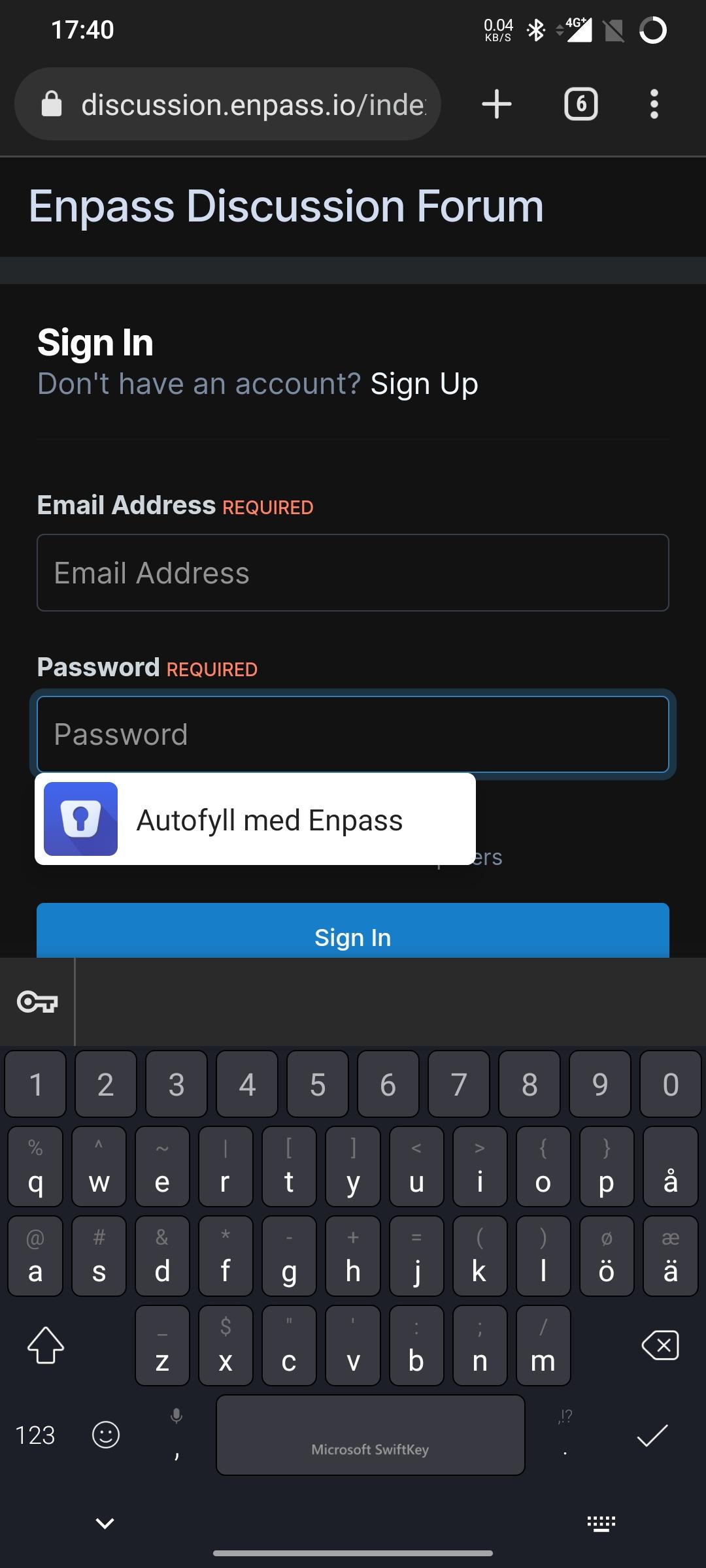
After toggling keyboard between gboard and SwiftKey, I lost the autofill integration with any of the keyboards. Instead I get the old pop-up (in some cases). Why? Autofill and availability settings are turned on. Enpass 6.8.2 666 Android 11 OnePlus 7T
-
I have to ask a follow-up question.. If the license is checked every 24th hour, what's gonna happen if I'm offline for several days, or my internet is limited? Will my license be revoked after some days? Also ,as a lifetime license holder, is the license still checked every 24 hour?
-
After some further testing, the issue occurs when using Microsoft Swiftkey as keyboard. When using the default Gboard, the keyboard pops up.
-
Since Enpass 6.8 and upwards (currently on 6.8.1), Enpass is way more sluggish than 6.7. It feels like debug-mode is on or something. This is observed in most actions, starting up Enpass, switching category, adding items, switching views/tabs. I ran it in a VM at first thinking it was purely poor virtualization performance, but it's the same experience on a physical laptop with Windows 11. Whats up with that?
-
I think you do, if you set "Lock on leave", you want to authenticate each time Enpass goes to foreground, that's the whole point. Majority of Android users use biometrics, which makes unlocking as fast as unlocking the screen. If you don't have or want to use biometrics, you can change you password making sure to use a keyfile and a shorter password
-
Actually it's only partially fixed. The shortcuts has been refined and now triggers views in the main app, however the Search-shortcut only highlights the search-bar and shows the previous searches, it doesn't "focus" the search-bar, which would bring the keyboard up. Hence, it's still needed to tap "Search" again in order to start typing. That way there's no point having a shortcut. So let's call the .Focus() on the searchbar when search-shortcut is pressed.
-