


Ivarson
Members
-
Joined
-
Last visited
Everything posted by Ivarson
-
You can just create your own template from the Desktop-versions. If you want to modify the field-order of a builtin template, say "Login -> Standard", you could create a new template, choose to copy existing (Standard), re-arrange the fields. If you want to rearrange the fields of hundreds of items in a batch, youd have to do a file-export into JSON and do some serious Python-scripting, But if you just want to move all items from the "Login" category to "My reorderd custom category" you just multiselect items from the category you want to hide, then select change category. then you simply click in the left bar of Enpass and choose Edit Categories and untick the "Login". Then for any newly created items, youll choose your custom category and theyll be sorted like you want.
-
I think that depends on the sorting order as well as the template type. Generically it's just a matter of which field is "on top", so just reorder the fields, dragging the desired field on top. I think
-
Reinstalling enpass won't help. It's something in 6.8 that causes these slowdowns, also mentioned here This only applies to the windows-builds, Linux and Mac aren't affected. Could the devs at least acknowledge this?
-
Enpass has the same amnesia under Linux, however, there I can simply restart enpass, untick and then immediately tick "Remember keyfile", it will in other words honor the setting the second time you enable it. Does the same apply for MacOS?
-
You basically create a new vault on your phone and then copy all your items from the primary vault to the new vault. Once the new vault is backed up you create a new primary vault and copy /import the items back. The procedure of copying items doesn't require password verification so it's the only option if enpass corrupts the vault (or you actually did forget the password)
-
Enpass changed to subscription-model few years ago. Try to send email or DM to someone here providing the receipt of the earlier Enpass pro purchase and which email you want it to be reassigned to, and you might be able to see all your items without paying again. See https://www.enpass.io/blog/general/how-will-our-subscription-model-affect-existing-users/
-
Enpass changed to subscription-model few years ago. Try to send email or DM to someone here providing the receipt of the earlier Enpass pro purchase and which email you want it to be reassigned to, and you might be able to see all your items without paying again. See https://www.enpass.io/blog/general/how-will-our-subscription-model-affect-existing-users/
-
If you refer to sharing a simple record between you and another enpass-user, you do that by sharing the item with a preshared key, which the receiver can import through a file or the clipboard. Or did I misunderstand?
-
Got an enpasscard file from a friend by email. We have a shared psk. When opening the enpasscard-file with enpass, the app just opens to enpass main view after unlocking. Importing via text and the clipboard works, but then a embedded image wasn't included. The same enpass card could be imported in enpass for Linux with the image included. Android 13 Enpass 6.8.6 768 Google Pixel 7
-
If you already recreated this issue, this should be known by you, but I'll mention it anyway: The "sort by created" actually sorts item by modification date. While this is still a bug, I can at least achieve what I want.
-
This issue has come back for me, that is, the keyboard isn't triggered when tapping "search". Enpass 6.8.6 768 Android 13 Google Pixel 7 Neither SwiftKey nor Gboard "pops up" (previously only SwiftKey had this issue)
-
-
Sorting items by modification date at least on Android is incorrect. First and second item might show up correct but than the months gets scrambled in some other order. Since the last modified item always shows on top is often what's needed I haven't bothered. Latest Android app, 5 vaults (although sorting gets wrong with only one vault shown). 430 items in total
-
Enpass plays a lot on the card that their infrastructure doesn't hold any vaults, and therefore is more secure and compliant. Might be true. But any modern and proper password manager implements zero knowledge anyway, meaning that even with access to your vaults, they would never gain access to the keys needed to decrypt. In both cases (Enpass with local /sync vault) and cloud based managers with vaults on the vendors cloud, it's imperative that the software lifecycle is secured. Enpass being closed sourced and with more and more bells and wizzles that makes outbound calls, it's especially crucial. Also known as supply chain vector They've partially addressed that by recently getting iso27001 certification.
-
No, I'm pretty sure Enpass does hourly, daily and weekly phone-home calls that will fail due to the certs (unless your ZScaler skips the MITM operations on apps already installed. SSL Pinning was only recently introduced in Enpass. It's a way requiring a specific certificate for TLS-encryption rather than any trusted certificate of the globally signed one's. No more poking around what Enpass sends nor receives
-
Is Enpass using OpenSSL version 3.0 on any platforms? https://mta.openssl.org/pipermail/openssl-announce/2022-October/000238.html
-
Yes, reinstalling works, like I said before. But since reinstalling isn't fix for a bug, I thought I'd mention this to you anyway
-
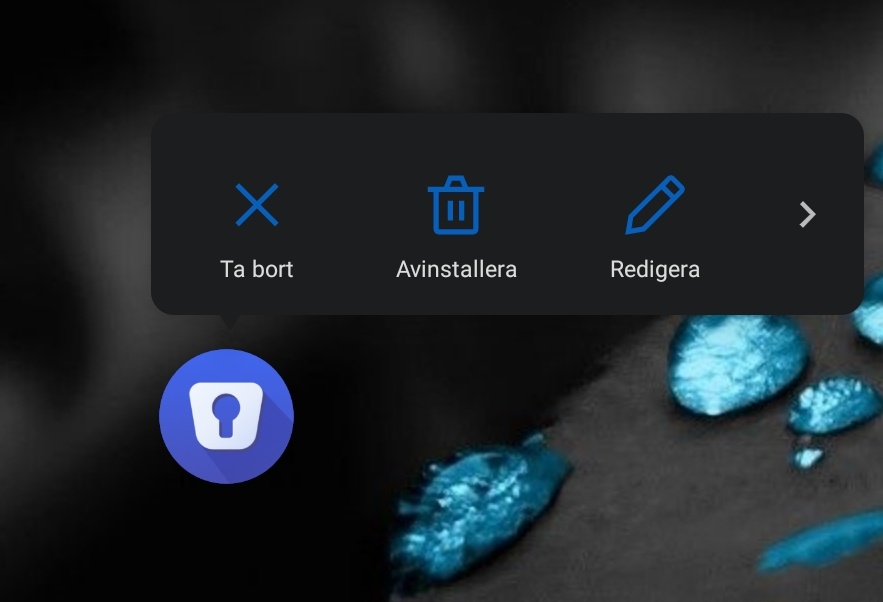
The two action-keys are again missing for me. Long-pressing Enpass in app drawer should have "Search" and "Add item" show up, but they're now missing. Thus happened before on earlier 6.0.x and was fixed by re-installing. Neither Rebooting device nor clearing cache works. Not a deal breaker but a little annoying. Android 11 Enpass 6.8.3 OnePlus7T
-
you should mention your device your android version your enpass version I've seen several times that the "Autofill using Accessibility" is broken when you go into the system menu, a few enalbe/disable and it might start work again. But the Autofill service should work. What keyboard are you using, have you tried another one?
-
No, it's just a basic "folder sync" AFAIK. Yes network drives over vpns in user-context can be tricky. Windows tries to mount the drive during login and if the VPN isn't up the drive will be disconnected, most file level operation outside the shell Explorer will fail. You could look at Offline Files perhaps, but then you probably need an active directory with proper domain account and kerberos (don't know if you're using ntlmv2 on a workgroup server or just using a different account for share access). If you're using this on a personal computer, there's probably easier solutions, like cloud sync, some simple webdav-server at home or Syncthing
-
OK. You mean a smb/cifs share (not webdav). You probably need to add that file share as a network drive first, and make sure to tick "remember credentials"
-
? Elaborate
-
Using Enpass 6.8.3 from Microsoft Store on Windows 11. With modern theme, When Enpass is reduced to its smallest view (the one-column view), when you click '+' to add a new item or edit an existing Item, the Item view and the fields isn't visible unless you enlarge the windows (to the two-column view) Im pretty sure editing item in one-column view worked in 6.8.1
-
An all desktop-installations of Enpass, local backup is enabled by default. If you have one of those (mac/linux/windows), do a restore on one of those. There were more people comlaining about bad syncing, Im not sure this is fixed in 6.8.3, but at least ensure youre on that version on all devices.
-
First pitstop would be do a Restore from Cloud, provided you synced to either of them?
