Pratyush Sharma
Enpass team member
-
Joined
Everything posted by Pratyush Sharma
-
Hi @aristosv Thanks for reporting the issue and we are sorry for the inconvenience caused to you. Our QA team is looking into this issue and hopefully a fix will be available soon. Thanks for co-operation!
-
Hi @Michael Chernyshev Thanks for sharing the crash report. Our Dev team is looking into it and hopefully a fix will be available soon. Thanks for co-operation!
-
-
Hi @DonK Thanks for writing in. I would like to share that iCloud sync, Enpass uses the Cloud kit which saves the data internally. It's hidden and encrypted and only the Enpass app can access its data saved in iCloud.
-
-
Hey, @childoftheworld Sorry for the troubles you are going through. Can you please let me know are you facing this problem with the store version too.Also let me know when you try to launch Enpass after crash are you getting any popup to report that crash report? If yes kindly mention your name in comment box so that we can check further. To investigate further on this issue we have to share some troubleshooting steps so please drop us an email at support@enpass.io Thanks for your co-operation.
-
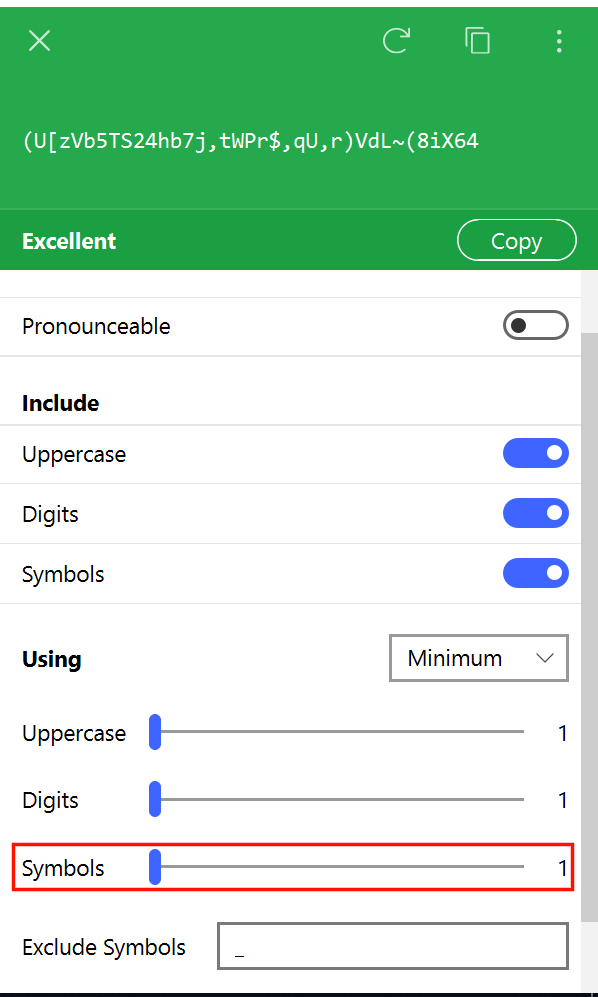
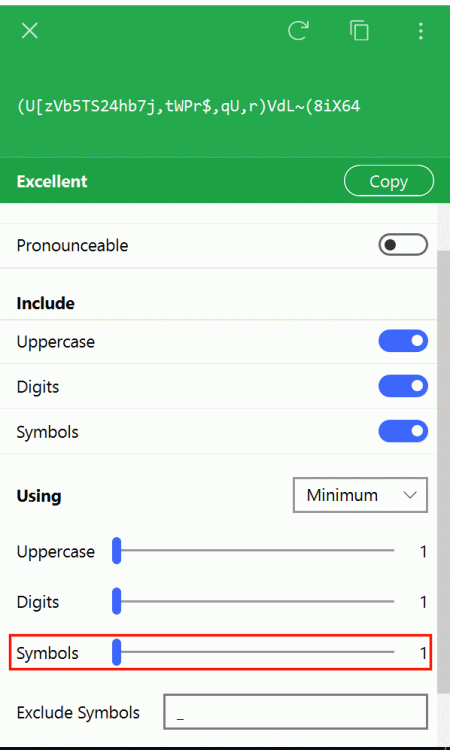
Hi @DesignT Enpass already have options to add symbols while generating the password. For more details please have a look at our user manual.
-
Hi @Dours, Sorry for the trouble you are going through. Can you please drop us an email at support@enpass.io along with these details so that our support team can assist you better. On which all devices (along with OS version) are you using Enpass? Which Enpass version are you using on each device? Which cloud services are you using? Does your master password contains any special character? Thanks for your co-operation.
-
Hey guys, Our dev team is working on this issue and hopefully a fix will be available soon. Thanks for your co-operation.
-
Hey @Krit, Sorry for the trouble you are going through. I would suggest you to please update the Firefox browser and later on install the Enpass extension and let me know if the problem persists. Thanks!
-
Hey guys, Sorry for the trouble you are going through. I have noted down this issue in the bug tracker and notified the QA team to look into it. Thanks for the co-operation.
-
Hi, Thanks for writing back. Thanks for sharing the crash report. I will ask the concerned desk to check the crash report and I will keep you update once I hear from them. Thanks for your co-operation.
-
Hi @meirha, Sorry for the trouble you are going through. Can you please let me know have you updated the Enpass app to version 6 after installing the previous version. Thanks for your co-operation.
-
-
Hi @freibeuter Thanks for reporting this issue. I have noted down this issue and notified the QA team to look into it. Thanks for your cooperation.
-
Hi @freibeuter Thanks for reporting this issue. I have noted down this issue and notified the QA team to look into it. Thanks for your cooperation.
-
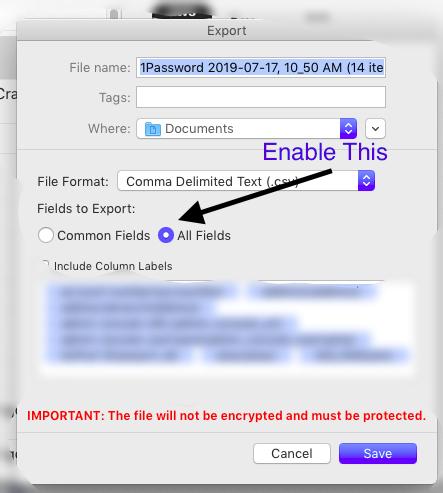
Hi @nordpol Sorry for the trouble you are going through. Please follow the steps mentioned below and revert if still you faces issues in Import/Export. Using .csv format Step 1: Export data from 1Password Before importing your data from 1Password to Enpass, first you need to export your 1Password data in the .csv unencrypted file format. Usually you need the desktop version for respective software to export your data in unencrypted format. Follow these steps to export the data- Open 1Password App. If you’re having data saved in multiple vaults, please select any one vault as 1Password allows to export the data of one vault at a time. Otherwise, you’re good to go. Click on File → Export → All items. Select .csv file format. Select all fields and click the check-mark, include column labels. Choose a name for the .csv file and save it to your desktop. Warning The data exported to unencrypted file is highly insecure and vulnerable. We recommend that you delete the corresponding .csv file as soon as the importing process is finished.
-
Hi all, We are sorry for the inconvenience please update your Enpass to latest version and to configure android watch please have a look in our user manual.
-
Hi @Srt We are sorry for the inconvenience caused to you. To restore the Pro version, please make sure you have downloaded the Enpass app with the same Google Account with which you purchased it earlier. Also, in case if you are using multiple Google account then please follow these steps: Remove all Google accounts (temporarily) except the one from which you had purchased Enpass from your device. Take the backup of Enpass data. Uninstall the Enpass app. Now install the Enpass app Pro version will be restored. Restore your database. If the issue persists, then share the Enpass purchase receipt at support@enpass.io. Thanks!
-
-
Hi @Racxie Please share the Enpass purchase receipt via DM or email at support@enpass.io so that we can assist you better. Thanks.
-
Hi @stiebs Thanks for your suggestion. Yes, we planned to release this feature with Enpass v6. But unfortunately, we had to postpone working on this for a bit. For now, you can use Hotkey with the Dock mode to fetch and copy the information. With the dock mode, you can stick the Enpass Assistant on the screen, and it won’t disappear when you click outside it. You can enable it from Enpass General settings under the Behavior section. Also, once the Enpass Assistant is opened, you can use the Keyboard shortcut Shift+Ctrl+ D to stick it on the screen.
-
Hey @jakejohn Thanks for your suggestions. It is already in our roadmap and will be available with our future versions. Thanks!