

.gif.56b263e0dfb84cfbb3b68c44243ede76.gif)
.png.89492f3bb74cde9bc72eab9538900648.png)
MrElectrifyer
Members
-
Joined
-
Last visited
-
Unfortunately, this and many other irritation in the Enpass app are of low priority to the Enpass team. They're solely focused on enterprise, forgetting it's us power users that introduced them to enterprises in the first place...
-
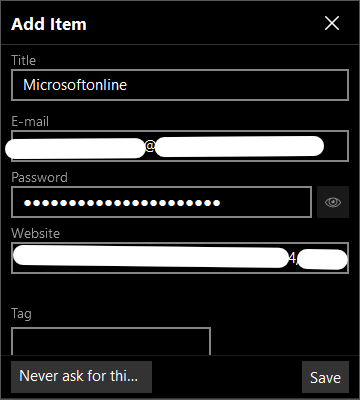
Hi @Pratyush Sharma, I'm aware this thread is almost 6 years old, but the issue still persists. Specifically, I'm getting the following Add Item prompt from Enpass each time I use my workplace Microsoft account to authenticate on the Docusign website: I tried mitigating the issue by adding the exact webpage URL as one of the Websites for the existing Microsoft account credential, hoping it'll be an indication that I already have such log-in saved. However, I still get the above prompt for the exact same Microsoftonline webpage URL. What's going on please? Can you kindly fix this bug?
-
7 years later and they still haven't implemented what the competition has long had since 2019...at this pace, don't think we'll be ever seeing it implemented.
-
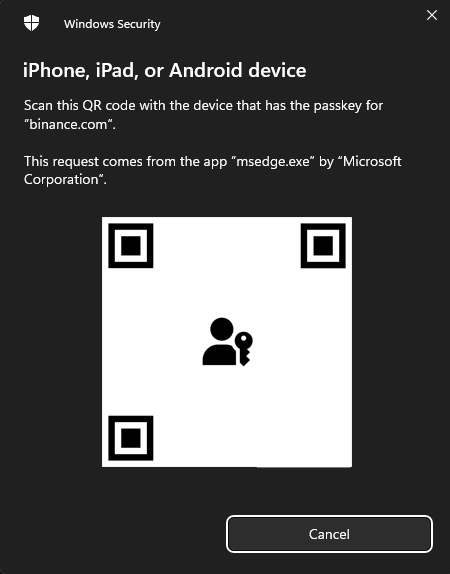
I'm having similar issue on Binance.com; as further detailed here on Reddit, it bypasses the Enpass extension and goes straight to prompting for Passkey registration via the OS:
-
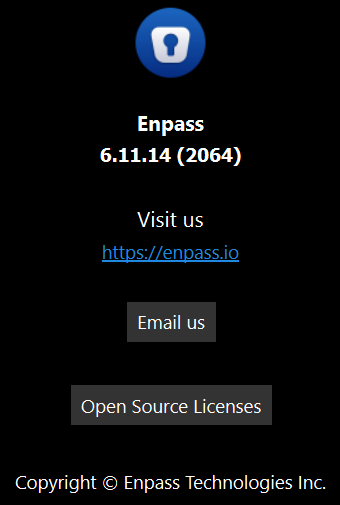
Ok, just saw the update on the Windows Store and updated to Enpass v6.11.14. I can confirm Windows Hello is functioning again in Enpass on my Surface Pro 7+ without any other system changes. Thanks Enpass team 👍🏽

-
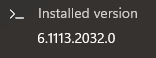
@Tarun Singh Rawat Thanks for the response, following are answers to your questions: Nope, the Windows authentication pop-up doesn't appear when I try enabling Windows Hello. The GIF earlier posted above shows exactly what happens. TPM Details are as follows (also updated in Signature): Logs generated have been sent to support@enpass.io. The latest version I'm currently seeing on the Windows Store is v6.1113.2032.0 , and that's what I tested it with. It mentions on your website that there's a newer version (6.11.14), but haven't received it here in Canada yet. Will try it too once received. Will reattempt in Windows Sandbox once the new app becomes available.
-
Don't have such item in my registry, so, it's something else that's 'causing it in my case:
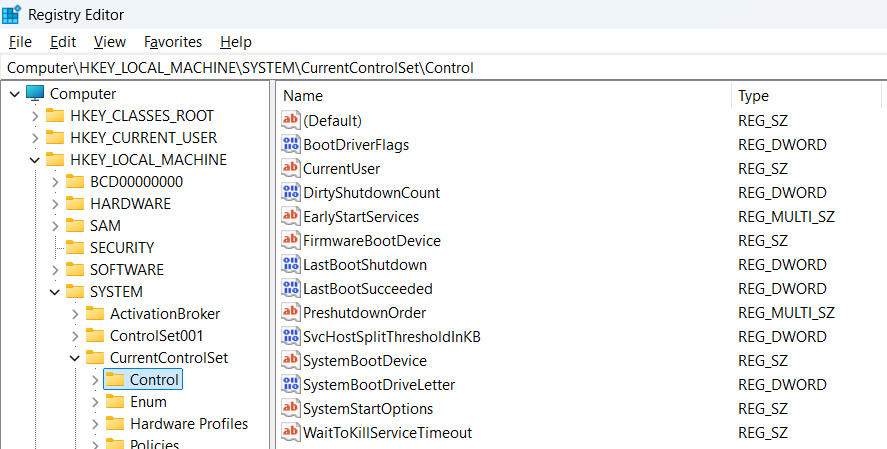
-
Hey @Tarun Singh Rawat, closing and reopening Enpass made no difference on my setup, still can't enable Windows Hello:
-
Great to see it's been addressed already, and my browser extension is up to date (v6.11.6), thanks.
-
Came across the following article from another tech news reader: DOM-based Extension Clickjacking: Your Password Manager Data at Risk | Marek Tóth Looks like Enpass is one of the many password manager extensions affected: Mitigation Browser extension developers should focus on the following parts. The missing fix of one method leads to the extension remaining vulnerable. Extension Element • styles cannot be changed (MutationObserver) • using "Closed Shadow-Root" Parent Element • BODY/HTML opacity detection • using Popover API for extension should protect this method Extension Overlay • last DOM element detection (z-index conflict) • popover elements listing - when the autofill menu is opened, check if any other "top layer" elements exist → if another element exists the autofill menu should close → or just don't show extension UI if exist "popover" element • elementsFromPoint() can be used for partial overlay but cannot be used for popover elements (pointer-events:none are ignored) → The content script can temporarily remove pointer-events:none from all popover elements before filling in data, then check the "top layer" state using elementsFromPoint() and fill the data accordingly. Doesn't exist simple protection.⚠️ Some platform-level support should be created - new browser API protection for this clickjacking technique.⚠️ The proposed solutions are still handled through javascript and conflicts may occur between exploit code and extension content script (extension white-box analysis can be made). The safest solution is to display a new popup window - but that will be very inconvenient for users. Alternatively, a context menu or a system dialog for autofill may then be displayed. Consider addressing this issue ASAP Enpass team.
-
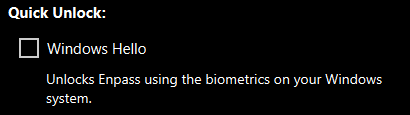
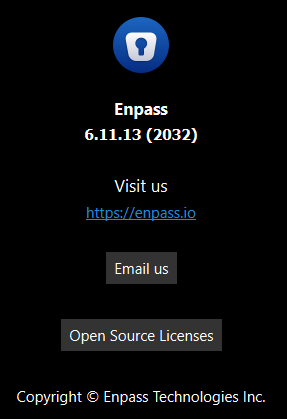
This must be what began 'causing Enpass to no longer function with Windows Hello on my Surface Pro 7+. Enpass was working fine for some time after a long while of dealing with its Windows Hello Dialog freezing whenever I attempt unlocking it. However, after the most recent update on August 22nd, 2025 to v6.11.13 (2032), Enpass Windows Hello dialog no longer got displayed, I was always getting prompted for my Master Password. Thinking it was because of some System Security settings I had temporarily changed in Windows Security, I attempted disabling Windows Hello in Enpass then re-enabling it. However, to my surprise, I wasn't able to re-enable the check box; it just briefly displays blinks checked then goes unchecked again: So, it's most likely due to the API being used that's no longer compatible with Windows Hello on Windows 11 24H2. Hey Enpass team, please fix this and implement Passkey integration with Windows, similar to 1Password if that's 100% locally possible, let us know if it requires sending anything to microsoft: Windows 11 gets 1Password passkey integration, version 25H2, and more with the latest builds - Neowin.
-
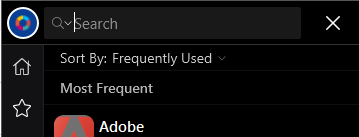
Hi Enpass team, As the title says, I'm looking for better support for touch/tablet mode interaction on Windows. Currently, when I invoke my Enpass Vault in Tablet Mode (via a shortcut in my Tablet Pro Studio Radial Menu), tapping the search entry doesn't invoke the touch keyboard reliably, requiring me to manually invoke it via another shortcut in my radial menu: Please fix this and make Enpass's UI flexible enough to adapt to touch input on Windows. Thanks in advance.
-
Not sure when this was addressed, but it's been around 5 months now and haven't experienced this irritating issue again on my Surface Pro 7+. Here's hoping it stays that way 🤞🏽 Thanks for finally addressing it Enpass team!
-
Hi Amandeep, None of the suggestions work in getting Enpass to autofill in Samsung Internet. I'm using Samsung Internet v26.0.1.3. The issue occurs on ALL sites in Samsung Internet.
-
Hi @Garima Singh, any update on this? It's long been a major feature missing from Enpass, stopping it from fully replacing 1Password on my phone, which has had it since 2019! Is there some compromising requirement Samsung is demanding to be on their whitelist?
.thumb.png.18d5ca31a9a3b5e1b86913420f39b434.png)

