Search the Community
Showing results for tags 'icon'.
Found 17 results
-
 Every time after Enpass is updated, the Enpass tray icon position is forgotten and I have to reset it. I first have to open Enpass, as it doesn't automatically open after an update. Then I have to go into Taskbar settings > Other System Tray Icons and select it in the Hidden Icon Menu. I then have to drag it to where it was before the update. I don't have this problem with other apps. Only Enpass has this issue.
 -
 I've noticed this on several of my machines. Some are blue in the taskbar, some are white. What is the difference? I've searched help but found no mention. I can't be the first to ask? Can I?
-
For MacOS desktop users, you may be wondering how to remove custom icons. In the MacOS desktop version, there is no ability (currently as of version 6.4.2) to remove custom icons you may have uploaded. Why would one want to do this you may ask? Some icons uploaded may not be the quality or size you wish to appear. It's a bit of trial and error sometime to get just the icon quality you wish for. Of course you might want to do some housekeeping and delete or remove these unwanted superfluous icons from the icon library from time-to-time. So how do you achieve this? The answer is via your mobile Enpass app. In my case it's iOS. I cannot vouch for the ability of other platforms. So here are the steps: 1. Open and login to your mobile Enpass app. 2. Choose / tap on any record. It doesn't have to be the record the dodgy icon applies or did apply to. 3. Choose / tap edit in the top right-hand corner. 4. Choose / tap the record icon > a pop-up give you 3 options > choose / tap 'Choose'. 5. All your icons will appear. Notice custom icons at the top? > Choose / tap 'Manage' in the right-hand corner. 6. Your custom icons will be presented with little red minus symbols. > Choose / tap the custom icon you wish to remove / delete. > Done! 7. Hit the < back symbol to go back to your record and hit 'cancel' in the top left-hand corner. 8. That's it. Sorted! Hopefully the development team have this functionality request on their 'nice to have' development updates list for future updates of the desktop version. I hope this assist other desktop users? Cheers - Winco.
-
 Hello I started filling in my safe thru the Windows software. When I synchronized with the IOS version I just bought, I find the records OK except for the icons that were uploaded from the site. All icons on my iPhone look the same, the template default icon. Is it normal behavior (sadly...) and will it be improved ? The same with my other Android smartphone. Thanks Dominique
 -
Hi! Could you please update system tray icon size according to display resolution? It looks really ugly now.

-
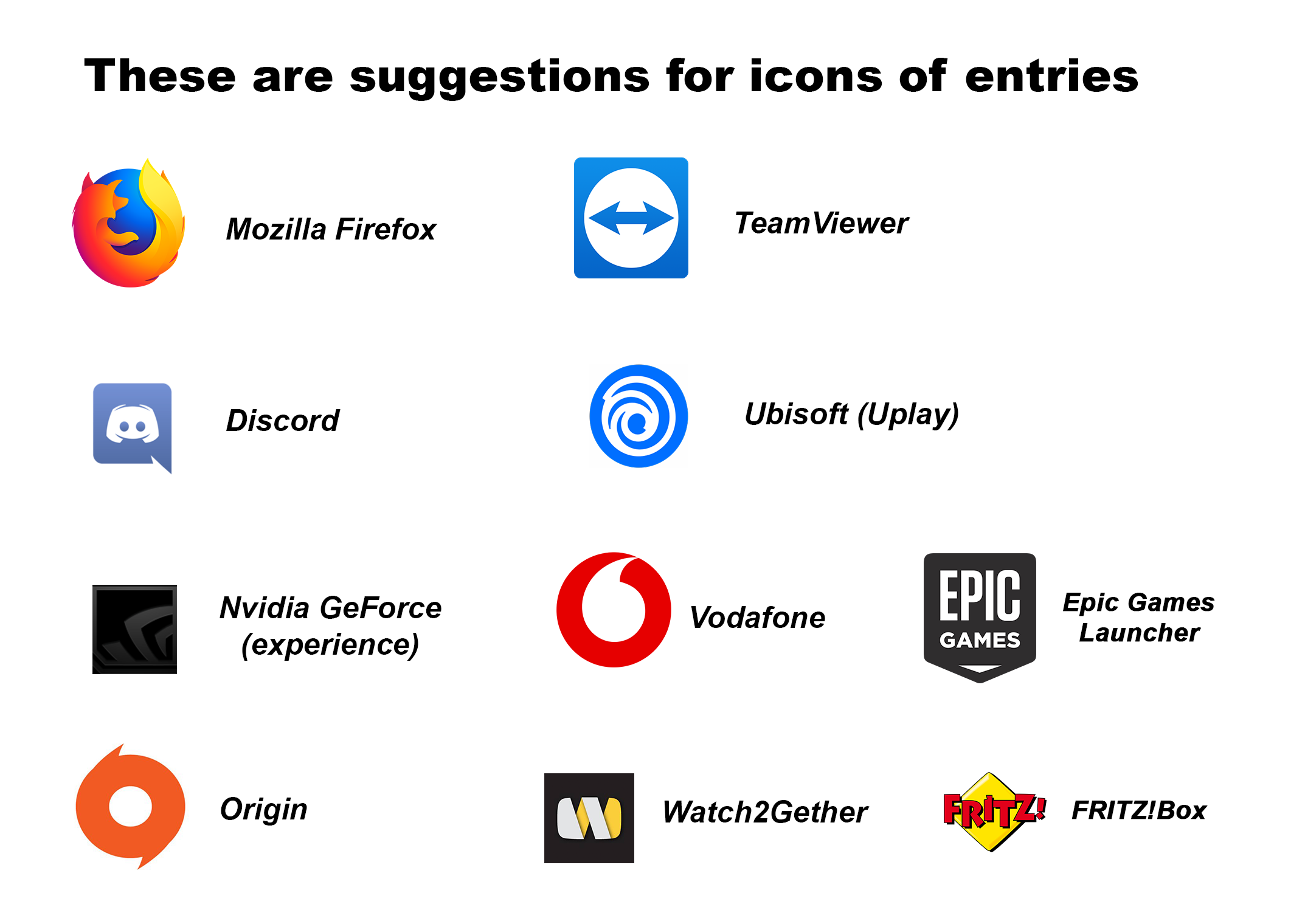
DynDNS Android Namecheap Tutanota Fritz!Box VPN DokuWiki DigitalOcean notebooksbilliger
-
Hi, I have a mate 10 pro with oreo, but from first update of enpass 6, I have this icon. How can fix? I can try to reinstall but nothing. Thanks
-
How do I delete my own made custom icons in enpass 6?
-
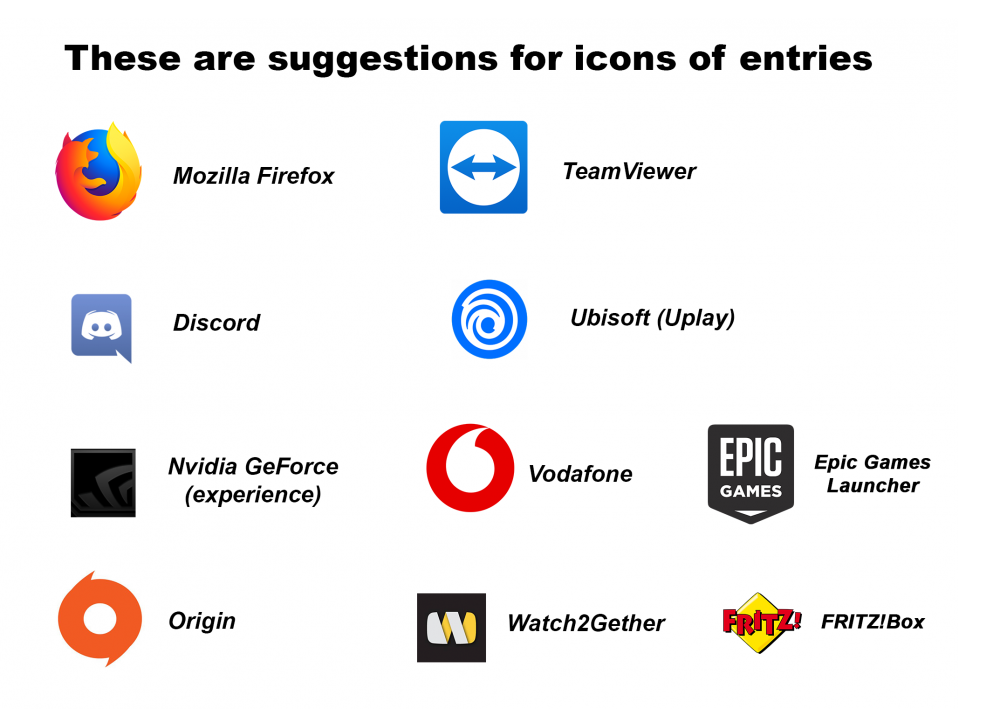
Hello Team Enpass I want to make an improvement in user operation I noticed that these icons ▼ image ▼, missing in the selection of proposals. The stupid thing is they have to ask the companies if they are allowed to use the symbols. Thanks! and Cheers
-
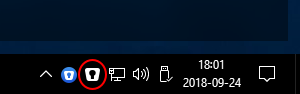
Hi, my guess you want to promote the new Enpass Icon, but the blue icon really messes up the whole windows 10 look. In my personal opinion, just a white icon would be much better. Bye
-
icon Wish List Adobe Airbnb AirMiles Cpanal Creative Market ExpressVPN Firefox FedEx Flickr GoFundMe Gravatar Kijiji Netflix Mail chimp Pocket Poshmark TD Udemy Walmart We Heart it And icons that can represent the following categories: Medical/Doctor, shopping, domain registries/ web development, Canada, US. add more:
-
Hi! Can u please either add more icons or allow us to change to color of the icons. The number of icons u guys have is very limited but it wouldn’t be so bad if I got to choose the icon color since that’s what many people think of first when they think of a site or company. It would also be nice to include the alphabet that way I can have a red “N” for Netflix for example.
-
I'm using xubuntu x64 16.04 installed from repo so on my "taskbar" weather that is just the plain xfce-panel, dockbarx, or docky when enpass is open it just shows a generic window icon, instead of the Enpass Icon, when I say "taskbar" I am refering to the area where I click to change the focused program, like firefox, thunar, thunderbird, etc..
-
I am using a dark theme in Firefox and the icon gets lost as it matches the same color. I would like to have a icon selection option in the Browser preferences. Preferably: Dark Gray (Default) Light Gray Blue + White
-
You have ever registered web services or desktop applications which is no longer available. Some web services have already stopped their businesses. But you sometimes want to remind some passwords, or web service URLs in case any trouble in future. So I would like a new ICON which means / indicates "This web service is no longer available" or "You withdrew / canceled this web service in 2010." in ENPASS.
-
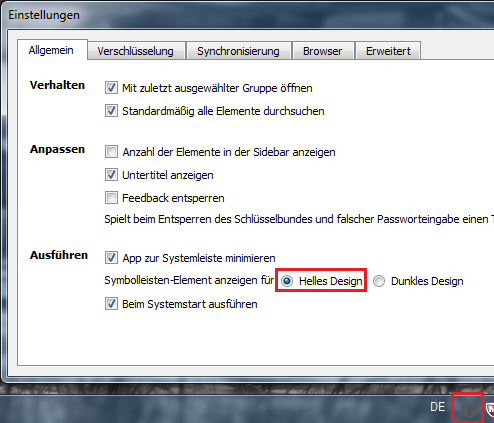
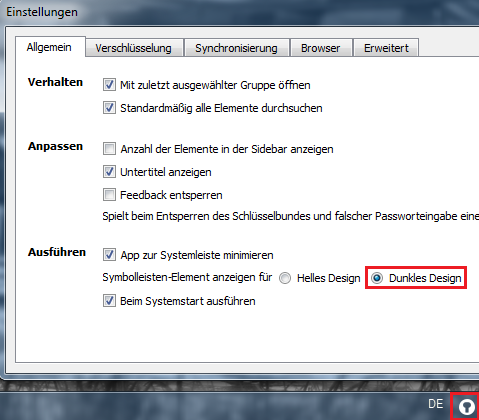
Hi There, the tray icon in the german version is inverted to the dark/bright settings. _ jurisch-IT
-
Please add an option to change the Firefox browser button to the same alternative system tray icon for people who use dark themes.