Amandeep Kumar
-
Posts
401 -
Joined
-
Days Won
22
Everything posted by Amandeep Kumar
-
It seems there might be a conflict between Enpass's entry update process and LinkedIn's passkey creation workflow. To address this, please try the following steps: Manually Save the Passkey: Instead of letting Enpass update the existing entry automatically, disable autofill temporarily in the browser and manually create or update the LinkedIn entry in Enpass with the passkey details. Check for Field Mapping: Verify that all required fields (e.g., email, password, and OTP) in the LinkedIn item within Enpass are correctly mapped and saved in the correct format. Clear Browser Cache and Cookies: Sometimes, browser cache and cookies can interfere with website workflows. Clear them and try the process again. Update Enpass Extension: Ensure the Enpass extension in Firefox is up-to-date. If the issue persists, please share any error details or screenshots (if possible) so we can investigate further.
-

Autofill issue on ClouDNS website
Amandeep Kumar replied to Send Zero's topic in Autofilling and Desktop Browser Extensions
Could you please try rearranging the fields in the Enpass application for the specific item? Ensure that the Password field is positioned at the top, right after the Email field, and the 2FA field is listed below it. Once you've made these adjustments, save the changes and test the autofill functionality again. If the issue persists, please let us know so we can further investigate. -
SSL certificate validation failed.
Amandeep Kumar replied to AJ_Enpass's topic in Enpass Support & Troubleshooting
Could you confirm if Zscaler or any other network firewall is installed on your device? If it is, please note that this issue might be related to Zscaler's network policies. Currently, there is no workaround available for this specific scenario. However, our team is actively working on resolving it. We will update you as soon as a fix is available. Thank you for your understanding and patience. -
If you are using a recent macOS version and facing issues with saving usernames and passwords to Enpass, it could be due to the default password manager settings on your Browser. Additionally, please confirm that the Enpass extension is installed and enabled in your browser. For Safari, the Enpass extension is included by default. You can check if it’s enabled by going to Safari settings. If the issue persists, please don’t hesitate to contact us at support@enpass.io.
-
Activation not saved on windows machine
Amandeep Kumar replied to Clayton's topic in Registration and Purchases
Based on your description, it seems there might be an issue with the purchase or the license being transferred to another device. To investigate and resolve this matter promptly, please drop us an email from your registered email at support@enpass.io . Our support team will review the details and assist you further to ensure Enpass functions seamlessly on your father's device. -
Autofill using accessibility is broken in android 14
Amandeep Kumar replied to david's topic in Android
To help resolve the issue with Enpass autofill on your Android 14 device, please follow these troubleshooting steps and let us know the outcome: Ensure All Autofill Methods Are Enabled: Enpass utilizes three approaches for autofill functionality. Please ensure that all of them are enabled. If they are already enabled, try toggling them off and back on: Android Autofill Framework Android Accessibility Enpass Keyboard You can find these settings within your phone's system and Enpass app settings. Recreate the Affected Item: If the issue occurs on a specific webpage or app: Note down the credentials for this webpage/app.(Please delete it immediately after use) Remove the saved item from Enpass. Save the item again in the Enpass app. Test autofill functionality to see if the issue persists. Reinstall Enpass App: Create a manual backup of your Enpass data or ensure synchronization is enabled for your vault. Uninstall and reinstall the Enpass app. Set it up from scratch and test the autofill feature again. If the issue remains unresolved, please let us know the specifics of your device model, the affected apps/webpages, and any error messages you encounter -
Passkeys no longer save to enpass on windows 11
Amandeep Kumar replied to julichan's topic in Modern Windows
You will be pleased to know that FIDO2 support is already part of our development roadmap and will be implemented in future versions of Enpass. I’ve also shared your comment with our dedicated development team as additional feedback. -
Could you please share the version of Enpass that is currently installed on your Mac? If it’s not up to date, I recommend updating to the latest version to see if that resolves the issue you're experiencing.
-
SteamOS flatpak v6.10.1.1661. Cannot synch with Google, wifi, or backup
Amandeep Kumar replied to bull3t's topic in Linux
Please download and install Enpass from a valid source, such as the official Enpass website or a trusted app store. Once installed, try again and let us know if you're still encountering the same issue. If the issue persists, kindly provide the following details to help us investigate further: Enpass version Device OS and version We look forward to your response. -
Trying to add a phone # to my account
Amandeep Kumar replied to DennisT's topic in Registration and Purchases
Could you please clarify the issue you're facing and where you are encountering this error? Is it happening in the Enpass application, or are you experiencing it when trying to log in to the forum? Once we have more details, we'll be able to assist you more effectively. -
Could you please explain the feature you’re requesting in a bit more detail? Are you looking for an option to configure the sync server to use a specific IP address, such as a Tailscale IP, instead of the local IP for syncing your vaults over the internet? Any additional information you can provide would help us better understand your needs and how we can improve the feature.
-
Wi-Fi Sync Server Problem after Udate to Enpass 6.11.5 (1819)
Amandeep Kumar replied to MikDev's topic in Mac
It seems the problem is related to the "Local Network Privacy" permission settings introduced in recent versions of macOS and iOS. To resolve this, please follow the steps below: For macOS: Open System Settings > Privacy & Security > Local Network. Locate Enpass in the list and enable access. Restart the Wi-Fi sync server and Enpass app. For iOS: Go to Settings > Privacy > Local Network. Find Enpass and toggle access to "On." Restart the Enpass app. Once done, try syncing again using Wi-Fi sync to verify if the issue is resolved. Regarding the issue of Enpass choosing the IP address of the machine instead of using a hostname, we understand how this could be a challenge, especially with changing IPs. We will forward this suggestion to our product team as a feature request for future updates. -
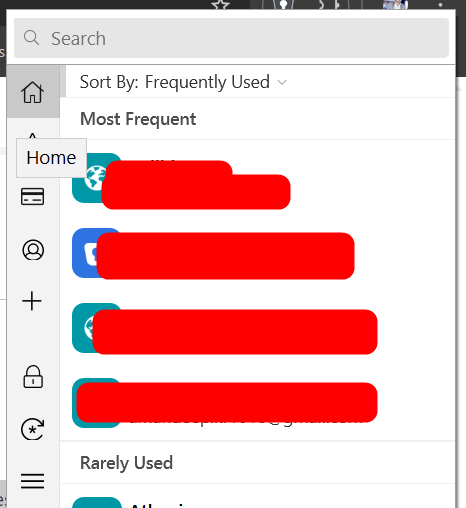
In Enpass, the items displayed under the "Credit Card" category in the menu bar pop-up include: Items categorized under "Credit Card" in the main app. Items using the "Finance.BankAccount" template, regardless of their assigned category. This is because the "Bank Account" template allows you to store credit card details, which makes these items relevant to the "Credit Card" list in the menu bar. We hope this clarifies the behavior you're observing. If you have further questions or need assistance, feel free to reach out.
-
Thank you for your question and for considering Enpass. We understand your preference for privacy and minimizing data transfer from your device, and we’re happy to provide some clarity. Enpass does utilize network access for specific features, such as: Checking for updates Synchronizing with cloud services (if enabled) Fetching website icons Subscription verification checks Compromised password checker However, Enpass is designed to function offline, and your vault data remains stored locally on your device unless you explicitly choose to sync with a cloud service.
-
Currently, Enpass supports importing data with item-based tags to help maintain your organizational structure during migration. To achieve what you described—assigning tags to match each vault’s metadata—you would first need to export your 1Password data in a format that includes this information, such as CSV. Once exported, you can review the file and add tags to each item that correspond to the original vault names. This way, when you import the data into Enpass, your items will retain their tags and organization. Enpass allows importing data directly from 1Password or via a CSV format. While Enpass doesn’t natively recognize separate vaults during import, using tags can mimic this structure. After import, you can easily sort or search for items by their tags within your Enpass vaults.
-
Thank you for your suggestion regarding the "View Large" text size feature. We appreciate your input and will take note of your feedback to share with the respective team for consideration in future updates. In the meantime, you may be able to adjust the font size through your device's settings, which could help improve the text readability in Enpass. This can typically be done by navigating to your phone’s display or accessibility settings and modifying the system font size. We hope this helps, and please let us know if there’s anything else we can assist you with.
-
To assist you more effectively, could you please provide the following details? Enpass Version: Which version of Enpass do you currently have installed? Device Details: Specifics about your device model. Additionally, please ensure that the Enpass app is updated to the latest version, as updates often include fixes that could address this type of behavior. If possible, could you share a short screen recording of the issue occurring? This would help us better understand the problem. You can send the recording to support@enpass.io and mention this forum URL in your ticket.
-
To better assist you, could you please provide the following information? Enpass Version: Which version of Enpass do you currently have installed? Device Information: What device and operating system are you using when this issue occurs? If your Enpass app is not up-to-date, we recommend updating to the latest version, as updates often include performance enhancements and bug fixes that may resolve this issue
-
To change the backup location in Enpass, you'll need to install the website version of Enpass, as the store version does not allow for location changes. Once you have the website version installed, you should be able to set your Synology device as the backup location without any issues.
-
Sync Error: Password of data on Wi-Fi Sync Server is required.
Amandeep Kumar replied to hermann's topic in Mac
If you prefer not to disconnect all sync clients, the best approach is to initiate the Wi-Fi sync setup directly from the affected device. This should allow you to reconnect the server without having to remove it from all devices. -
It seems that there might be another vault file created on your WebDAV server, which is causing the master password prompt for a different vault. I recommend the following steps: Verify Vault Connection: Ensure that the vault you are trying to connect to on the new Linux machine is the same as the one synced on your other devices. Backup and Reconnect: Take the latest backup of your data from the device where everything is working properly. Delete the Enpass database file from the WebDAV server. Reconnect your vault to the WebDAV server from the working device. After that, attempt to reconnect your vault on the new Linux machine and other devices. This should help resolve the issue. Let me know if you need further assistance.
-
The registration process is only required to activate your license. However, please rest assured that Enpass does not store any of your data on its servers. Your vault data remains securely on your trusted cloud storage or local device. In case of any unforeseen events, your data will remain accessible from your chosen storage, and Enpass will continue to function normally on your local devices.
-
The primary vault cannot be deleted directly. If you wish to remove it, you'll need to uninstall and reinstall Enpass, then do a fresh setup. For deleting the Enpass data stored in Google Drive, you can follow the steps provided in this link: Resetting Enpass to Erase Data or Start Over. Please let us know if you need further assistance.
-
Could you please briefly explain what specific feature you're looking for? Enpass does support passkeys, so we'd love to better understand your needs to see how we can assist or improve the implementation.
-
Order suggested logins for same domain by usage
Amandeep Kumar replied to chross's topic in Feature requests
To clarify, the behavior you're experiencing applies to both the Enpass app and the browser extension. Recently used or frequently used logins should be shown first in both environments for convenience. If you're not seeing this in the extension, please try refreshing the browser or restarting the extension to ensure proper functionality. y.