


Anshu kumar
Enpass team member
-
Joined
Everything posted by Anshu kumar
-
Hey guys, Thanks for reporting these issues. We have tracked the issue and a fix will be available in the next update. Thanks for your co-operation and keep reporting.
-
Hi @Nigel Flowers, Thanks for trying our latest version of Enpass! Well, we will enable other cloud services in our next beta update. However, I would like to share that the previous version of Enpass data will not be restored directly from the cloud. You can only restore your previous version of Enpass data using the steps mentioned below. Open Enpass 5 ---> Take the backup of Enpass data and save it manually on the device. Now open Enpass 6 --> Restore Existing data --> Select the Backup file and follow the instruction. Cheers!
-
Hey guys, I'm glad to share that we have rolled out the beta version of Enpass 6 for Windows platform. Please have a look at this Forum post for more info. Cheers!
-
Hey guys! We are incredibly excited to announce the first beta release of our most awaited update - Enpass 6. You're more than welcome to join us to help in building a better Enpass for you. This is the first beta version of Enpass for Windows to help you guys get a whirl of the latest features. We know the beta build will have features that are still in progress, the app will be less stable than you’re accustomed to. Feedback on stability, as well as any other performance issues you experience, is crucial and extremely appreciated. You can download and install the beta from here and for further information head straight to our blog post. Cheers!
-
Hi @frustrateduser, Sorry for the trouble you are going through. To investigate further on this issue we might need to share some troubleshooting steps. So I request you to please drop us an Email at support@enpass.io along with the following information so that we can try and fix this asap: On which devices (along with OS version) are you using Enpass? Which Enpass version are you using on each device? Thanks for your co-operation.
-
Hey guys, Sorry for the trouble you are going through. We've been looking into this issue and found that the crashes were prominent when using Enpass with " Windows 10 x64 1803 (17134.81)". So please update the latest preview OS build(17677) or either use a stable version of OS and let me know if the problem persists. Cheers!
-
Hey @arinbell Sorry for the trouble you are going through. We've been looking into this issue and found that the crashes were prominent when using Enpass with " Windows 10 x64 1803 (17134.81)". So please update the latest preview OS build(17677) or either use a stable version of OS and let me know if the problem persists. Thanks.
-
Hey guys, Sorry for the trouble you are going through. On further investigating the issue we concluded that the crashes were prominent when using Enpass with " Windows 10 x64 1803 (17134.81)". So please update the latest preview OS build(17677) or either use a stable version of OS and let me know if the problem persists. Thanks.
-
Hey guys, Sorry for the trouble you are going through. Recently, Opera changed their signing certificate for the Mac which leads to the failure of code signature verification in Enpass and thus, returns Enpass connection error while using the Enpass extension in Opera browser. We are implementing the fix and a new update will be rolled out asap. Till then we request you to please bear and co-operate with us. Thank you.
-
-
Hi @Kamute, Thanks for writing in. Yes, we will get the Enpass 6 audited for security. The development is on the way and the beta is due by end of this month. Here's a sneak peek at the latest UI which comes along with the update. I appreciate your patience in the meantime.
-
Hi @mtdyson Sorry for the trouble you are going through. As far as I understood, you are able to unlock Enpass keychain on your PC but having a problem restoring the data on your mobile? If yes, I request you to drop us an email to "support@enpass.io" so that we can share some troubleshooting steps and try to fix this. Thanks for your co-operation.
-
Hi @Riccardo, Sorry to hear about the trouble you are going through. Please share some more info so that we can help you better. Which Enpass (App Store/ Enpass website) version are using? Which cloud services are you using to sync? Are you using Enpass on any other devices where you can access your database? For Testing Purpose: Please turn off the internet connection and now try to open Enpass and share your findings. Thanks for your co-operation.
-
Hi @Fredrik Thanks for writing in. I would like to share that Native messaging host for Enpass is an additional component which is required to connect the Enpass app with the Firefox WebExtension through native messaging. Our testing team is already looking into it. However, we will really appreciate if you can help us by sharing anything relevant about when it surfaces the most like when waking the machine from sleep or even with a fresh boot or any other instance. Thanks for your co-operation.
-
Hi @StephanP Thanks a lot for your time and improving Dutch localization. I've noted it for correction and we're gonna touch our translator for the same. I've noted down your interest. Thanks!
-
Hi @Marco 15 Thanks for your suggestion. We do have already plans to improve Touch ID functionality in the next major release. Cheers!
-
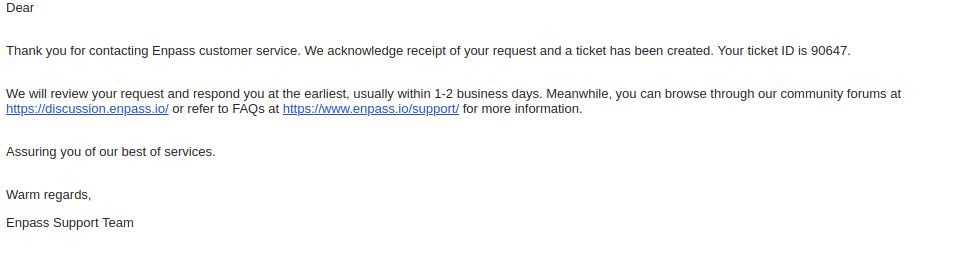
Hi @Jim Land I'm glad to know that the problem is resolved. After the email is sent even from the website, you'll get a confirmation from our end with a Ticket ID and acknowledgment in your email inbox with which you send the email. One of the possible reasons might be a typo error while writing email ID or it might be marked as spam. Wishing you a speedy recovery.
-
-
Hi @Jim, Thanks for writing in. I would like to share that currently, Enpass can auto-fill only Username/Email/ Password fields. However, we do have plans to work on an improved version with complete Form-filling and will be available in the future version. Thanks!
-
-
Hi @Jim Land, Thanks for writing back and sharing the details. It seems that you have been sending the messages to a wrong email address. The correct email address is support@enpass.io. After the email is sent, you'll get a confirmation from our end with a Ticket ID and acknowledgment. Further, I would like to share that you are using an older version of Enpass (5.6.0) so please download the latest version (5.6.8) and follow these troubleshooting steps and let me know if the problem still persists. Quit Enpass (If running). Go to User Document Folder --> Select Enpass --> Rename it as BackupEnpass. Uninstall the Enpass app and download the latest version from this link and install it. Now open Enpass --> It will prompt you a welcome screen --> Select Restore my existing data --> Select OneDrive and follow the instructions. Hope this helps!
-
-
Hi @Jim Land, We sincerely apologize for the trouble you are going through. Can you please share your Ticket ID no so that we can ask our support guys to look into it. Please let me know the following so that we can help you better. Which Enpass version (Enpass website/ Windows Store) are you using? Which cloud services are you using? Does Enpass crash after entering the master password or any other instances? I will assure you to fix this problem asap.
-
Hi @Fank Thanks for using Enpass. The development of Enpass 6 is underway and hopefully beta will be available before the end of this month. Cheers!
- 6 replies
-
- windows hello
- uwp
- desktop
- store
-
Tagged with:
-
Hey guys, Sorry for the trouble you are going through. Please let me know which Linux OS version are you using. Also, open Enpass, click on the browser extension and make sure that the Enpass browser extension is enabled, now run the following command in the terminal and share the output via support@enpass.io: lsof -i:10391 10391 is the port number here. If it shows no output (blank), please try with other port numbers between 10391 to 10395. Your co-operation is highly appreciated.


