Amandeep Kumar
-
Posts
401 -
Joined
-
Days Won
22
Everything posted by Amandeep Kumar
-
 Hey there, thank you for your patience. Actually, this is a known issue in the Enpass Windows website version. When a user syncs the documents folder with any cloud service, these kinds of issues sometimes do occur, and we are actively working on resolving this behavior. If the above steps have not resolved the issue, please try our Windows Store version 6.9.5 (1640). Alternatively, you can also exclude the Documents → Enpass folder from cloud sync if possible. #SI-3661
 -
SSL-Enpass App is locking me out from my passwords.
Amandeep Kumar replied to sbstnzmr's topic in Mac
@sbstnzmr & @IvarsonI'd like to take this opportunity to inform you that our development team is already aware of this issue and was actively working on refining the pinning architecture. We have fixed this issue, and the solution will be included in the next update. Before the official release, we will also provide access to the beta version. Once it's available, I'll notify you here. We appreciate your patience in the meantime. #SI-3465 -
This could be due to a system-based setting that sometimes gets reset after an update. To resolve this issue, you may need to set up login with biometric authentication again.
-
Thank you for your suggestion! I'll forward your suggestions to our development team for further review and consideration. If you have any more ideas or feedback, feel free to share them with us. We're always looking for ways to enhance the user experience in Enpass. #SI-3716
-
SSL certificate validation failed.
Amandeep Kumar replied to AJ_Enpass's topic in Enpass Support & Troubleshooting
Hey All, I'd like to take this opportunity to inform you that our development team is already aware of this issue and is actively working on refining the pinning architecture. Rest assured, we have fixed the issue, and the solution will be included in the upcoming Enpass Builds. Before the official release, we will also provide access to the beta version. Once it's available, I'll notify you here. We appreciate your patience in the meantime. #SI-3465 -
Could you please confirm if you're syncing the Enpass folder from the documents directory to Dropbox? If so, I recommend excluding the Enpass folder from syncing with Dropbox. Excluding the Enpass folder from syncing can prevent any potential conflicts or issues with Enpass synchronization. If you have any further questions or need assistance, please feel free to let us know. We're here to help.
-
I would like to share that Enpass browser extension communicates to the Enpass app over the localhost address. So please check and verify that the any third-party security related software or extension /Firewall is not interfering with the localhost connections (127.0.0.1) with port number 10391-10395 Also, run lsof -i:10391 command in the terminal and share the output. 10391 is the port number here. If it shows no output (blank), please try with other port numbers between 10391 to 10395.
-
Bitwarden Import not working
Amandeep Kumar replied to raalapas's topic in Importing data from other softwares
We are not able to reproduce same issue at our end, to further investigate the issue, could you please share the following details: 1. The language of the Bitwarden application used when exporting the data. 2. Open the attached CSV file in Notepad and also open your exported CSV in another window of Notepad. Then, compare the format of both CSV files. Are they similar or not? 3. If possible, please share a small clip of the issue you faced while importing the data. These details will help us better understand and address the problem you're experiencing. If you have any further questions or need assistance, please feel free to let us know. We're here to help. -
MacOS Safari Extension Does not Support Multiple MacOS User Accounts
Amandeep Kumar replied to Andrew K's topic in Mac
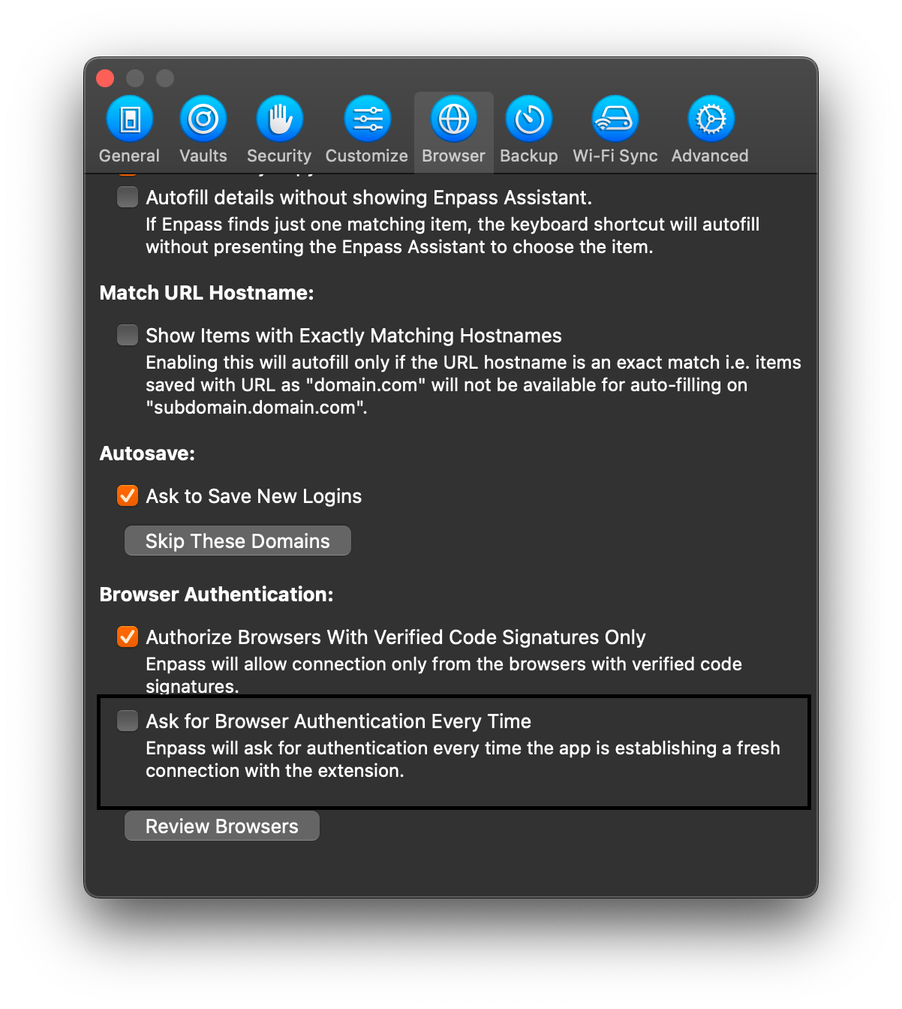
To better assist you, could you please provide the following details: 1. Enpass version: Please let us know the version of Enpass you are currently using. 2. OS details: Kindly provide the operating system details of the device where you're encountering the issue. 3. Safari version: Please specify the version of Safari browser you are using. With this information, we'll be able to provide you with more targeted assistance to resolve your issue effectively. Also check the mentioned settings (below image )if its off or not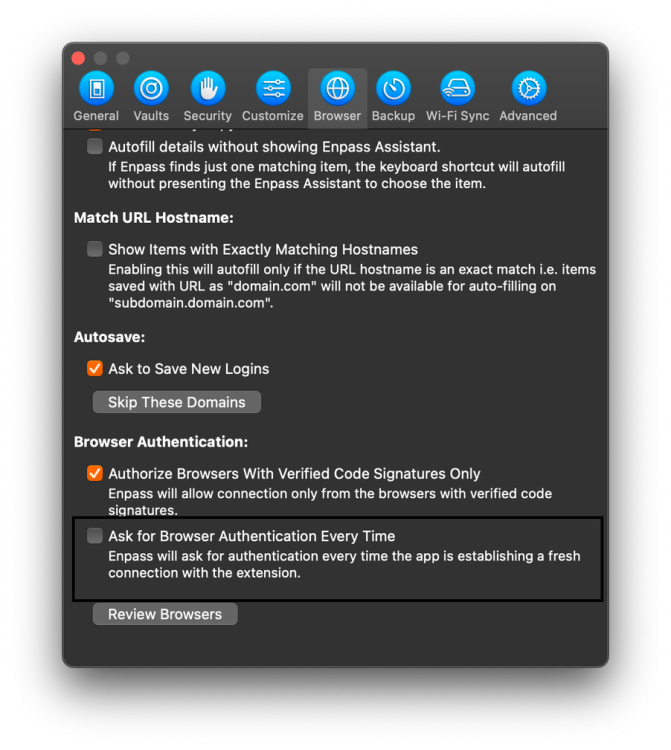
-
I understand your concern with the current behavior, but I want to clarify that this is actually the expected behavior of the application. When you click on "All Items" or any tag, the app retains the focus on the last item you had selected. This is designed to help users easily navigate back to the item they were previously working on, without losing their place in the list.
-
Absolutely, having a feature to easily exclude certain entries from autofill suggestions would be incredibly useful for many users. It would provide a simple way to manage and streamline the autofill experience, especially for accounts that are used infrequently or are not relevant in certain contexts. We appreciate your feedback and will certainly pass it along to our development team for consideration in future updates. In the meantime, if you have any other suggestions or feedback, please feel free to share them with us. Thank you for taking the time to provide your input, and we'll do our best to continually improve the Enpass experience for all users. #SI-3496
-
Here are the steps to solve Enpass database errors with Dropbox synchronization: Open your Dropbox settings. Locate the Enpass folder within your Documents folder that is synced to Dropbox. Unselect the Enpass folder for synchronization in your Dropbox settings. This action will remove the folder locally. Download the Enpass folder from Dropbox and save it to your Documents folder again. Restart the Enpass application. Once Enpass restarts, the synchronization with Dropbox should work again. Following these steps should help resolve any database errors you were experiencing with Enpass synchronization via Dropbox. Take a manual backup of your latest data on your local device and ensure that the master password you remember is correct. If you encounter any further difficulties or need additional assistance, please feel free to reach out. We're here to help.
-
At the moment, Enpass does not support the Meta Quest 3 headset platform. However, we constantly strive to expand our compatibility to reach more users, and your interest in using Enpass with Meta Quest 3 is duly noted.
-
I totally understand your concern. Let me clarify: if you have a one-time premium lifetime plan, you'll continue to receive all future upgrades and updates for Enpass without any additional cost. This lifetime plan ensures that you get access to all features and benefits, just like users with the premium monthly or yearly plan. So, you won't miss out on anything, and you'll enjoy the full functionality of Enpass for as long as you use it.
-
Our technical team has acknowledged the issue and is actively working on a solution. Fixing this bug may take some time, and the resolution will be included in the upcoming updates of the application. We appreciate your patience and understanding. If you have any further questions or if there's anything else we can assist you with, please feel free to let us know.
-
Thank you for sharing your perspective on the login behavior in Enpass. We appreciate your feedback and understand your concerns regarding the frequency of entering the master password, especially when Touch ID is enabled. We constantly strive to balance security with user convenience in Enpass. Your input is valuable to us as we consider improvements to the login process. I will ensure to pass your feedback along to our development team for further consideration.
-
MacOS Safari Extension Does not Support Multiple MacOS User Accounts
Amandeep Kumar replied to Andrew K's topic in Mac
Hey there, Thank you for sharing the details and your efforts in providing information. I've reported this issue to the Enpass technical team. They are currently investigating it, and I will reach out to you with updates as soon as I receive them. Thank you for your patience, and feel free to provide any additional feedback. #SI-3701 -
Possible to set Enpass as default Password Manager in MacOS?
Amandeep Kumar replied to MacFreek's topic in Mac
Thanks for clarification, i had a discussion with our technical team, and unfortunately, Enpass does not currently have this feature. We appreciate your effort in bringing this concern to our attention. I am raising this issue with our technical team as a feature request, and we may consider adding it in our future updates. However, please understand that several factors and considerations have to be taken into account. Thank you again for your understanding and patience. #SI-3035 -
Can't sync enpass db on mac with enpass db on linux ubuntu
Amandeep Kumar replied to real1's topic in Mac
The syncing issues you're experiencing between your Mac and Linux machines in Enpass. Let's troubleshoot this together to find a solution. Are both your Mac and Linux machines using the same version of Enpass? Have you set up the sync method on both machines to use the same cloud service or Wi-Fi sync? When you try to restore a backup from the Linux machine to the Mac, what error message or issue do you encounter? When attempting to open the database file from the Linux machine on the Mac, what happens? Do you receive any error messages? Please provide more details on the specific steps you've taken and any error messages you're encountering. With this information, I'll be able to assist you further in resolving the syncing issue between your Mac and Linux machines. Looking forward to your response. -
Thank you for sharing the details and your efforts in providing information. I've reported this issue to the Enpass technical team. They are currently investigating it, and I will reach out to you with updates as soon as I receive them. #SI-3696
-
Yes, the behavior you're describing is already in Enpass. Whenever you enable touch ID for unlock application. Enpass is designed to prioritize security, especially when it comes to initial logins after restarting the app, your device, or after updating it. This ensures an extra layer of protection by asking for the master password before allowing access to sensitive information, even if Touch ID is enabled.
-
Possible to set Enpass as default Password Manager in MacOS?
Amandeep Kumar replied to MacFreek's topic in Mac
To enable Enpass as the default password manager on macOS, you'll need to access the settings within each browser individually. Here's how: 1. Open your preferred browser (e.g., Safari, Chrome, Firefox). 2. Navigate to the browser's settings or preferences. 3. Look for the Extensions or Add-ons section. 4. Find Enpass in the list of extensions. 5. Enable or activate Enpass to set it as the default password manager. Once you've completed these steps for each browser you use, Enpass should function as the default password manager across macOS. -
Hey @Leif, I've reached out to our support team to assist you with resolving this issue. They'll be in touch with you shortly.
-
Thank you for your feedback. Rest assured, our team is actively addressing this issue and working to resolve it as quickly as possible.
-
Thank you for sharing the details and your efforts in providing information. I've reported this issue to the Enpass technical team. They are currently investigating it, and I will reach out to you with updates as soon as I receive them. Thank you for your patience, and feel free to provide any additional feedback. #SI-3695