
AnakinCaesar
Members
-
Joined
-
Last visited
-
While my .csv export looks nothing like what you're presenting here, I also don't understand what your message and your image are referring to. Could you get into a more descriptive explanation of your problem please?
-
-
-
There's no way to recover your master password. Either figure it out or start new.
-
A common issue many users run into is a time mismatch between the WebDAV host and the client. Could you check whether both system clocks are properly synchronized?
-
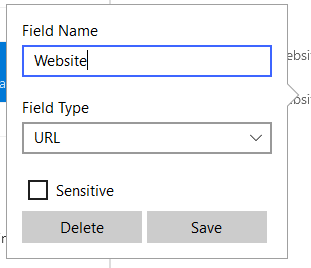
First you have to click on the name itself. After you have entered the new field name, you have to make sure you click on "Save" and not just outside the small rename window. Happened a lot to me aswell, and I believe its a design flaw...

-
-
Guess this was a "special" offer during the last promo.
-
-
I guess you have to wait for the dev team to fix this somehow. But with how slow they have been in some cases I’d rather use another fork of Chromium in the meantime or change the password manager…
-
-
While I agree with you on all those points, there's nothing I can do. And I believe subfolder support is nothing on the omnicious roadmap from Enpass themself.
-
This seems to me, that the browser addon is not authorized for the enpass app itself. "18.2.2026, 11:37:41 : Authentication required" looks as a clear indicator for me. But I'm no Enpass tech team, this is just my understanding. So I'd suggest uninstalling the addon, reinstalling it, waiting for the auth screen to appear and hoping for the best. Otherwise you'll have to wait for the support team.
-
If I recall correctly from other topics over the past few years, I'd say subfolders in any cloud storage are not supported. Therefore the WebDAV will not work either.
-
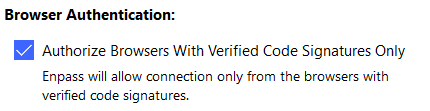
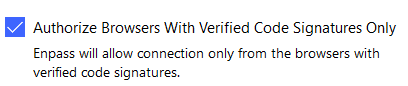
By connected you mean, you've inserted the code to authenticate the extension to Enpass itself? Firefox and Chrome have been tested with the same webpage? Have you checked maybe to disable Browser Signature Check? I'm not completely sure, but maybe the current Brave build has a signature, that is not allowed by Enpass.