


Pratyush Sharma
Enpass team member
-
Joined
Everything posted by Pratyush Sharma
-
Hi @Rpmdude010, Sorry for the trouble you are going through. Please let us know the following details so we can further investigate this issue: When you are copying from Enpass app are getting a disappearing message at the bottom of the screen "Copied to Clipboard"? As you mentioned "the clipboard remains with the previous contents" are the copied content is of Enpass only? On which other apps you are facing the same issue? If possible, share the small video of the issue it will be great for our team to understand. Thanks!
-
Hi @IslandBoy, When you try to quit Enpass by clicking on 'X' button in the top right corner, the app is sent to the system tray at that time app is running and also keeping a hold of files in the Documents folder. So, either you can use the command to Exit (Ctrl+Q) or click on the Enpass icon in the menu bar and select Quit, also you can try to change the Enpass data location outside of Documents folder. That way sync of OneDrive with Documents folder will not interfere. Thanks!
-
Hi @jvEbCge3ck5U6WxnPa, Sorry for the inconvenience caused to you. Please have a look at this FAQ and revert to us if the issue persists. Hope this helps!
-
Hi @willydee, We are sorry for the inconvenience caused to you. I have noted down this issue and notified the QA team to look into it. Thanks for your co-operation.
-
Hi @Enrico Götsch, Sorry for the trouble you are going through. For quick troubleshooting, disconnect the sync from all the devices and reconnect it again. Now do some sample change like mark any item to favorite, add a new item in any one device. Now check does the changes are reflected in other devices? If your problem persists, please share the following details so that we can investigate where the problem could be. On which devices and OS versions (mention all) are you using Enpass? Which Enpass version are you using on each device? Are you getting any error message or code during sync? If yes, share it with us. Which cloud service are you using? Does the Date and Time setting set to automatic on all devices? Does the last synced time get updated on the sync page?
-
@stieve Thanks for sharing the details. Please let us know which Enpass installation you are using - website or store installed?
-
Hi @freshfruit, Enpass for Android requires Master Password in following scenarios even if the PIN is enabled: When the app is closed manually. Device is rebooted. When too many apps are active in device background (in this case OS automatically kills some apps to claim memory). If you are facing problem other than the mentioned option please do let me know.
-
Hi @PaulH49, Thanks for sharing the details. I have noted down this issue and notified the QA team to look into it. I suppose that you use the Enpass extension on Firefox. Meanwhile, please try reinstalling the Firefox browser and check if there are any changes to the behaviour.
-
@Howard We sincerely regret the inconvenience with iCloud sync, we're looking into it at our end. However, I have responded to your text in the message; please share the details so we can help you better.
-
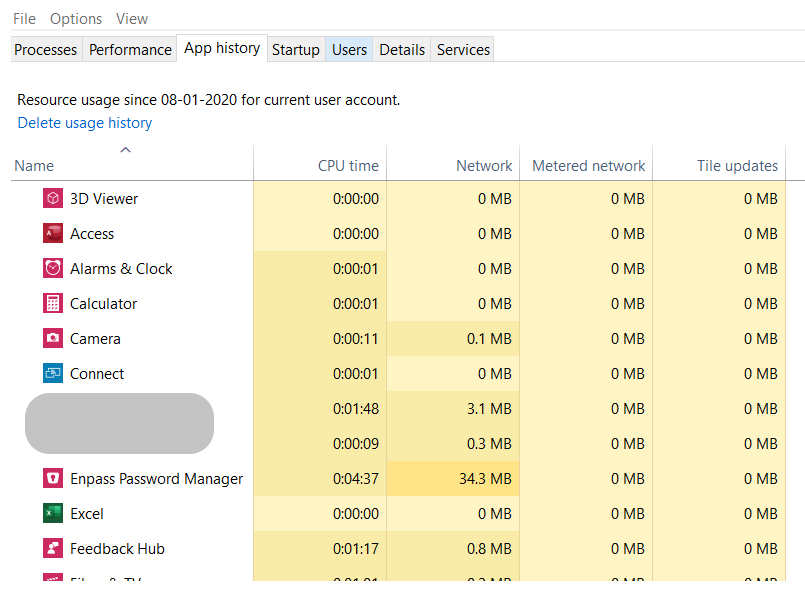
Hi @luye, Thanks for writing back in. PFA
-
@qgvrt Update We found this issue and our Dev team is looking into it. Hopefully, fix will be available in the subsequent update(s). Thanks.
-
Hi @StL, We are sorry for the inconvenience caused to you. For quick troubleshooting please disconnect the sync and reconnect. If the problem persists revert to us. Hope this helps!
-
Hi @rekedueb, Sorry for the inconvenience caused to you. I have noted down this issue and notified the QA team to look into it. Thanks for your co-operation.
-
Hi @HQJaTu, Thanks for writing back in. Please have a look at our blog post to know about website icons in Enpass and how they work. We also understand the limitation with enabling website icons as there is no option to specify for which items you wish to use the website icons. We have forwarded your feedback to the concerned team. Thanks!
-
Hi @Galaxy, Thanks for showing interest in buying Enpass. Enpass can't be purchased in Desktop version as it is entirely free for users only by registering with us. If you want to buy Enpass subscription, then install it in iOS or Android device from the respective app store. You can upgrade only on the mobile version of Enpass as there are no more purchases for Enpass on desktop. With registration, you can access all Enpass features.
-
Hi @Howard, Sorry for the trouble you are going through. For quick troubleshooting, please disconnect the sync and reconnect it. If the issue persists let us know are you facing the same issue when syncing with other cloud. Did you setup the other two (missing) vaults on a different device? You might not have setup sync for those vaults in the other device.
-
Hi @Sipfox, Sorry for the inconvenience caused to you. Please make sure you are using the correct master password by checking the caps lock off. Also, please try copy and pasting your master password in the password field to check if that works. If the problem persists, please share some more info so that we can check further. On which all devices (along with OS version) are you using Enpass? Which Enpass version are you using on each device? Which cloud services are you using? Does your master password contains any special character? Are you able to access Enpass on any other device? Thanks for your cooperation.
-
Hi @MDrama, Sorry for the inconvenience caused to you. We have noted down this issue and forwarded it to the concerned team for further consideration. Thanks for your feedback!
-
Hi @jncolin, We are sorry for the inconvenience caused to you. Please try to disable and then enable the "Ask to save new logins" in Enpass browser settings and let us know if the issue persists.
-
Hi, Apologies for the delay. Currently, we don't have plans to implement this, but we will update you if we have any further update on this. Till then, we will request you to please co-operate with us.
-
Hi @poluz @MichaelS @CT94, Sorry for the trouble you are going through. Our Dev team is looking into this issue, and we will update you once we hear from them. Thanks!
-
Hi @Sander, Thanks for using Enpass and writing to us. We have noted down your valuable suggestion and forwarded it to the concerned team for further consideration. Thanks for your feedback!
-
Hi @rmmech, Thanks for using Enpass and writing to us. We have noted down your valuable suggestion and forwarded it to the concerned team for further consideration. Thanks for your feedback!
-
Hi @freshfruit, Sorry for the inconvenience caused to you. I have noted down this issue and notified the QA team to look into it. Thanks for your co-operation.
-
Hi @PaulH49, Please let us know the following details so we can further investigate: On which device (along with OS version) are you using Enpass? Which Firefox version are you using? Which Enpass extension version are you using? Are you using any Antivirus or third-party security-related extension? Thanks for your co-operation