
AnakinCaesar
Members
-
Joined
-
Last visited
Everything posted by AnakinCaesar
-
Usually you don’t have to pay more than once, you just have to register the app on your iPhone with the same email you used in your windows pc. Therefore the purchase was not needed and should be cancelled. Maybe the support team can issue a refund. Best of luck!
-
Its the normal launch process for Enpass installed from the MS store.
-
iOS 17.0.3 iPhone 14 Pro Enpass 6.9.3 (776) Issue: Sharing via Signal creates an unusable file which cant be opened in any way. Sharing via WhatsApp gives all the text but no link to click and no possibility to just select the text what should be able to be added via "Add from clipboard" in Enpass menu. Sharing and then saving to "Files" creates an xxx.enpasscard which I can't open on my own devices, either via import "Add from clipboard" nor opening directly in Enpass. Always give "Invalid file" or "no valid data".
-
Hello @Abhishek Dewan the sharing and adding methods you mentioned are NOT working for iOS, so sharing an entry is not possible anymore. Huge bummer - something critial which should get way more attention into fixing!
-
newest FF version is 117.0.1 for Ubuntu, maybe update and check again. Works for me in a fresh VM
-
This sounds like you tried to create a new vault in the same cloud location instead of opening and reusing your old vault. In the setup process try to restore / recover from cloud instead of saying, that you're a new user. Refer to here: https://support.enpass.io/app/setup/restoring_your_existing_enpass_data.htm Or try adding your old vault according to this: https://support.enpass.io/app/vault/adding_an_existing_vault_in_enpass.htm
-
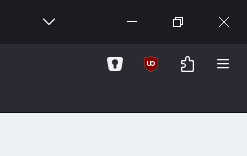
Click on the puzzle icon, it shows all installed extensions.
-
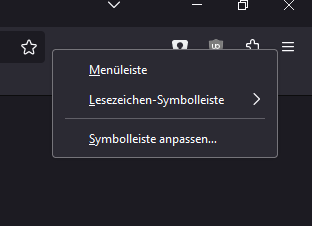
Have you checked, if you can find the attachement in the FireFox extensions button? Otherwise try and configure your symbol area and search if the extension is listed there.
-
When you setup local sync over WiFi the vault gets copied onto your other device. You don't need to manually copy those vault data, it could also cause some problems with keeping your items in sync. So just activate Sync over WiFi, your workstation will act as "main server", distributing and combining all vaults together, as soon as it is online and the laptop aswell.
-
I suppose not, as both URLs are basically the same. There is no differenciation after TLD. You should try add the native URLs into each entry and see if it works, otherwise I do not know what would work
-
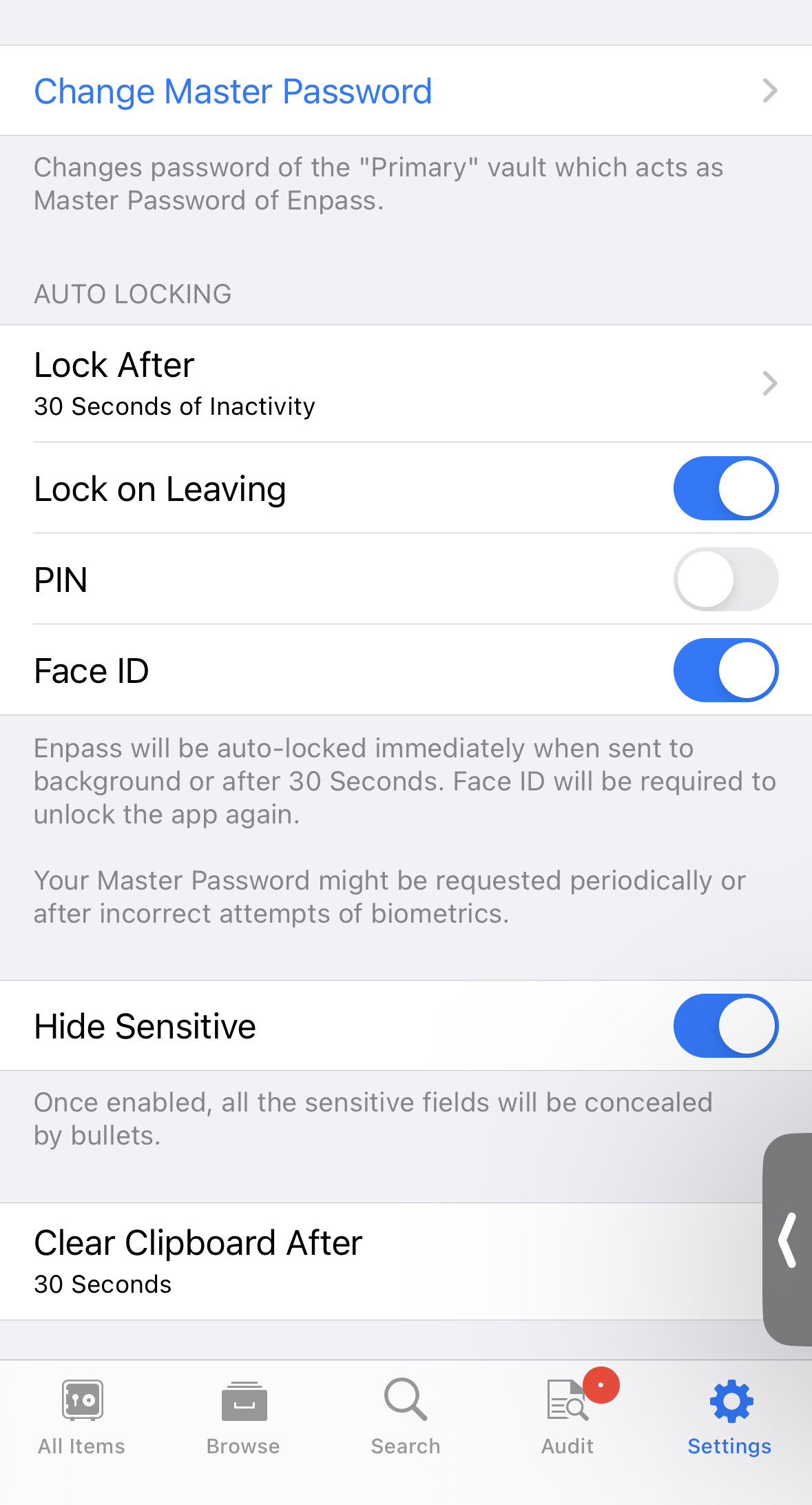
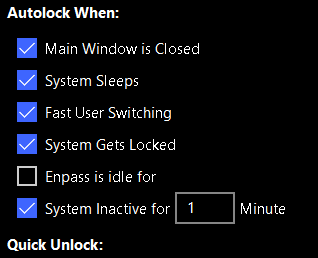
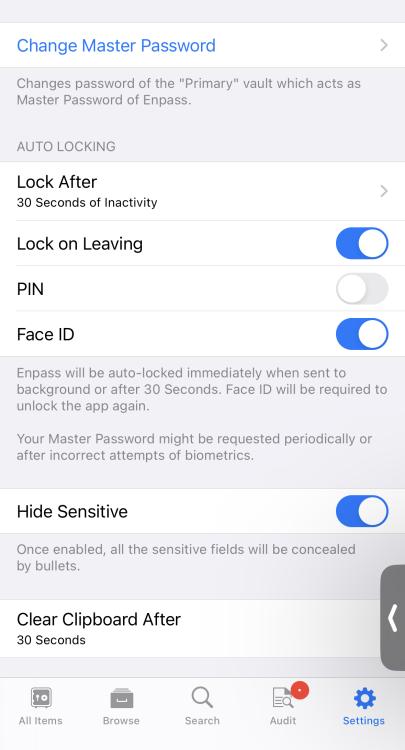
You can manually set, when Enpass will lock itself. Depending on the device you're using, settings are found at different places, most likely located under "Security" and then "Lock after". Windows: iOS:
-
I just experienced it yesterday, that the OTP code was in my cache, and I could just paste it directly after Enpass outfilled my credentials. CTRL+V -> added OTP
-
Any update on this part? It's been a while and is still not working.
-
This is due to the nature of the file's internal phrasing. Every manager has different options on how the export and import. You would either have to manually edit the .csv or .json to fit it to the format of your destination OR tell the destination the correct definition of your .csv/.json file.
-
Then I must have misread your comment, I thought you were talking about relocating all the vaults without merging them into one big vault.
-
The thing is, you cannot store them under one cloud account. You have to use different clouds for each vault. Only WebDAV allows for same-cloud sync
-
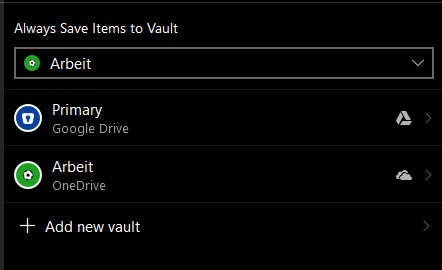
You can choose wherever you want to sync all your vaults to. Every vault can be integrated into your one account and each can also have an individual place to be synced to. Eg. I use 2 diffent vaults for work and private, with different locations where they are synced to (private cloud drive and work cloud drive) So you can create a new vault to a sync location of your choice. First you need to create a backup file of your current vault: 1. Settings -> Vaults -> Vault you want to backup. 2. 3 dots on top -> Backup -> Save to location of your choice. Now you create a new vault and choose "Restore a vault from" -> "Backup File". Choose backup form before and done. Hope this helps.
-
Try this?
-
-
I guess you can only stick the small windows which pops-up from the taskbar stick to your desktop, the big window seems not possible
-
Thank you! This resolved the issue. I have now created an entry for the "http" sites, aswell as one entry for the "https" sites. Eveything works perfectly now. Thank you again. Only part missing is the icloud freeze, but I'll wait for it to be fixed.
-
So I followed the link and its description to read a memory dump. I wasn’t able to read and find my passes (neither master, nor pin nor from entries) but what I was able to read - and I do not know the gravity of it - I could read all the OTP secrets, as they were unencrypted. Maybe something to consider…
-
Well this is an iOS “issue” as they enforce heavy hibernation on background apps. Take the Synology Photos App for example, it will not auto backup my photos unless it runs in foreground. Same for many other apps that need data transfer. Push is another topic, and will work fine. But I guess push can’t be used for Enpass wifi sync
-
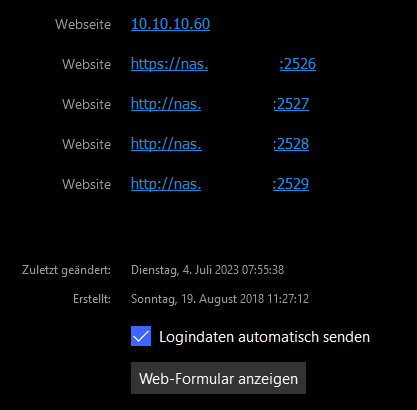
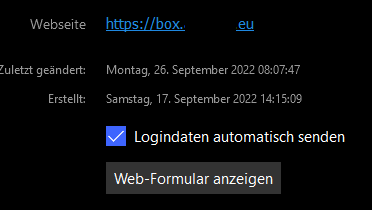
Hi @Abhishek Dewan thanks for the update on icloud.com! As for Sonarr and Radarr, it's whenever I open the site and click inside the login form, the popup shows. I unlock the vault, and click on the corresponding entry. Then nothing happens. Only thing that may cause some Issues I can think of is the following: I have my domain with multiple sub-domains, which all have different login credentials. Saved with diffenet entries. Shown in the pictures attached. Maybe this is causing an issue? The blank space is the main domain
-
Thank you @Abhishek Dewan for the update. I'll eagerly await a reply and hope a fix will be found withing a few days!