

Amandeep Kumar
-
Posts
401 -
Joined
-
Days Won
22
Everything posted by Amandeep Kumar
-
This is the intended behavior of Enpass. Whenever you completely close the app or restart it, Enpass will ask for the master password.
-
Are you able to scroll down in the extension? If so, could you please check if the save options are visible below? Additionally, I recommend trying to reopen the app and the extension after force-closing them using Ctrl+Q. We are aware of some issues related to multi-monitor setups, and our team is currently investigating them. Please let me know if these steps help resolve the problem or if you need further assistance!
-
We have already informed our Technical Team to look into the issue and keep you updated with the further developments. We appreciate your cooperation and support! #SI-4057
-
Thank you so much for your long-standing support and valuable feedback! We appreciate your recognition of the features added over the years and your consideration in helping with the development through purchasing the license. Your points regarding the UI refresh for both desktop and mobile apps are well taken. As for a major release like an "Enpass 7" or other big updates, while we can't share specifics at this time, rest assured that your feedback has been forwarded to our UI/UX team for consideration. We're always working to improve, and input from users like you helps guide our development. Thank you again for your support, and please feel free to reach out if you have any further suggestions or questions! #SI-4071
-
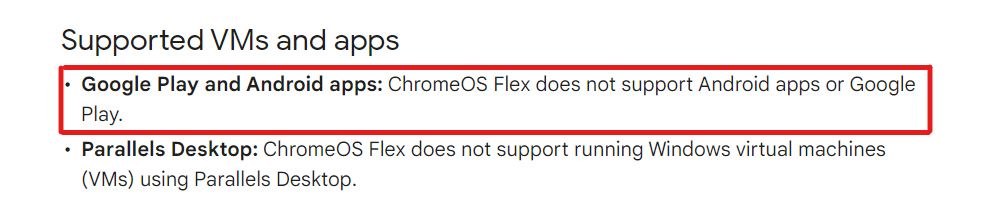
Currently, Chrome OS Flex does not support Android apps or Google Play. However, we have noted your feedback and forwarded it to our technical team for consideration in future updates. Please keep in mind that various factors and considerations will be taken into account as we explore this possibility.
-
I understand your concern, but I’d like to clarify that the feature for quick unlocking via PIN is already available in Enpass. You can enable this option by navigating to the Enpass security settings and selecting the "Unlock with PIN" option. Once activated, you'll have the flexibility to unlock your vault using either the PIN or your master password.
-

Enpass infinite loop trying to setp connection
Amandeep Kumar replied to Rickinfl's topic in Android
Thanks for sharing the details. It looks like the issue you're experiencing with OneDrive has been addressed in our latest release. Please update your Enpass application to version 6.11.2, and you should be able to set up OneDrive backup successfully. If you continue to face any problems, feel free to reach out for further assistance! -
We are working on the issue which you reported but we require some additional information from you. Request you to please try the below steps and share your findings with us - Disconnect sync from Google Drive. Take a manual backup of the data Perform erase everything operation from Enpass Settings → Advanced Setup and create a new vault then sync it to the google drive account after creating the vault. (Keep same password as the master password while creating the new vault) Also, If you are using different Enpass versions on different platforms or devices then please update Enpass app to 6.9.0 (and above versions). If the issue still persists then, Please share these details: Are you using a different version of Enpass on any other devices? If yes, please share the device info and their versions. Does this issue occur after the recent update? If possible, could you please share your previous Enpass version on android device? Have you tried the same sync on different platform (like windows). Can you provide more details or steps after which the issue started occurring? A short video in this case would be helpful.
-
Order suggested logins for same domain by usage
Amandeep Kumar replied to chross's topic in Feature requests
You can use the "Frequently Used" short filter to quickly access the most commonly used login details. This feature helps to prioritize the credentials you use regularly and sorts them accordingly for easier access.
-
Enpass 6.11.3 crashes randomly with MacOS 15.0 (Apple-Silicon)
Amandeep Kumar replied to Maja's topic in Mac
We have addressed the crashing issue in our latest Mac OS beta release (store). For the store version, you'll need to subscribe to TestFlight from the webpage here. Please let us know if the problem persists. Your feedback would be greatly appreciated. -
The sync times you're describing, especially the 15 to 30-second wait, shouldn't be happening. To help address the issue, please try the following steps: Clear the Enpass cache: Go to Settings -> Apps -> Enpass -> Storage -> Clear Cache. Reauthenticate the sync service: Disconnect from OneDrive and Box, then reconnect them in Settings -> Vaults. Ensure you're running the latest version of Enpass by checking for updates in the Play Store. If the problem persists, please let us know so we can investigate further.
-
Since you've had some success after reinstalling the app, it suggests a temporary disruption in the sync process. Could you please try the following steps: Restart both your iPad and Mac. On your Mac, go to Settings -> Wi-Fi Sync and ensure that Wi-Fi Sync is enabled. On your iPad, go to Settings -> Wi-Fi Sync and make sure it's connected to the correct server. If the issue persists, could you check for any firewall or network restrictions that might be affecting the connection? As for the new Password Manager on Mac OS Sequoia and iOS 18, it's always a good idea to explore alternatives, but rest assured that Enpass remains a robust and secure solution for managing your passwords.
-
Application will be launched several times after login
Amandeep Kumar replied to Alex80's topic in Mac
Our team is aware of this issue and is actively working on a fix. In the meantime, we can offer a workaround that may help: Click on the Enpass icon in the Menu Bar. Click on the Hamburger menu in the lower-left corner. Click on Open Enpass. Once the app opens, enter your Master Password. Go to Settings → General → Run, and disable the setting "Hide dock icon when the main window is closed". Quit the Enpass app and then try opening it from the Dock again. This should prevent the issue from occurring until a permanent fix is released. We appreciate your patience and understanding. -
To help us investigate the issue, please provide the following details: Enpass and OS version of your machine. Enpass extension version. If there is a specific URL where this issue is occurring. Share a screen recording of the issue, as it will help us better understand the problem. Feel free to let me know if you have any specific details or questions you'd like to discuss.
-
It seems like you're encountering a common issue where the OneDrive session has expired. To resolve this, please try the following steps on both your Windows 11 laptop and Galaxy S23+: Sign out of OneDrive in Enpass on both devices. On your Windows laptop, go to Enpass Settings > Vaults > Sync and disconnect OneDrive. On your Android phone, go to Enpass Settings > Vaults > Sync and disconnect OneDrive as well. Clear OneDrive session cookies in your default browser. Reauthorize OneDrive: Once you've signed out, try reconnecting the vaults to OneDrive by going to Enpass Settings > Vaults > Sync and choosing OneDrive again. Complete the authorization process when prompted, and ensure that your OneDrive account is active and logged in. If the issue persists, please make sure that both your Enpass and OneDrive apps are updated to the latest version on both devices.
-
Enpass CSV Export - Column Titles
Amandeep Kumar replied to WRG's topic in Enpass Support & Troubleshooting
To better assist you, could you please elaborate a bit more on the issue you’re facing? Specifically, let us know which Enpass version you are using. This will help us provide you with the most accurate template of column titles that matches your export format. -
To help us investigate this further, could you please share the following details with us? Device model and operating system version Enpass version installed on your system With this information, we can provide more specific guidance to resolve the issue. Thank you for your cooperation, and we look forward to helping you get this sorted out.
-
Enpass infinite loop trying to setp connection
Amandeep Kumar replied to Rickinfl's topic in Android
To help us investigate this further, could you please share the following details with us? Device model and operating system version Enpass version installed on your system With this information, we can provide more specific guidance to resolve the issue. Thank you for your cooperation, and we look forward to helping you get this sorted out. -
Hi @trongte, We received an update from our internal team. Currently, Enpass does not provide an option to unlink associated items. However, please note that a feature request for this functionality has already been submitted. Thank you for your patience, and let us know if you have any further questions. #SI-3121
-
To share your Enpass database with your wife's Android smartphone without enrolling your Google Account on her device, you can follow these steps: Export Your Vault: On your device, export your vault to a secure location such as a USB drive or directly to your wife's device using a local network or direct sharing options (e.g., Bluetooth, email with end-to-end encryption). Transfer the File: Safely transfer the exported vault file to your wife's device. Import the Vault on Her Device: On your wife's Android device, open Enpass and select the option to restore from a backup. Locate the transferred file and import it. Set Up Sync (Optional): If you want to keep the data synced between both devices, set up a shared sync method such as WebDAV, Nextcloud, or any other service that doesn't require your Google Account on her device. This approach allows you to securely share the database without linking her device to your account. Let me know if you need any further assistance!
-
New Android Phone: can't restore /sync Enpass with OneDrive....
Amandeep Kumar replied to Captain_Eric's topic in Android
It seems like there's an authentication loop occurring with OneDrive. Please try the following steps to resolve this: Make sure you are using the latest version of Enpass and your browser. Clear the cache and cookies in your browser and restart both the browser and Enpass app. Try disconnecting and reconnecting your OneDrive account in Enpass settings. If the issue persists, try switching to a different network or restarting your device. If these steps do not resolve the issue, please share any error messages or screenshots you encounter, and we'll assist you further. -
Yes, the upgrade to SQLCipher 4 has been completed. We are now using version 4.6.0.
-
We would suggest you disconnect the Wifi-Sync server from the connected devices and set it up by following the steps in the link - https://www.enpass.io/wifi-sync/ , or manually by following the steps in this link - https://www.enpass.io/wifi-sync-manual-setup/ . If you have any additional questions or require further assistance, please mail us at support@enpass.io
-
Our technical team has acknowledged the issue and is actively working on a solution. Fixing this bug may take some time, and the resolution will be included in the upcoming updates of the application. We appreciate your patience and understanding.
-
No, this is not normal behavior. It sounds like an issue specific to the beta version. Could you please try downloading the stable version of Enpass and check if the same issue persists? If you continue to experience this problem, please let us know so we can investigate further.
